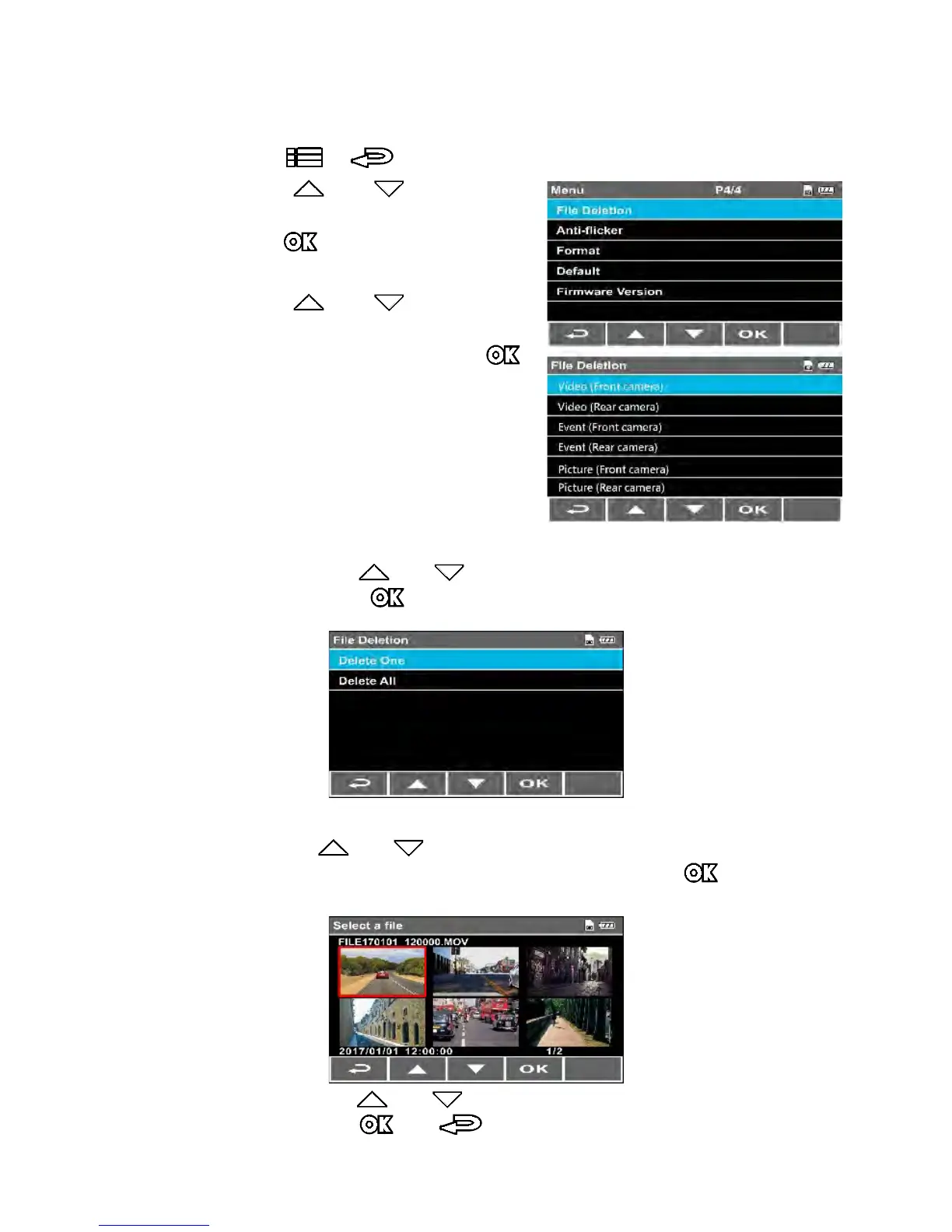
3.12 Deleting Files
To delete file(s), perform the following steps:
1.
Press the
/
button to enter the OSD menu.
2. Press the or button to
select File Deletion, and then
press the button to enter the
function menu.
3. Press the or button to
select file types (Video / Event /
Picture), and then press the
button to enter the menu.
• Delete One:
- P
ress the or button to select Delete One, and
then press button to enter the menu.
- Press or b
utton to browse files, select the files
you want to delete and then press the button to
enter the menu.
- Press th
e or button to select the item, and then
press the or button to confirm or cancel the
selection.



 To Next Page