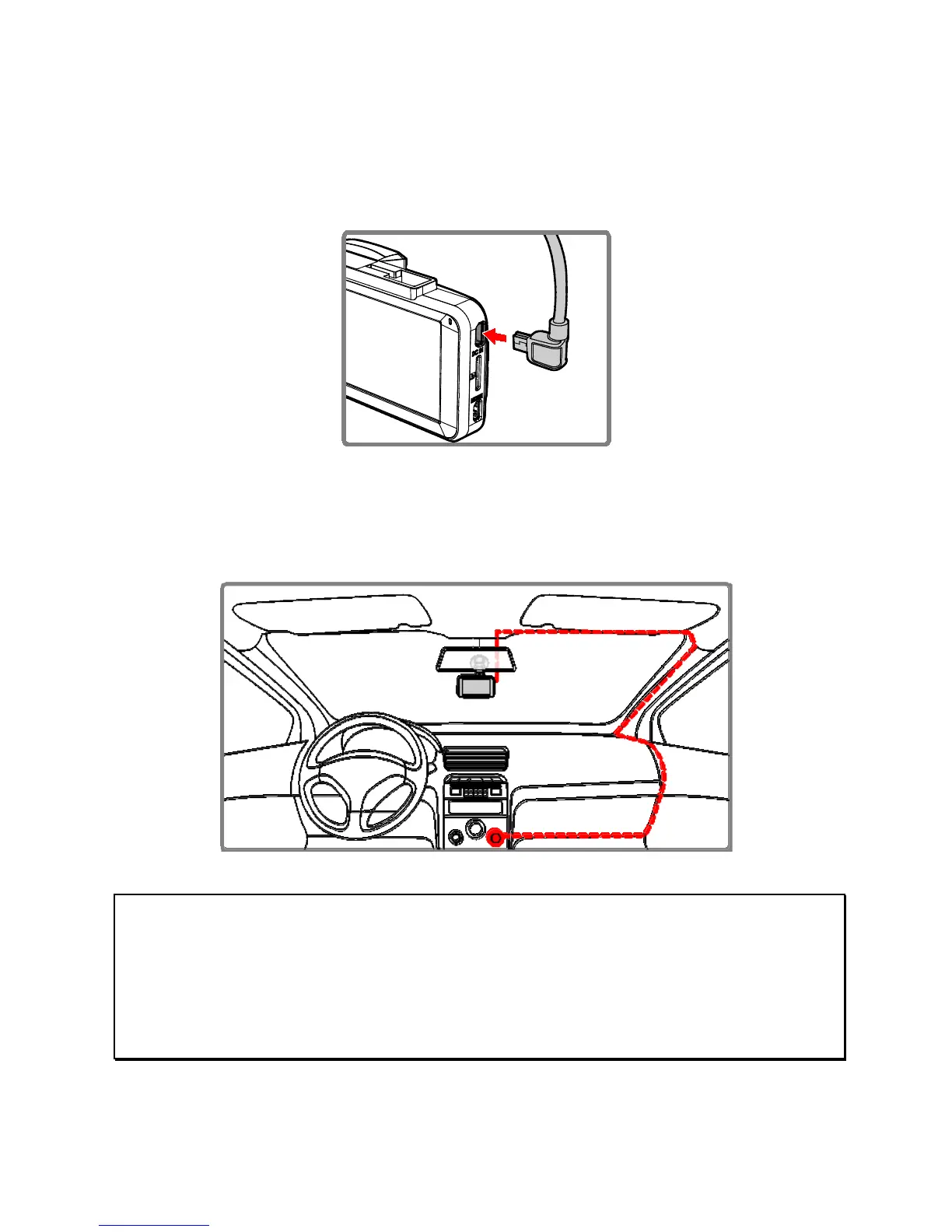
2.3 Connecting to the Power Supply
Only use the supplied car adapter to power this device and charge
the built-in battery.
1. Connect one end of the car adapter to the power connector
port on the device. USB port input: DC 5V / 1.0A.
2. Plug the other end of the car adapter to the cigarette lighter
socket of your vehicle. Once the vehicle engine starts the
device will automatically power on. Car adapter input: DC 12 /
24V.
Note:
Please measure the front windshield viewing area. So as not to block the driver's field of
view, install the device under the driving mirror (upper center of the front windshield). We
recommend that the sky and the land each occupy 50% in the recording screen, please
adjust the device so that the alignment icon is correctly aligned with the driving lane. Proper
installation enables the device to operate with maximum efficiency and improve the accuracy
of LDWS.



 To Next Page