5 Connecting to Other Devices
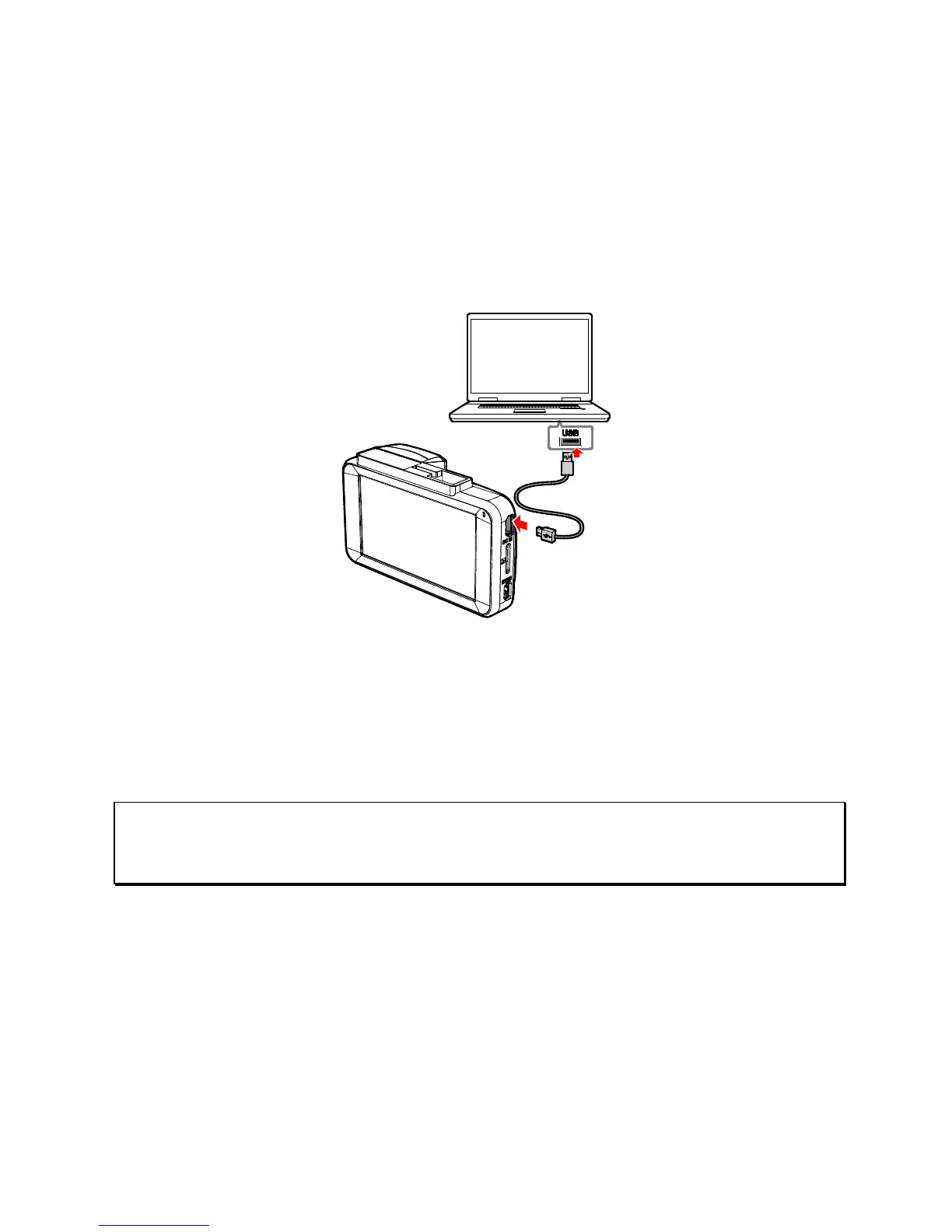
5.1 Connecting to the Computer
You can connect the device to a desktop computer or notebook to
transfer or view files.
1. Connect the mini USB cable to the power connector port of the
device.
2. Connect the other end of USB cable to an available USB port
of your computer.
3. Power on t
he device, the computer screen will show the
message "Open folder to view files", or open the "Removable
Disk" when the computer detects your device. Confirm the
message and then users can save the files to your computer.
Note:
This only indicates the device can connect to the computer; mini USB cable is not included in
standard package.



 To Next Page