Wire EDM Machine Operation Chapter 14
Copyright November, 98 Page 14-10 Sodick Inc.
C
C
O
O
R
R
N
N
E
E
R
R
F
F
I
I
N
N
D
D
R
R
O
O
U
U
T
T
I
I
N
N
E
E
This is another Q Assist routine (0165) designed by Sodick to make operation easier.
When you are trying to work form a corner of your workpiece (as your program zero
point, for example), this routine will automatically pick up both edges of the corner and
make the X and Y axis position values of that corner be any numbers you want.
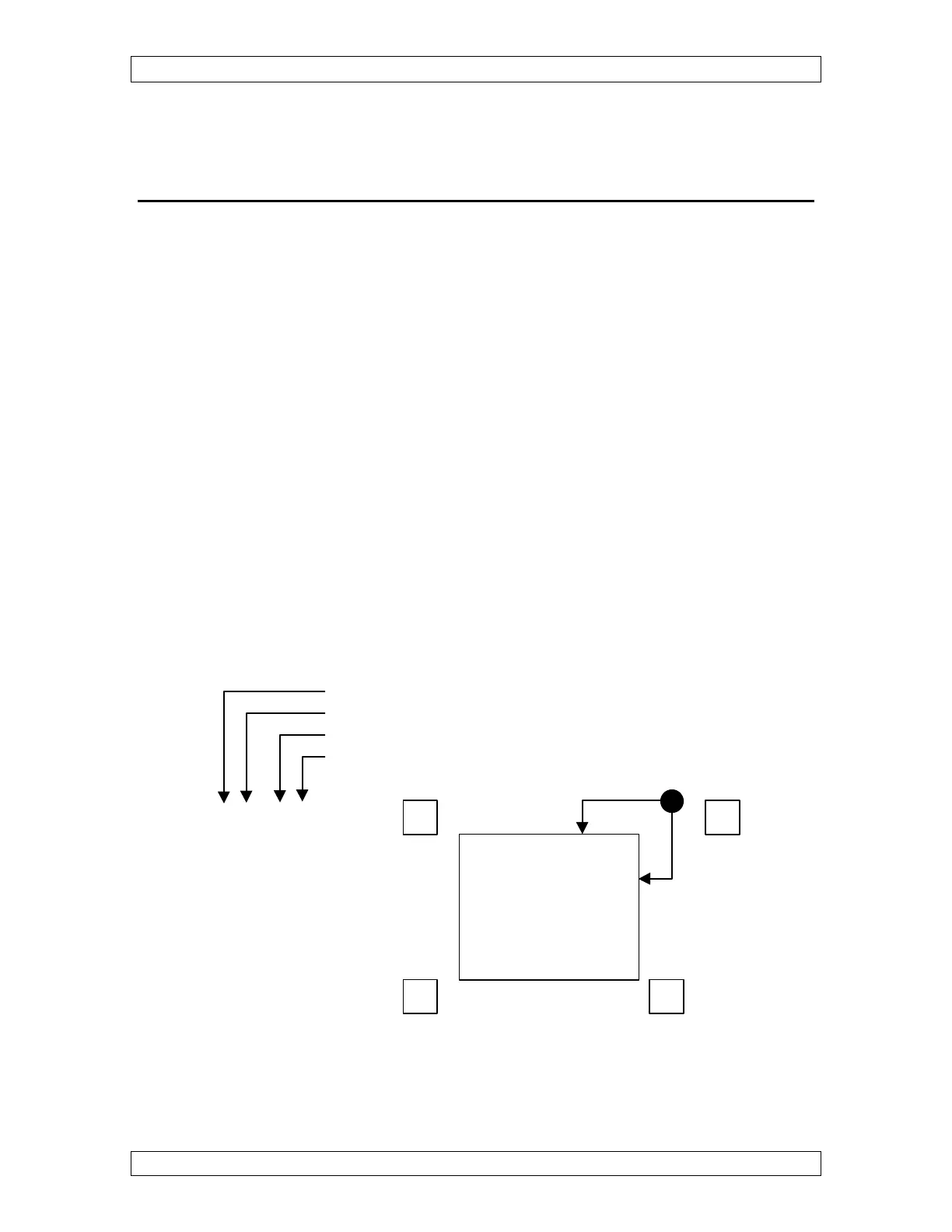
This procedure requires that you know a code number that corresponds to the corner of
the workpiece you wish to pick up. The upper right corner (X+ and Y+) is corner number
one. The upper left corner is corner number two, the lower left corner is corner number
three, and the lower right corner is corner number four.
At the completion of this routine the center of the wire will be .050" off the corner that
was picked up, and the X and Y axis displays will read the position RELATIVE to the
corner.
1) Manually bring the wire to within about .100 inch of the corner you wish to pick up (in
both X and Y).
2) Go to the “MAL”,”MDI” screen.
Typing Q0165(1,.01,0,0) and pressing enter, picks up corner 1 using .010 wire and the
corner is zero , zero on your print. You could also go to the “EDIT” screen and fill in
the questions at the top of the program and then go to the RUN screen and press
“ENTER”.
Which Corner
Wire Size
X Display
Y Display
Q0165( *, *, * ,* )



 To Next Page