Wire EDM Machine Operation Chapter 15
Copyright November, 98 Page 15-13 Sodick Inc.
S
S
E
E
T
T
S
S
C
C
R
R
E
E
E
E
N
N
#
#
1
1
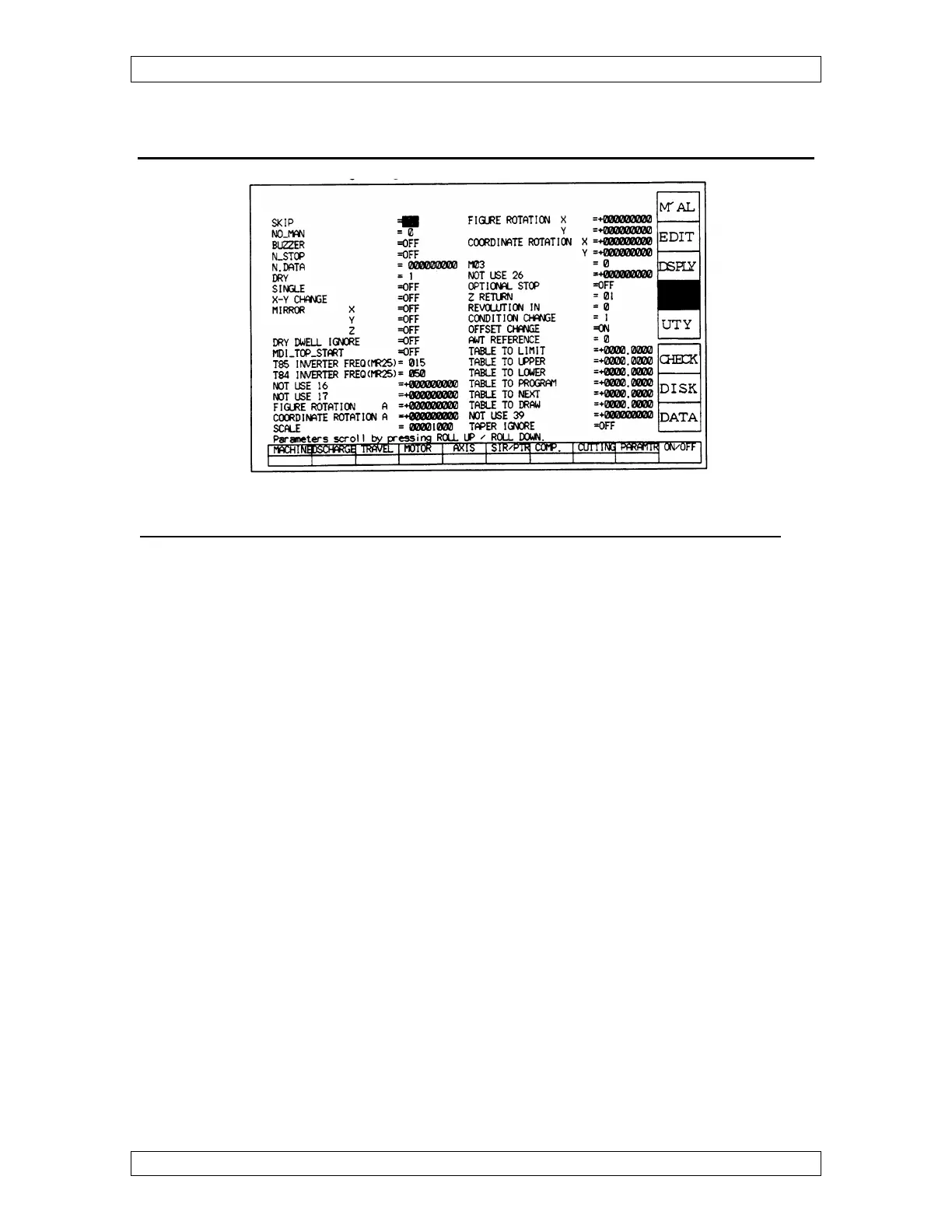
REMEMBER: THIS SCREEN AFFECTS THE MACHINE, NOT GRAPHICS.
SKIP - This manually turns on or off the block skip slash code in the program. This is
the G11- G12 code if you want to program it.
NOMAN - When at 1 and an M02 is read, the power is turned OFF; like pressing E Stop
button. Dry Run must be 0 for this to work. At 0, the power stays on.
BUZZER - If ON, the buzzer sounds continuously until manually turned off by pressing
ACK or go to set and turn it off.
N-STOP - When turned on, program runs until the line before “N DATA” number.
N-DATA - Insert sequence line of the NC program you want to stop on. Must have “N-
STOP” turned on.
DRY -
0 = Dry run turned off.
1 = Dry run on without sensor touch.
2 = Dry run on with sensor touch.
3 = Dry run on with XY axis moves of “TABLE TO DRAW” Z plane. Use this to
plot out the taper at different Z heights.
SINGLE - When ON, the machine executes one line of NC code and stops.
X-Y CHANGE - When ON, the X Axis becomes Y and the Y Axis becomes X:
MIRROR X - When ON, it flips the program in the X-axis.



 To Next Page