Wire EDM Machine Operation Chapter 15
Copyright November, 98 Page 15-21 Sodick Inc.
S
S
E
E
T
T
,
,
T
T
R
R
A
A
V
V
E
E
L
L
S
S
C
C
R
R
E
E
E
E
N
N
#
#
2
2
(
(
R
R
O
O
L
L
L
L
U
U
P
P
K
K
E
E
Y
Y
)
)
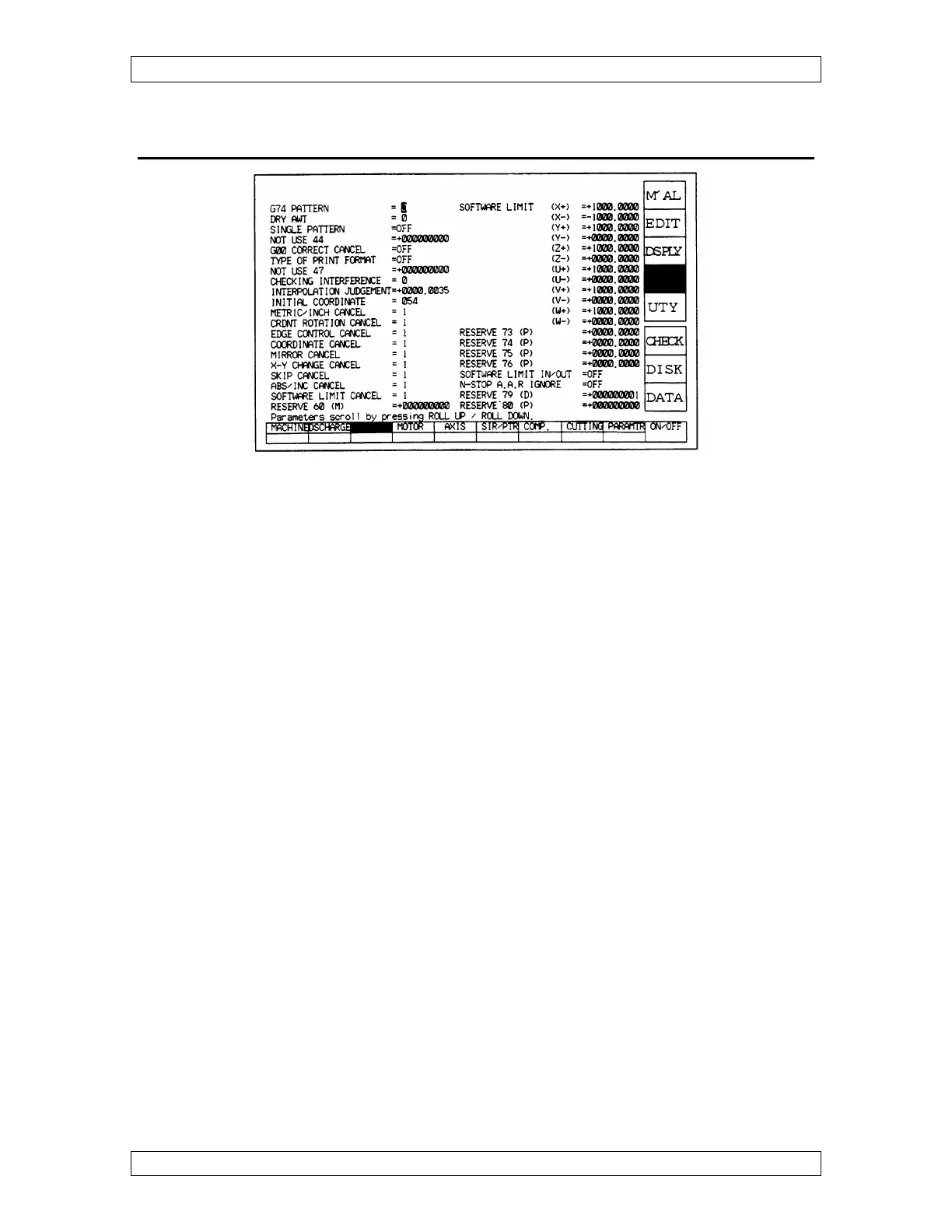
DRY AWT –
This parameter affects how the AWT functions during dry run.
0 = The AWT simulation does not occur.
1 = The AWT pipe lowers down and the water jet turns on at each T91 location.
Depending on the software version it may even thread the wire.
CHECKING INTERFERENCE –
While cutting, if there’s a smaller radius than the offset amount on an inside corner, the
wire will dig into your workpiece. This is usually undesirable.
At 0 - The control ignores the situation & digs into the workpiece.
At 1 - If that situation can happen, the control will stop and tell you the offset will
create interference to make your aware of it. Recommended setting
At 2 - The control decides how to correct the situation and the program continues
without warning you. You must decide if the correction is acceptable.
SOFTWARE LIMITS - Enter the values needed to define the area of concern using
machine numbers. For the machine to activate software Limits, go to “MAL”, “MDI”
and type G22 and press “ENT”. To turn software limits off, type G23 and press “ENT”.
SOFTWARE LIMITS IN/OUT -
ON - Keeps you from entering a predetermined cube when outside of it.
OFF - Keeps you from exiting a predetermined cube when inside of it.



 To Next Page