Wire EDM Machine Operation Chapter 3
Copyright November, 98 Page 3-4 Sodick Inc.
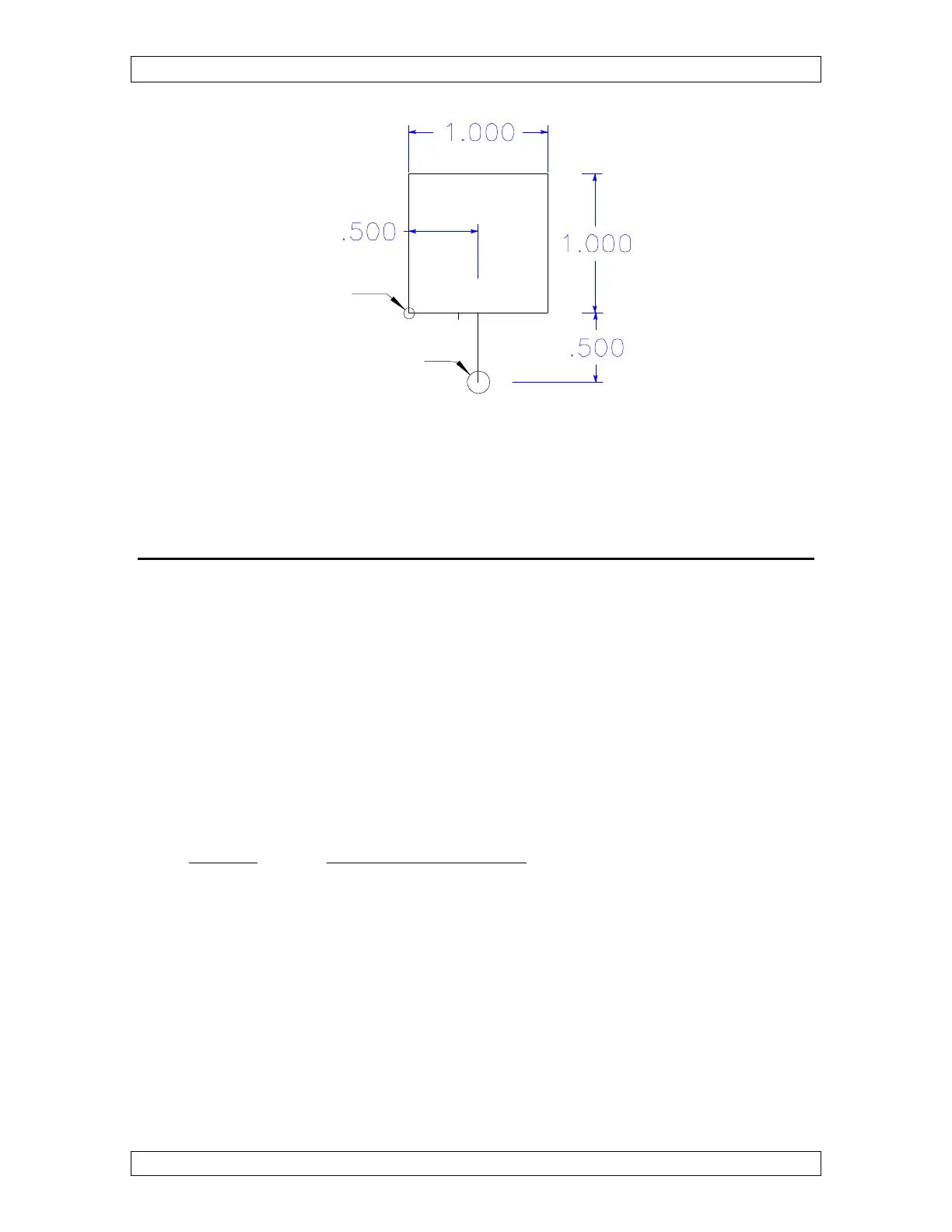
Figure 3-4
U
U
N
N
D
D
E
E
R
R
S
S
T
T
A
A
N
N
D
D
I
I
N
N
G
G
W
W
O
O
R
R
K
K
C
C
O
O
O
O
R
R
D
D
I
I
N
N
A
A
T
T
E
E
S
S
C
C
R
R
E
E
E
E
N
N
S
S
Sodick allows you to assign up to sixty (60) different program zero points. This could be
helpful when you are machining multiple parts. However, most of the time you will only
be interested in one of the available work coordinate screens. You will usually start with
coordinate system number zero, which is commanded by a G54. If you are setting up
more than one part at the same time or cutting multiple openings in a part, you might be
commanding other work coordinate screens other than number zero.
Prior to programming your G92 you can tell the control which coordinate system you
want to work in. This means that you can include a G code in the program PRIOR to the
G92 command.
Here is a list of all of the coordinate systems available
G CODE DISPLAY AT MACHINE
G54 to G59 = work coordinates A00 to A05
G154 to G159 = work coordinates A10 to A15
G254 to G259 = work coordinates A20 to A25
G354 to G359 = work coordinates A30 to A35
G454 to G459 = work coordinates A40 to A45
G554 to G559 = work coordinates A50 to A55
G654 to G659 = work coordinates A60 to A65
G754 to G759 = work coordinates A70 to A75
G854 to G859 = work coordinates A80 to A85
G954 to G959 = work coordinates A90 to A95
Progam Zero
Start Point
N0005 G92 X.500 Y-.500



 To Next Page