Wire EDM Machine Operation Chapter 7
Copyright November, 98 Page 7-2 Sodick Inc.
INITIALIZING OFFSET
First, let’s look at how you instate offset.
To instate offset, you will be choosing from G41 (wire left) and G42 (wire right). You
must be able to decide how the wire will be related to the workpiece during the cutting
motions. To evaluate this relationship, look in the direction that the wire will be moving
during the cut (rotate the print, if necessary). Looking in this direction, ask yourself,
“What side of the programmed path is the WIRE on? Is the wire on the left side or the
right side of the path?
If the wire is on the left side of the path, you will use G41 to instate wire radius offset. If
the wire is on the right side of the path, you will use G42.
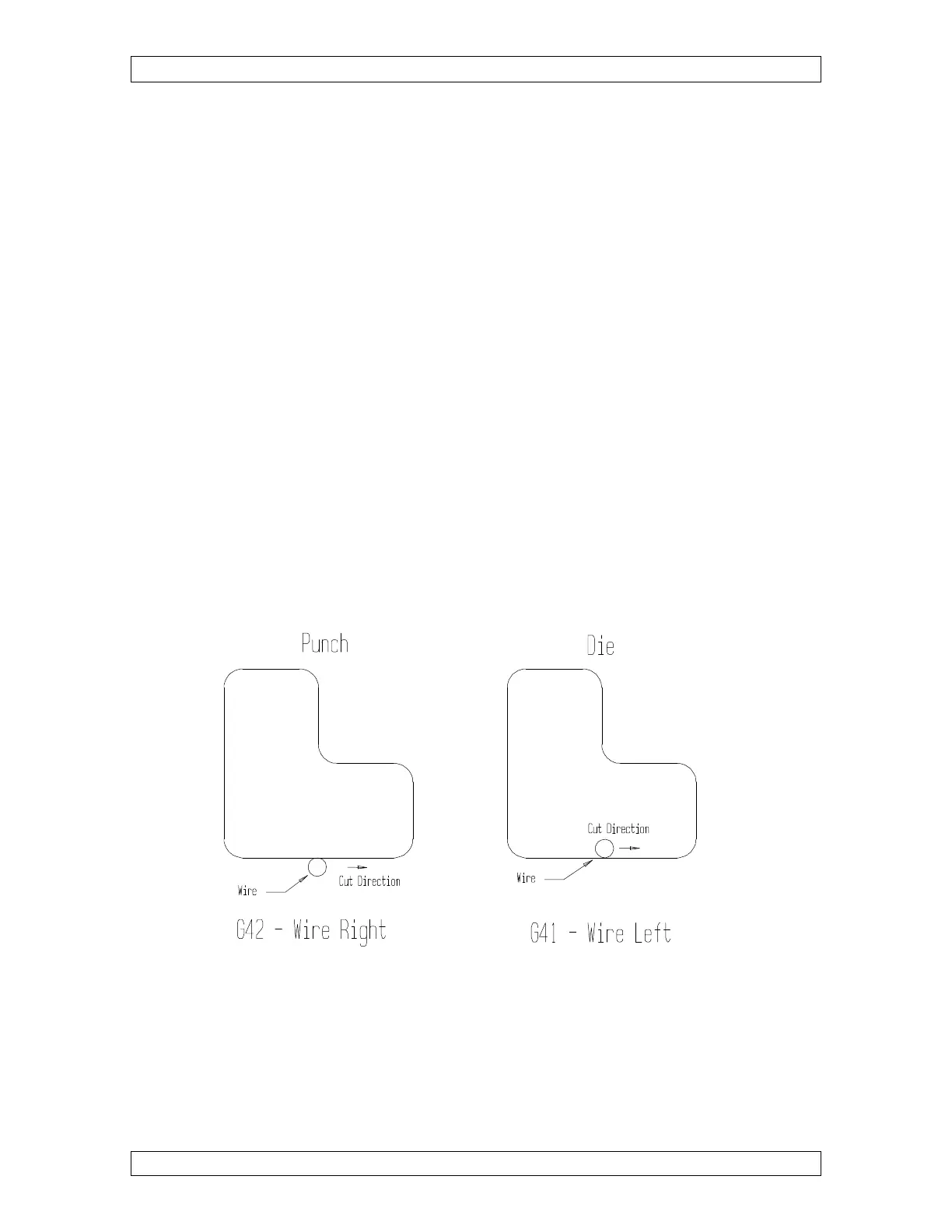
TIP: It is wise to make yourself a general rule for radius compensation. If you make the
arbitrary decision that you will ALWAYS machine workpieces in a clockwise direction
around the part, dies (or any inside shape) will ALWAYS use G42 and punches will
ALWAYS use G41. Of course, if you decide to machine workpieces in a counter
clockwise direction around the part the rule will change. Also note that if you are making
reverse direction trim passes, the offset will change for each trim pass (G41 for the first
pass will change to G42 for the next reverse direction pass). Figures 7-1A and 7-1B
should illustrate this concept.
Figure 7-1A Figure 7-1B
Now that you can decide between G41 and G42, let’s see how you initialize a wire
compensation value. It is important to use offset PRIOR to the first cutting move so that
as you begin cutting, the first piece of geometry to be cut will be on size. As the wire
moves to the end point of that move, it will automatically be offset so that the edge (plus
the amount of overburn) of the wire is flush with the surface you wish to be on size.



 To Next Page