HYD 5/6/8/10/15/20KTL-3PH USER MANUAL
5.10.5 BMS connection
For batteries with a BMS (for example Li-Ion batteries), you need
to connect either the CAN Bus or RS485 with the battery
management system.
The inverter will use the CAN Bus or RS485 Bus according to the
battery selection in the inverter's menu.
onnecting the BTS 5K battery
For connecting the BTS 5K battery to the inverter, please follow
the below pin assignments:
Table. 5-13 BMS interface description
5.10.6 Dry Contact
The dry contact can start and stop a generator.
Note: This function is available from Firmware V10
The dry contact settings must be set accordingly in the menu
Advanced settings – Dry Contact Control.
Generator charging
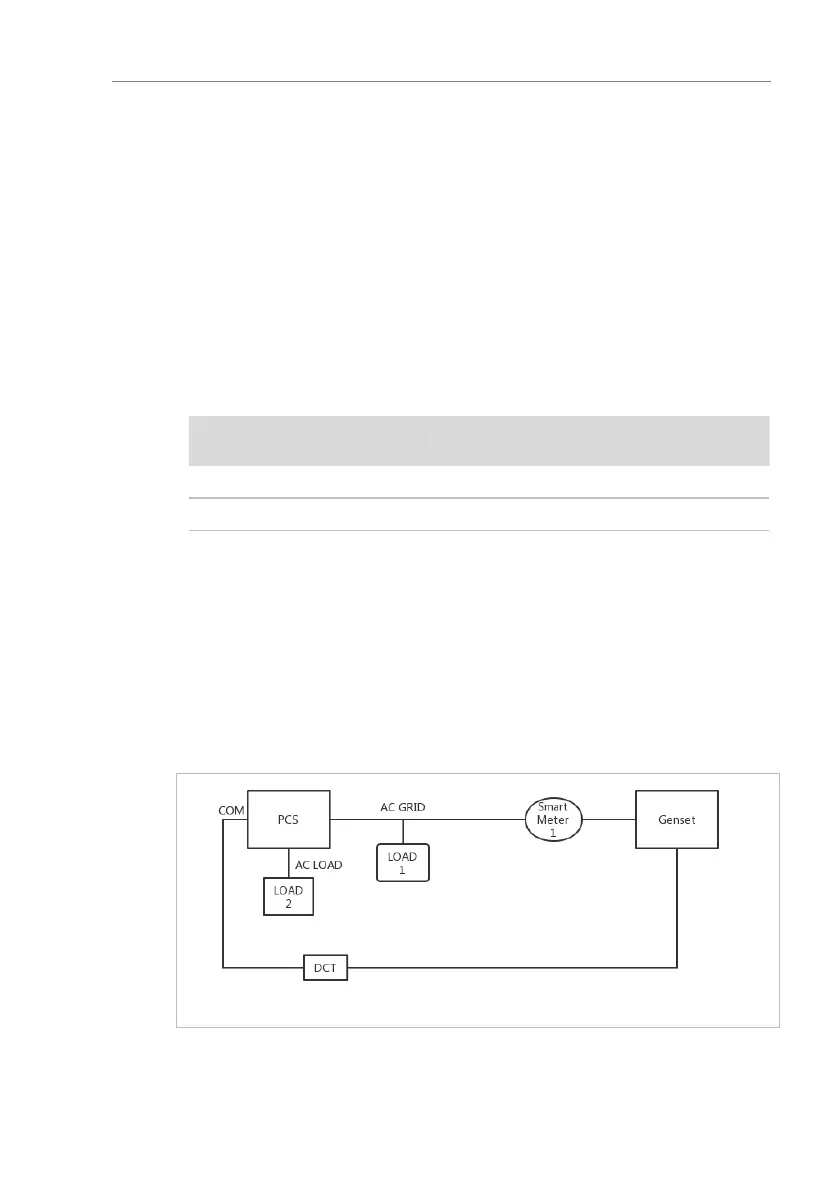
Please refer to below diagram for connecting a generator:
Figure. 5-26 Dry Contact Wiring Diagram
The settings are explained in the menu structure.



 To Next Page