ModelName: Falcon_E
PartNumber: 4-164-613-11
14
14
Basic Operations and Screens
Table of
Contents
Home
Menu
Index
In this manual, operating instructions from the Home menu are described as
below.
Example:
From the Home menu, select
[Music]
[Album]
desired
album
desired song.
The actual operations for the example above are shown below.
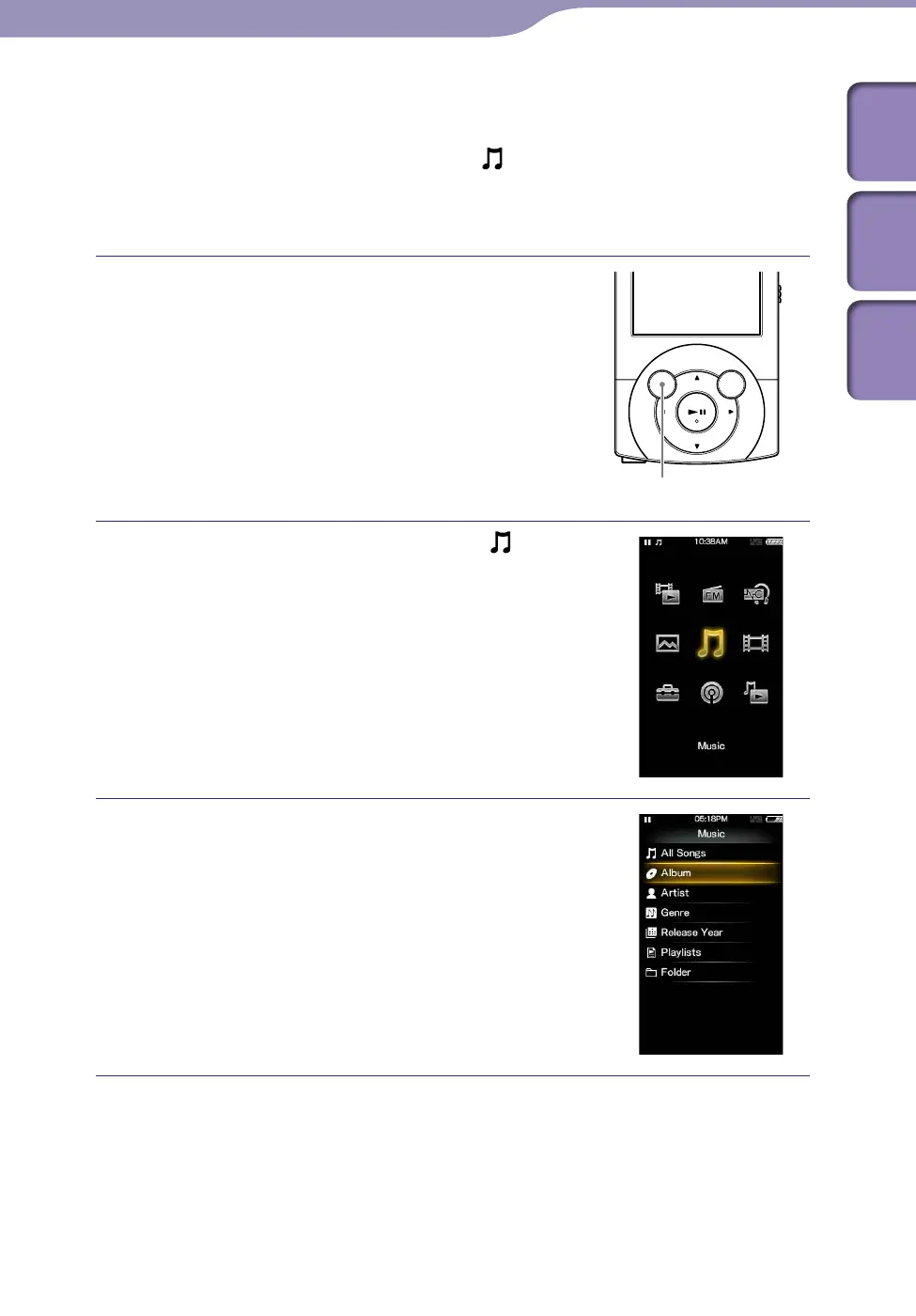
Press and hold the BACK/HOME button.
The Home menu appears.
BACK/HOME button
Press the /// button to select
[Music], and then press the button
to confirm.
The [Music] screen appears.
Press the /// button to select
[Album], and then press the button
to confirm.
The album list appears.
Continued











 To Next Page