"Handycam" User Guide
PrintSearch
Operation Search
Before use
Getting started
Recording
Playback
Playing images on a TV
Saving images with an external
device
Using the Wi-Fi function
Customizing your camcorder
Troubleshooting
Maintenance and precautions
Contents list
Top page > Saving images with an external device > Saving images on an external media
device > Playing back images in the external media device on the camcorder
Playing back images in the external media device on the
camcorder
Notes
For this operation, you need the USB Adaptor Cable VMC-UAM2 (sold separately).
Connect the AC Adaptor and the power cord (mains lead) to the DC IN jack of your camcorder and
the wall outlet (wall socket).
Refer to the instruction manual supplied with the external media device.
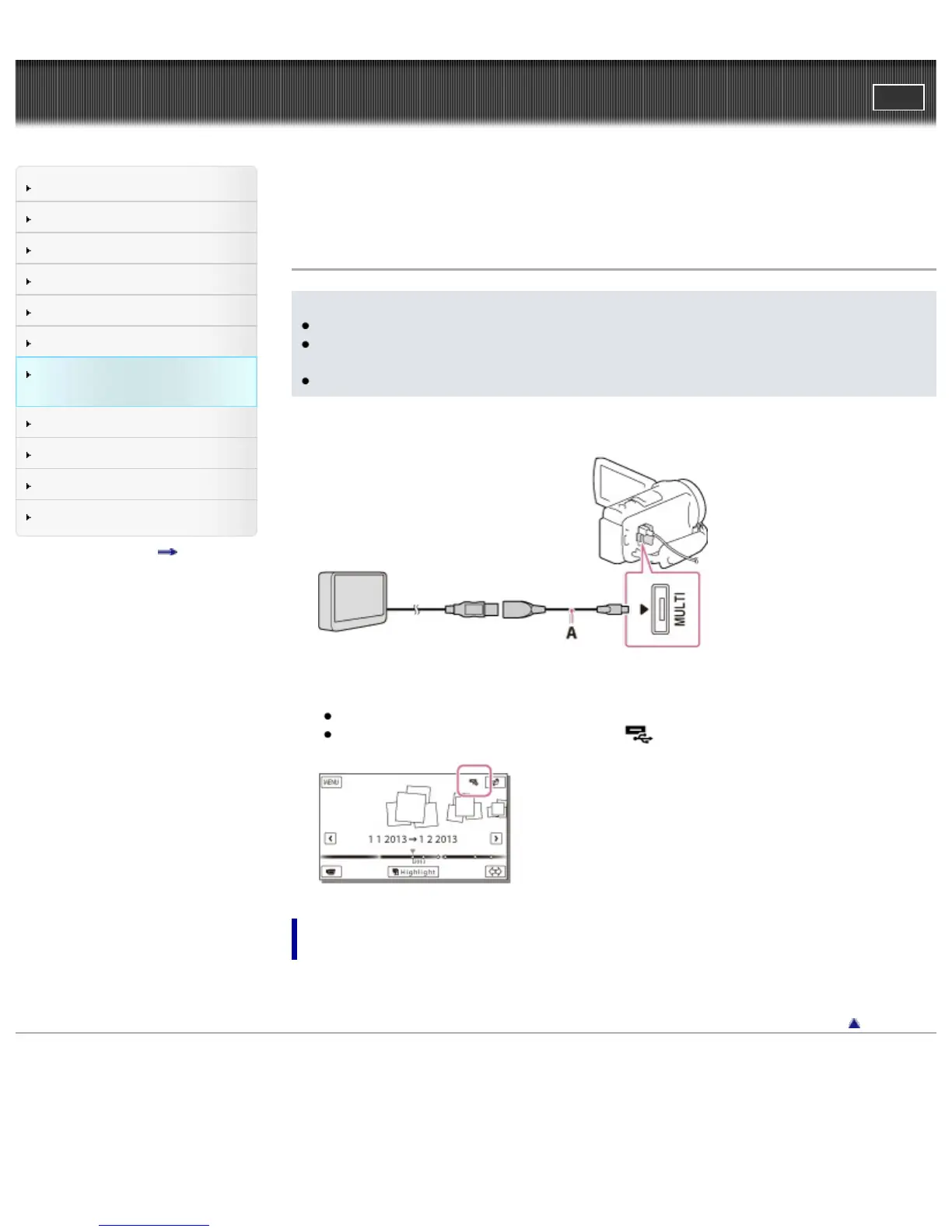
1. Connect your camcorder and the external media device using the USB Adaptor Cable (sold
separately).
A: USB Adaptor Cable VMC-UAM2 (sold separately)
2. Select [Play without copying.] and select the image you want to view.
You can also view images on a TV connected to your camcorder.
When an external media device is connected,
will appear on the Event View screen.
To play back high definition image quality (HD) movies on your
computer
On the “PlayMemories Home” software, select the drive that represents the external media device
connected, and then play movies.
Back to top
Copyright 2013 Sony Corporation



 To Next Page