30
EN
Editing
Deleting a cut
You can delete a cut that is no longer needed.
When you delete a cut, the remaining cuts are renumbered so
as to fill in the gap.
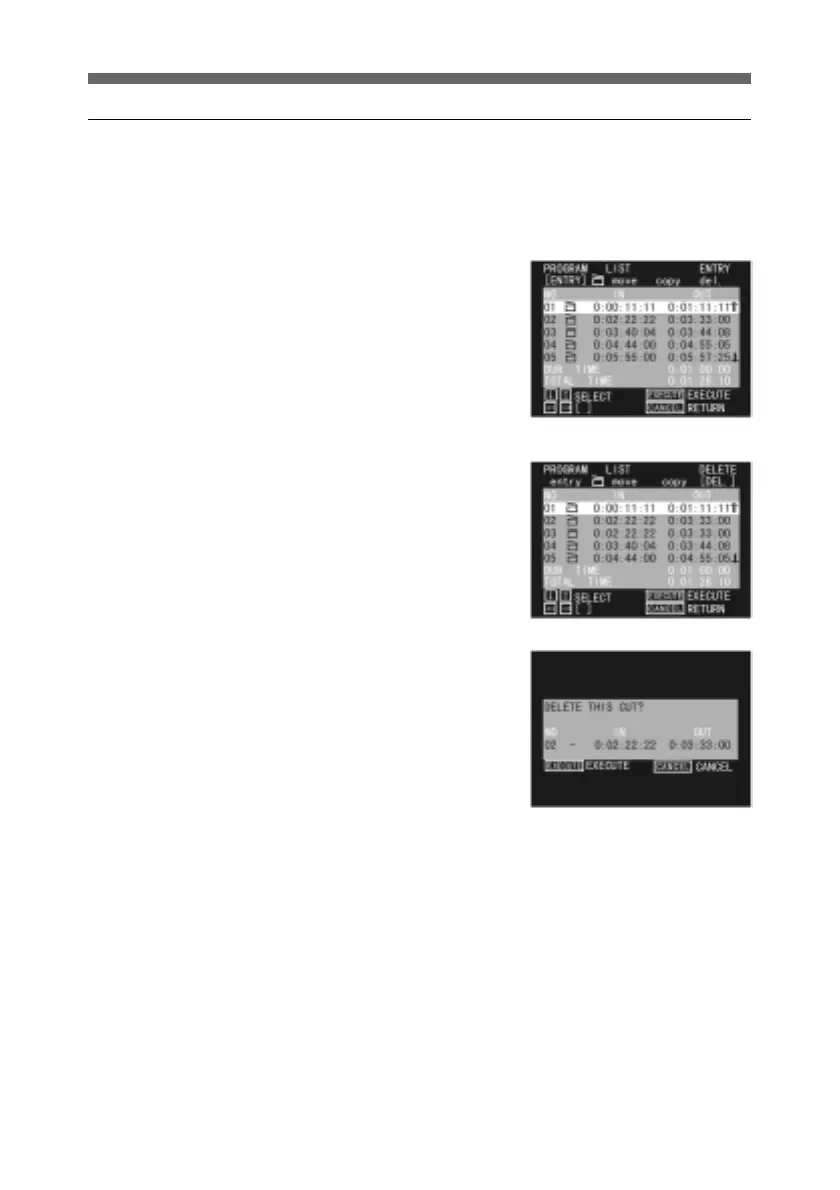
1 Display the PROGRAM LIST
menu for the program
including the cut you wish to
delete.
For details of how to display
the PROGRAM LIST menu,
see page 15.
2 Press the horizontal arrow
buttons to select DEL.
3 Use the up and down arrow
buttons to select the cut you
wish to delete, and press the
SEL/PUSH EXECUTE
button.
A message appears, for
confirmation that you wish to
delete the cut.
It is also possible to delete a
cut between two cuts and
containing no data.
4 Press the SEL/PUSH
EXECUTE button. This
deletes the cut, and the
PROGRAM LIST menu
appears.
To cancel the deletion, press
the CANCEL button.
5 To delete a number of cuts,
repeat steps 3 and 4.



 To Next Page