27
EN
7 To adjust both the IN and
OUT points, repeat steps 5
and 6.
To make adjustments for a
number of cuts, repeat steps 3
to 6.
8 Press the MENU button to
end cut adjustment.
Moving a cut
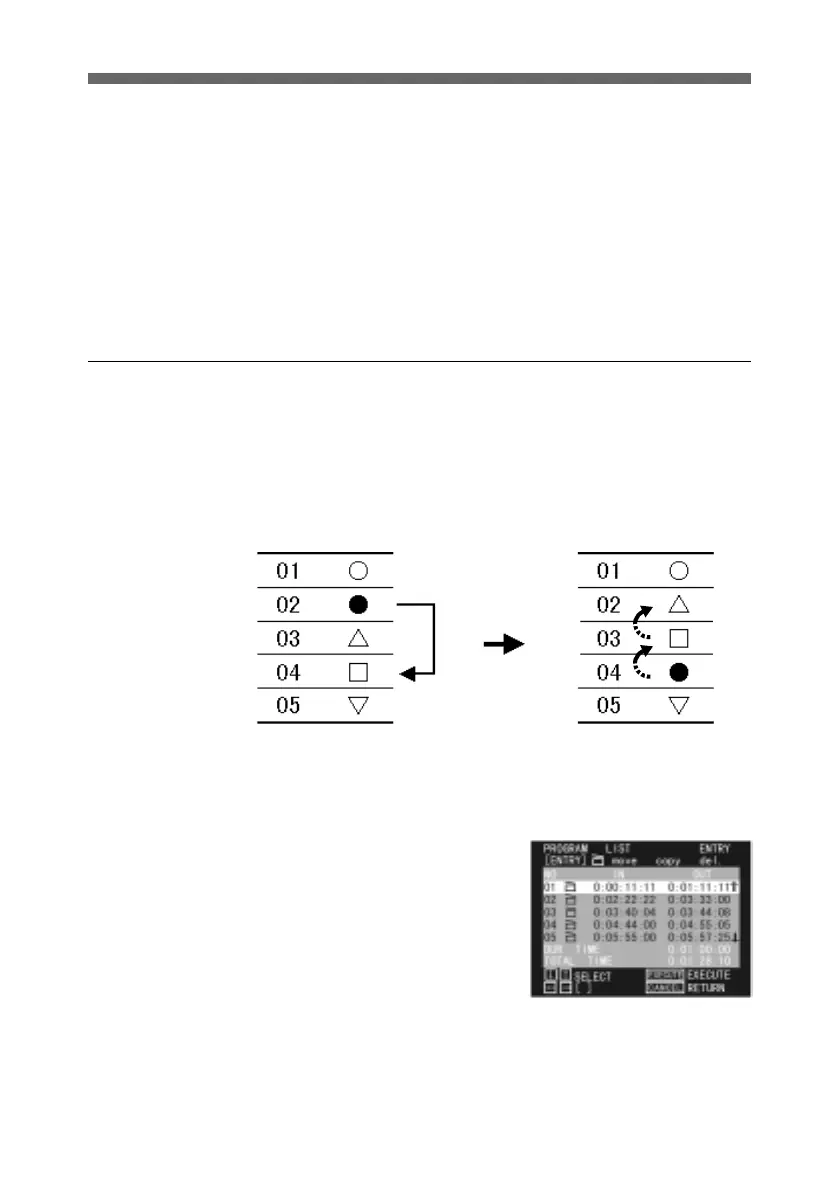
You can change the order of the cuts.
Moving a cut causes the sequence to be renumbered.
For example, if you have cuts 01 to 05, and move cut 02 to 04,
the original cut 02 is renumbered 04, and the original 03 and 04
move up to become 02 and 03.
It is only possible to move a cut within a single program. It is
not possible to transfer a cut to a different program.
1 Display the PROGRAM LIST
menu for the program
including the cut you wish to
move.
For details of how to display
the PROGRAM LIST menu,
see page 15.
Move cut 02 to 04.
(Continued)



 To Next Page