19
Chapter 2 Installation and Preparations
Chapter
Mounting the SR-R4
2
Installation and
Preparations
2-1 Mounting the SR-R4
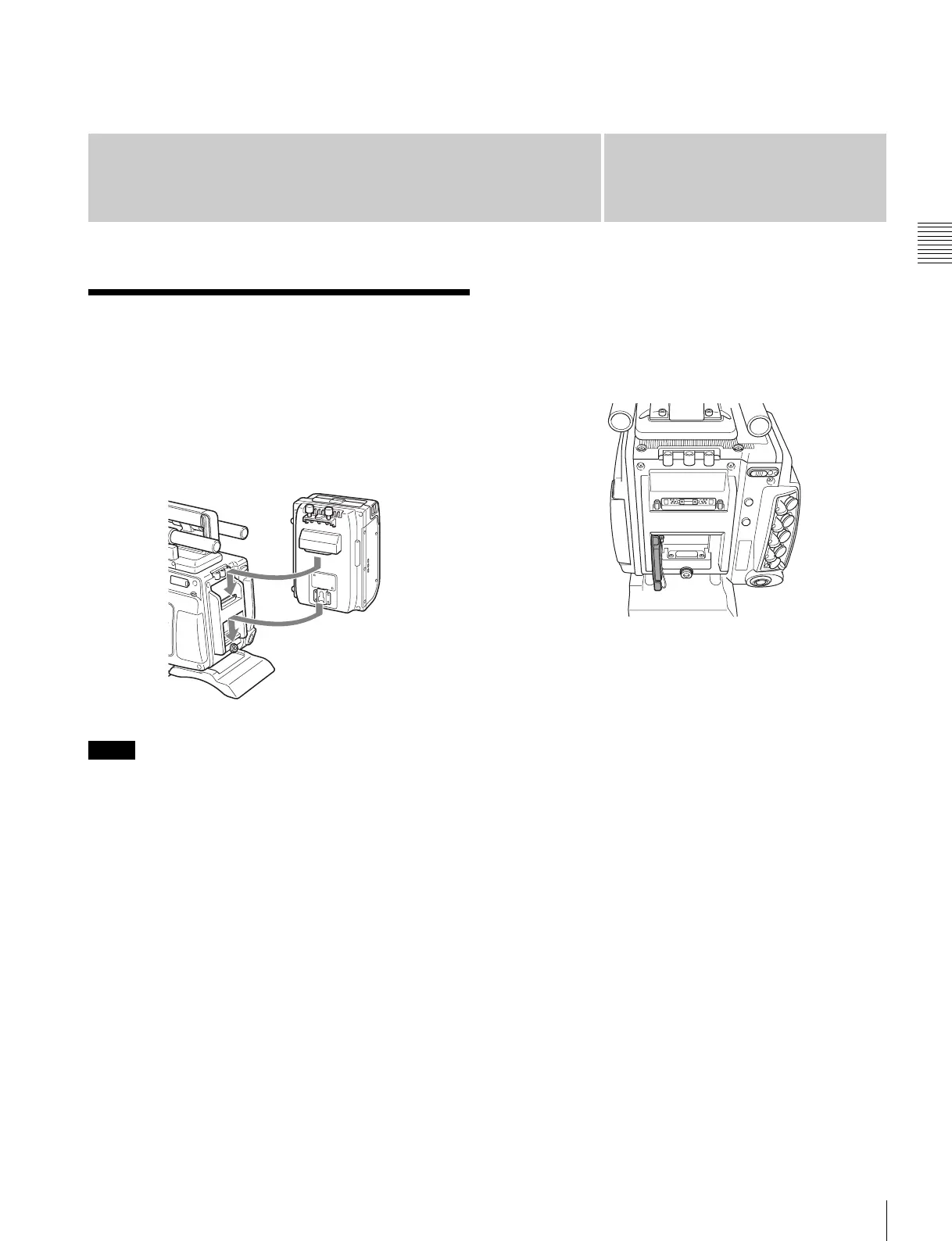
The SR-R4 docks on the rear of the camera head.
For details about mounting the SR-R4, refer to the
Operation Manual of the SR-R4.
• SR-R4/SRK-CP1 software V4.00 or later is required.
• Always turn off the camera power supply when
mounting the SR-R4.
• The recorder connector for connecting the SR-R4 is an
optical connector. Attach the connector cap on the
optical connector when not connected to an SR-R4 to
protect the connector. After removing the cap, store it in
the position shown in the following figure for
safekeeping.
• When mounting the SR-R4, fix the camera head on a
tripod in advance to keep the camera head stable.
For tripod mounting, see “2-6 Mounting the Camera on
a Tripod” (page 24).
• When the camera is used with the SR-R4 docked, make
sure that the camera is securely fixed and stable so that it
will not fall over.
Notes
SR-R4



 To Next Page