20
Mounting the SKC-4065 + CA4000 / Attaching a Filter
Chapter 2 Installation and Preparations
2-2 Mounting the
SKC-4065 + CA4000
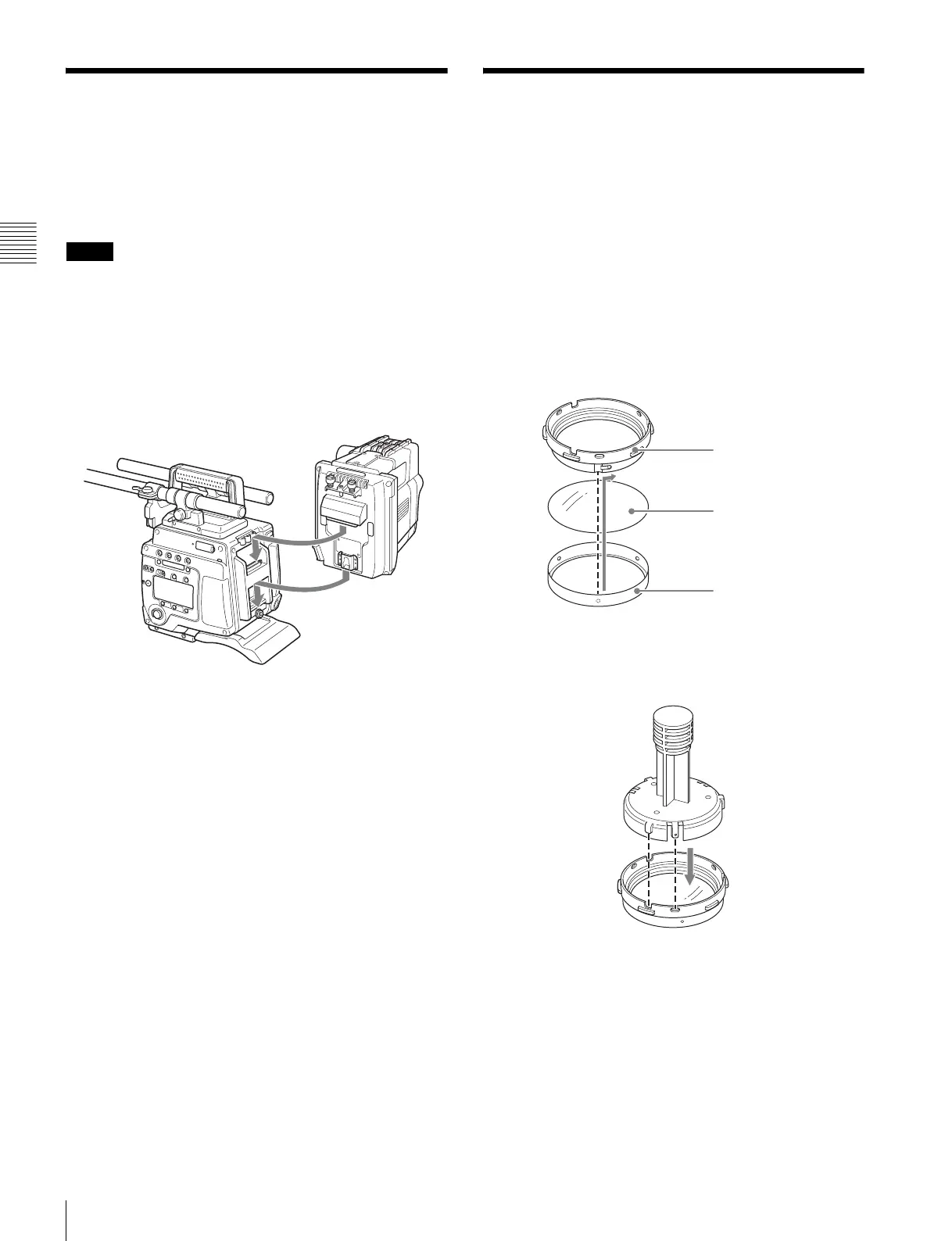
A CA4000 on which an SKC-4065 is attached can be
docked on the rear of the camera for system operations.
• CA4000 and BPU4000 software V2.0 or later is
required.
• Always turn off the camera power supply when
mounting the CA4000 on which the SKC-4065 is
attached.
For details on mounting, refer to the Operation Guide for
the SKC-4065.
2-3 Attaching a Filter
You can mount commercially available gel filters in the
supplied filter holder and then attach them to the camera if
you wish to use an ND filter in F65RAW-HFR mode or
wish to use a filter other than those built into the camera.
Recommended filter: Fujifilm neutral density filters
1
Place the filter template (metallic disc) on the gel filter,
then trim the filter around the edge of the filter
template.
2
Remove the ring from the filter holder, place the filter
on the ring, and then attach the holder.
3
Align the protrusion on the mounting tool with the
notch on the filter holder, then insert the holder into the
tool.
Notes
Filter holder
Filter
Ring



 To Next Page