35
Basic Settings using the Subdisplay
Chapter 3 Basic Adjustments and Settings
3-3-6 Setting the Color Temperature
The color temperature can be set to 3200K (tungsten),
4300K (tungsten), or 5500K (daylight) to match the
shooting environment.
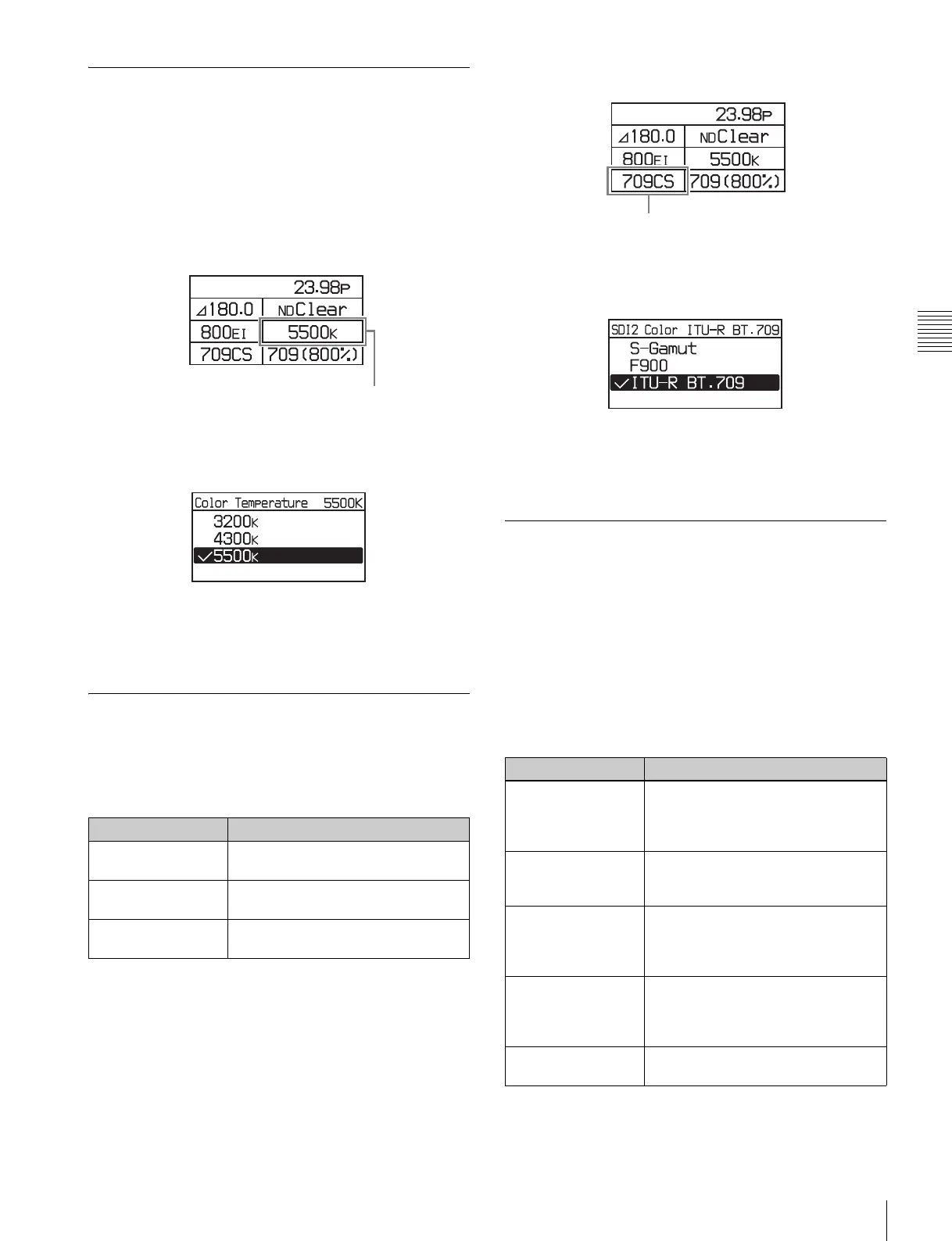
1
Select the color temperature on settings page 1, then
press the MENU SEL/ENTER dial.
Settings page 1
2
Turn the MENU SEL/ENTER dial to select the color
temperature, then press the MENU SEL/ENTER dial.
To set using the VF menu
Set the Color Temperature on the <Base Setting> page in
the Camera menu (page 54).
3-3-7 Setting the SDI OUT2 Output
Color Space
The color space for the image output from the SDI OUT2
connector can be specified.
1
Select the color space on settings page 1, then press the
MENU SEL/ENTER dial.
Settings page 1
2
Turn the MENU SEL/ENTER dial to select the color
space, then press the MENU SEL/ENTER dial.
To set using the VF menu
Set the Color on the <SDI2 Look> page in the VF/SDI
menu (page 58).
3-3-8 Setting the SDI OUT2 Output
LUT
The image output from the SDI OUT2 connectors is
configured using a Look-up table (LUT). The images shot
with the camera are intended for processing in post-
production, and are not suitable for checking the results of
shooting as-is on the scene. Setting a LUT changes the
tone of the image displayed on a monitor connected to the
SDI OUT2 connector, without affecting the main RAW
image output, for ease of monitoring.
1
Select the monitor look-up table on settings page 1,
then press the MENU SEL/ENTER dial.
Setting Description
S-Gamut Wide color space comparable to film
cameras
F900 Color space equivalent to existing
models
ITU-R BT.709 Color space equivalent to ITU-R
BT.709
Color temperature
Setting Description
709(800%) (default) Outputs a signal that extends the
dynamic range by up to 800% in
video terms based on ITU-R709 with
conventional monitor gamma.
S-Log2 Outputs a non-adjustable signal that
uses S-Log gamma. Up to 1300%
input light level can be reproduced.
HG8009G40 Outputs a signal using hypergamma
with 800% dynamic range, 109%
white limit, and 40% video output for
18% gray card reflection.
HG8009G33 Outputs a signal using hypergamma
with 800% dynamic range, 109%
white limit, and 33% video output for
18% gray card reflection.
[User1] to [User100] You can select an imported LUT (up
to 100).
Color space



 To Next Page