32
Basic Settings using the Subdisplay
Chapter 3 Basic Adjustments and Settings
HD mode (4:2:2 YCbCr):
23.98p, 29.97p, 24p, 25p, 50p, 59.94p, S59.94p
(23.98p), S59.94p (29.97p), S60p (24p), S60p (25p)
F65RAW-HFR mode:
23.98pForPB, 29.97pForPB, 24pForPB, 25pForPB,
S119.88p (23.98p), S119.88p (29.97p), S120p (24p),
S120p (25p)
The mode can be switched between F65RAW mode, HD
mode, and F65RAW-HFR mode on the <System Format>
page in the VF menu.
For details, see “3-5 Setting the Shooting Mode” (page
41).
It is recommended that the power be turned off and back
on again after changing the video format.
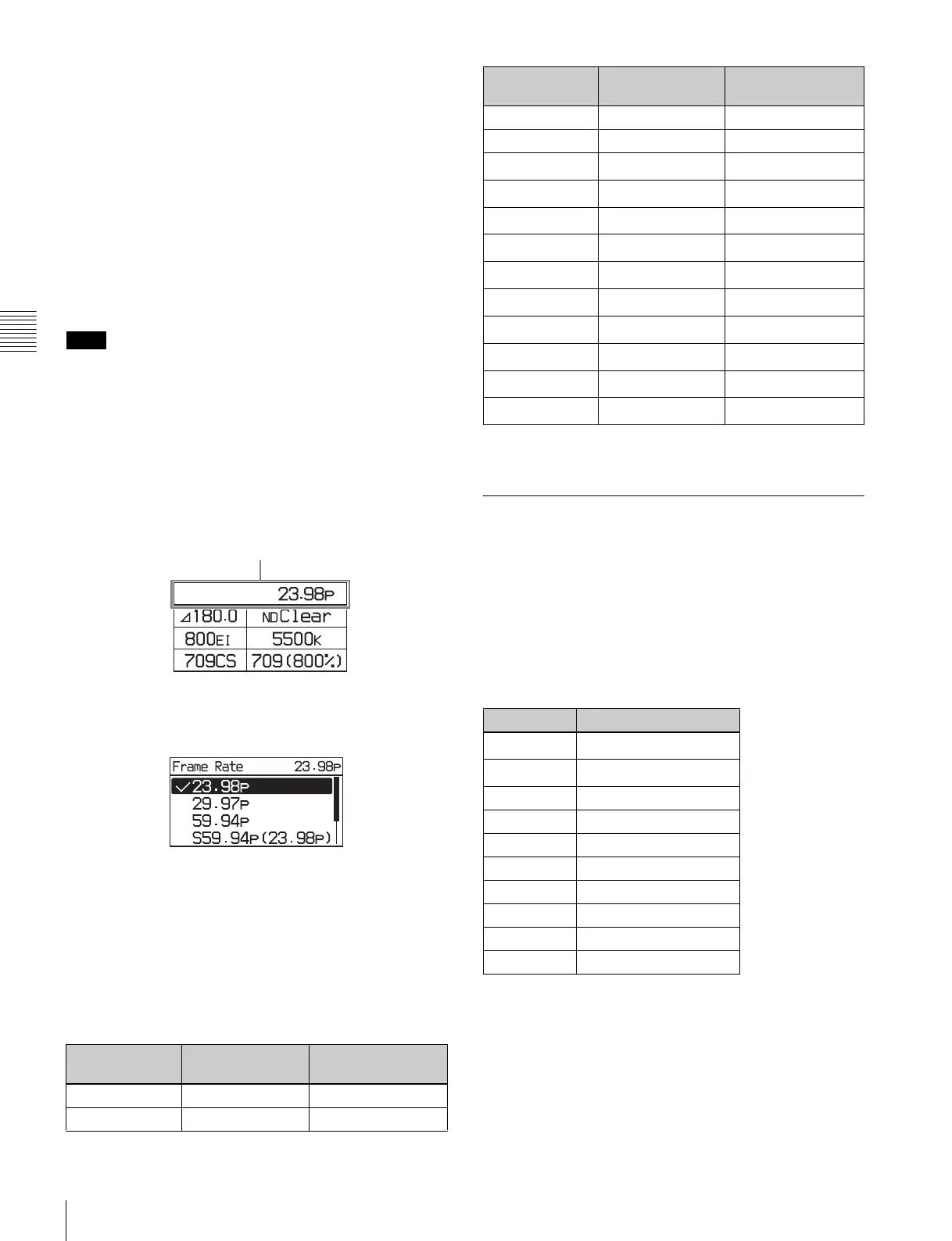
Changing the video format
1
Select the video format on settings page 1, then press
the MENU SEL/ENTER dial.
Settings page 1
2
Turn the MENU SEL/ENTER dial to select the video
format, and press the MENU SEL/ENTER dial.
To set using the VF menu
Set on the <System Format> page in the Camera menu
(page 54).
VF and SDI OUT connectors output format
Setting the camera main video format automatically
determines the signal format that is output on the VF and
SDI OUT connectors.
a The output image scan type can be set to Interlace or Frame Drop.
b) Only for systems with an SKC-4065 connected.
3-3-3 Setting the Shutter Value
The shutter of the camera can be viewed and adjusted, with
settings displayed as shutter angles, just as for a film
camera. Two operation methods are available for the
adjustment: stepwise and continuous.
Step mode
Frequently-used shutter angle values can be selected,
enabling step selection of the shutter values.
a) Selectable for the electronic shutter only.
The corresponding shutter speeds vary according to the
frame frequency and frame rate of the selected video
format.
Note
Camera image VF connector
output
SDI OUT connector
output
23.98p 23.98PsF 23.98PsF
29.97p 29.97PsF 29.97PsF
Video format
24p 24PsF 24PsF
25p 25PsF 25PsF
50p
50i
a)
50i
a)
59.94p
59.94i
a)
59.94i
a)
S47.95p
23.98PsF
a)
23.98PsF
a)
S48
24PsF
a)
24PsF
a)
S59.94p
59.94i
a)
59.94i
a)
S60p
60i
a)
60i
a)
S119.88p
59.94i
a)
59.94i
a)
S120p
60i
a)
60i
a)
100P
b)
50i
a)
50i
a)
119.88P
b)
59.94i
a)
59.94i
a)
Step No. Shutter angle
1
360.0
a)
2
270.0
a)
3 180.0
4 172.8
5 150.0
6 144.0
790.0
845.0
922.5
10 11.2
Camera image VF connector
output
SDI OUT connector
output



 To Next Page