39
VF Menu Basic Operation
Chapter 3 Basic Adjustments and Settings
3-3-16 Checking the Self-Diagnostic
Results
The results of self-diagnostics can be checked on settings
page 3. If an internal error occurs, a warning or error
message is displayed.
For details about messages, see “Warning/Error
Messages” (page 74).
3-4 VF Menu Basic
Operation
Detailed settings that cannot be configured on the
subdisplay are set in the VF menu displayed in the
viewfinder or on a monitor.
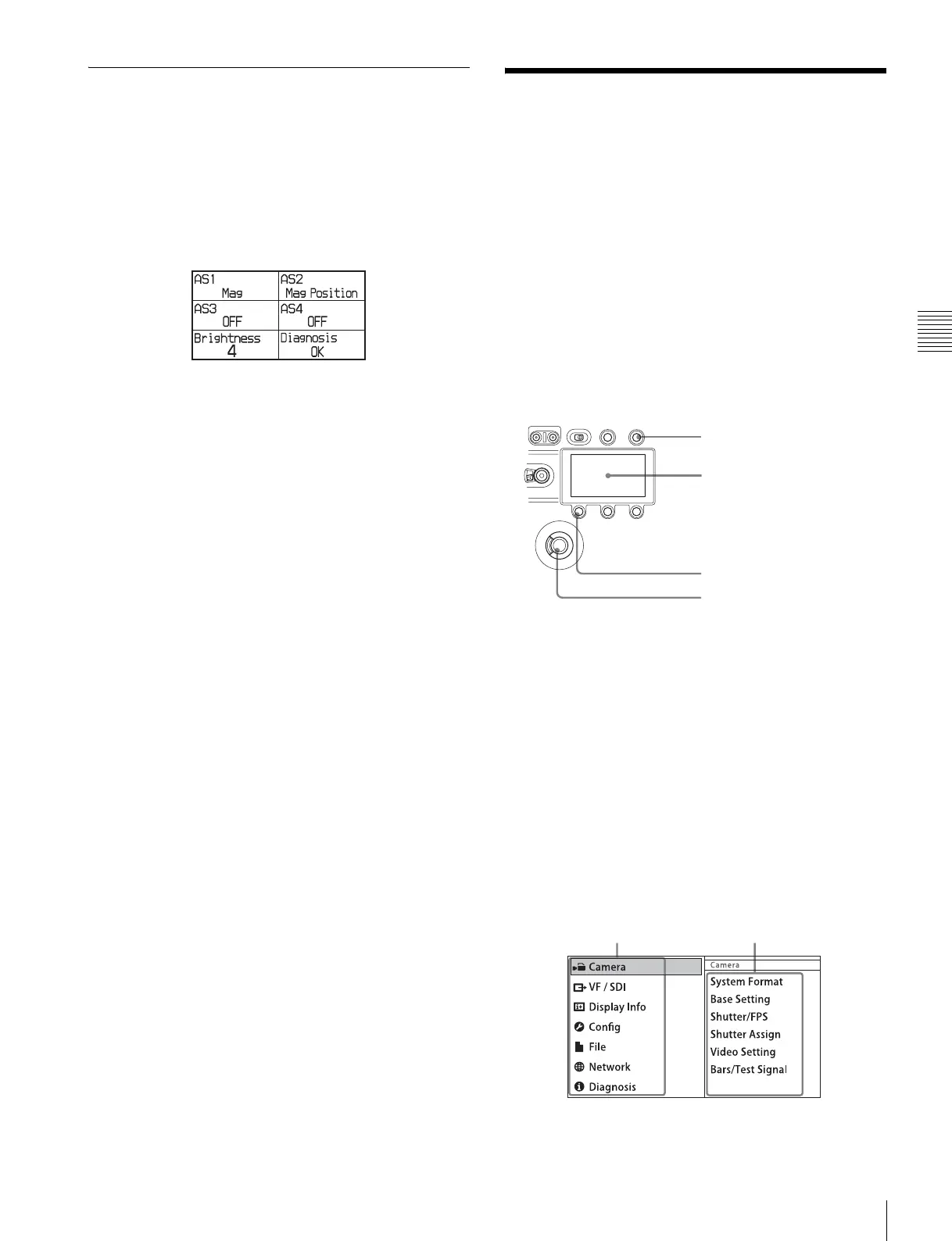
The VF MENU button, MENU SEL/ENTER dial, and
BACK button on the side panel of the camera head are used
to operate the VF menus.
The MENU SEL/ENTER dial has a knob that you turn to
select items (MENU SEL) and a button you press to
confirm values for items (ENTER).
Side panel of the camera head
While the subdisplay is in Change mode, menu operations
in the viewfinder or on a monitor cannot be performed.
For more information about settings on the subdisplay, see
“3-3 Basic Settings using the Subdisplay” (page 30).
To display the settings screen
1
Press the VF MENU button.
The top menu screen appears. Categories are displayed
on the left, and pages contained within that category
are displayed on the right.
Top menu screen
BACK button
Subdisplay
MENU SEL/ENTER dial
VF MENU button
Category name Page name



 To Next Page