40
VF Menu Basic Operation
Chapter 3 Basic Adjustments and Settings
2
Turn the MENU SEL/ENTER dial to select a category,
then press the MENU SEL/ENTER dial.
The page select screen appears. Items within the
selected page and the current values of those items are
displayed. You can check the items and their values on
each page by turning the MENU SEL/ENTER dial.
Pressing the BACK button returns to the top menu
screen.
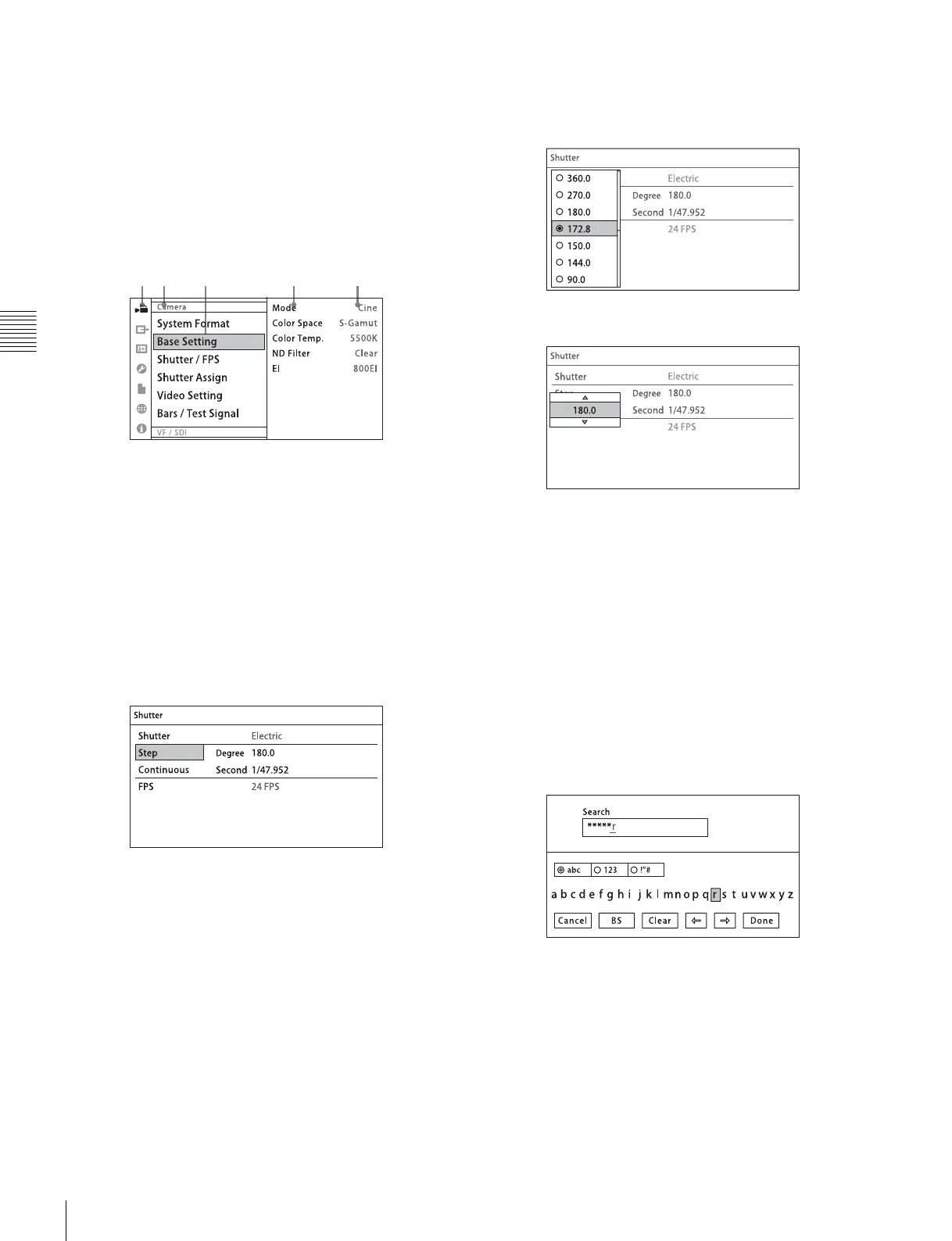
Page select screen
1 Category icon
2 Category name
3 Page name
4 Configuration item
5 Current value
3
Turn the MENU SEL/ENTER dial to select a page,
then press the MENU SEL/ENTER dial.
The settings screen appears. Pressing the BACK
button returns to the Page select screen.
Settings screen
To display the digital viewfinder settings
menu
With the DVF-EL100 connected, press the VF MENU
button for two seconds or longer.
The Digital VF Picture page settings screen of the VF
menu appears.
To change a setting
1
Turn the MENU SEL/ENTER dial to move to the
desired item.
2
Press the MENU SEL/ENTER dial.
The list or spin box corresponding to the selected item
is displayed.
Screen Example (List)
Screen Example (Spin box)
3
Turn the MENU SEL/ENTER dial to select a value for
the item.
To cancel a setting
Pressing the BACK button while the operating screen
is displayed cancels the operation and restores the
current value.
4
Press the MENU SEL/ENTER dial to confirm the
setting.
To enter a character string
You use a keyboard displayed on the screen to enter file
names, passwords, and other text.
The string is displayed in the upper text box as you enter
each character.
Turn the MENU SEL/ENTER dial to select the Done
button, then press the MENU SEL/ENTER dial to confirm
the entered character string.
To exit the menu
Press the VF MENU button.
12 3 4 5



 To Next Page