34
Basic Settings using the Subdisplay
Chapter 3 Basic Adjustments and Settings
3-3-4 Selecting an ND Filter
The camera has built-in optical ND filters that can be used
to match the illumination and natural lighting conditions.
The following filters can be selected in F65RAW mode or
HD mode. In F65RAW-HFR mode, only [Clear] or [Close]
can be selected for the ND filter.
1
Select the ND filter on settings page 1, and press the
MENU SEL/ENTER dial.
Settings page 1
2
Turn the MENU SEL/ENTER dial to select the ND
filter, then press the MENU SEL/ENTER dial.
To set using the VF menu
Set the ND Filter on the <Base Setting> page in the
Camera menu (page 54).
3-3-5 Setting the Sensitivity (EI
Value) (Cine Mode)
The sensitivity is determined by the EI value (Exposure
Index). The viewfinder and monitor image brightness
changes to match the EI value. But it has no affect on the
recorded image.
The camera supports the following sensitivity settings:
200EI, 250EI, 320EI, 400EI, 500EI, 640EI, 800EI,
1000EI, 1250EI, 1600EI, 2000EI, 2500EI, and 3200EI.
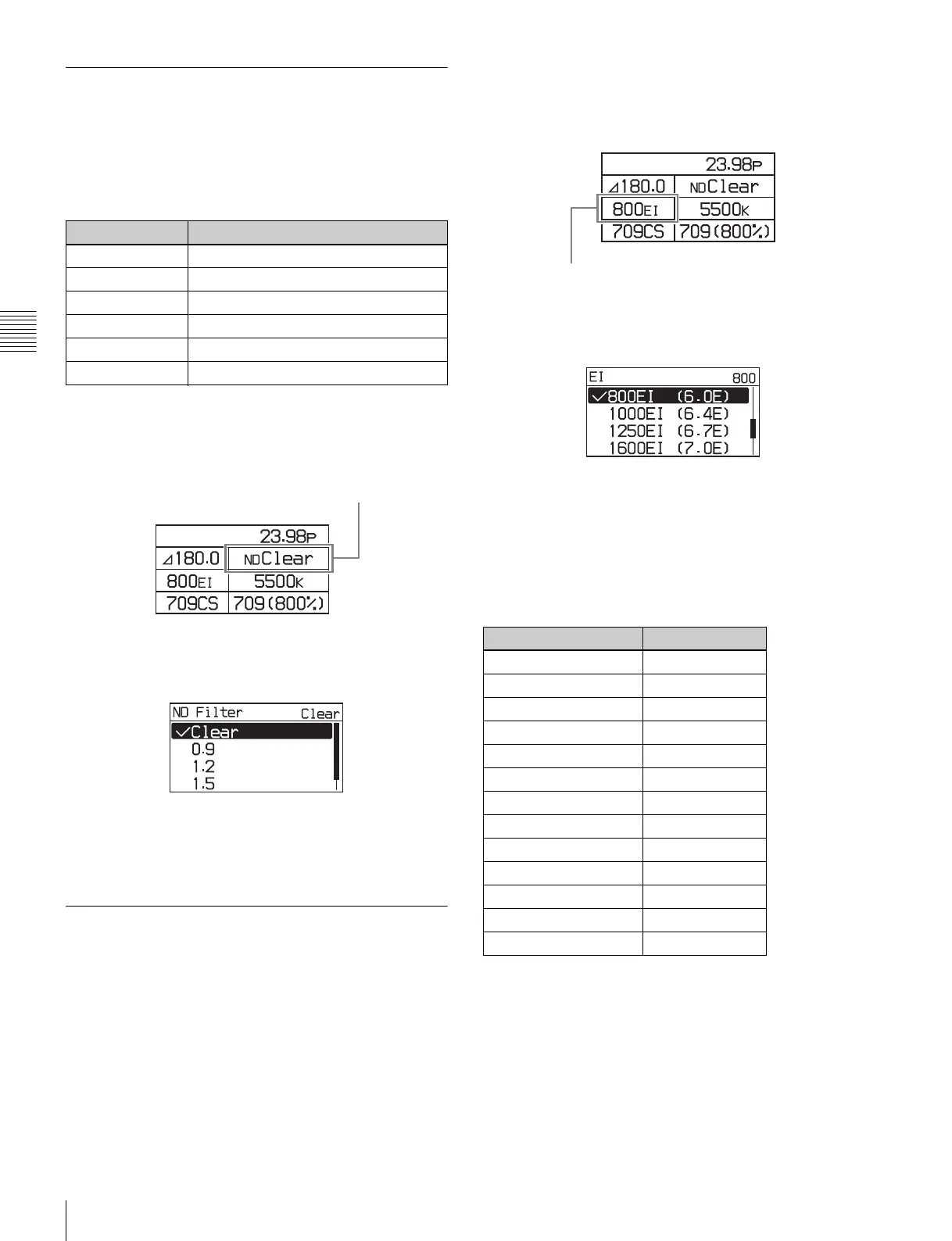
1
Select the sensitivity on settings page 1, then press the
MENU SEL/ENTER dial.
Settings page 1
2
Turn the MENU SEL/ENTER dial to select the EI
value, then press the MENU SEL/ENTER dial.
To set using the VF menu
Set the Exposure Index on the <Base Setting> page in the
Camera menu (page 54).
Latitude values
The latitude is automatically assigned one of the following
values, depending on the sensitivity setting.
The value is displayed in “xxEI” format and represents the
highlight latitude displayed as a lens aperture value (f-
stop) for key light from a gray chart with 18% reflectivity.
Filter density Description
Clear No filter is used.
0.9 1/8 optical transmittance
1.2 1/16 optical transmittance
1.5 1/32 optical transmittance
1.8 1/64 optical transmittance
Close Closes the filter.
ND filter
Sensitivity (EI value) Latitude
200EI 4.0E
250EI 4.4E
320EI 4.7E
400EI 5.0E
500EI 5.4E
640EI 5.7E
800EI 6.0E
1000EI 6.4E
1250EI 6.7E
1600EI 7.0E
2000EI 7.4E
2500EI 7.7E
3200EI 8.0E
Sensitivity



 To Next Page