33
Basic Settings using the Subdisplay
Chapter 3 Basic Adjustments and Settings
Continuous mode
The shutter value can be changed smoothly in continuous
mode in the range 4.2° to 360.0° (electronic shutter) or
11.2° to 180.0° (mechanical rotary shutter).
To obtain your desired shutter value quickly, select a value
nearest your desired one in Step mode, then switch to
Continuous mode and adjust the shutter value.
Changing the shutter value in Step mode
In Step mode, one of the registered shutter values can be
selected.
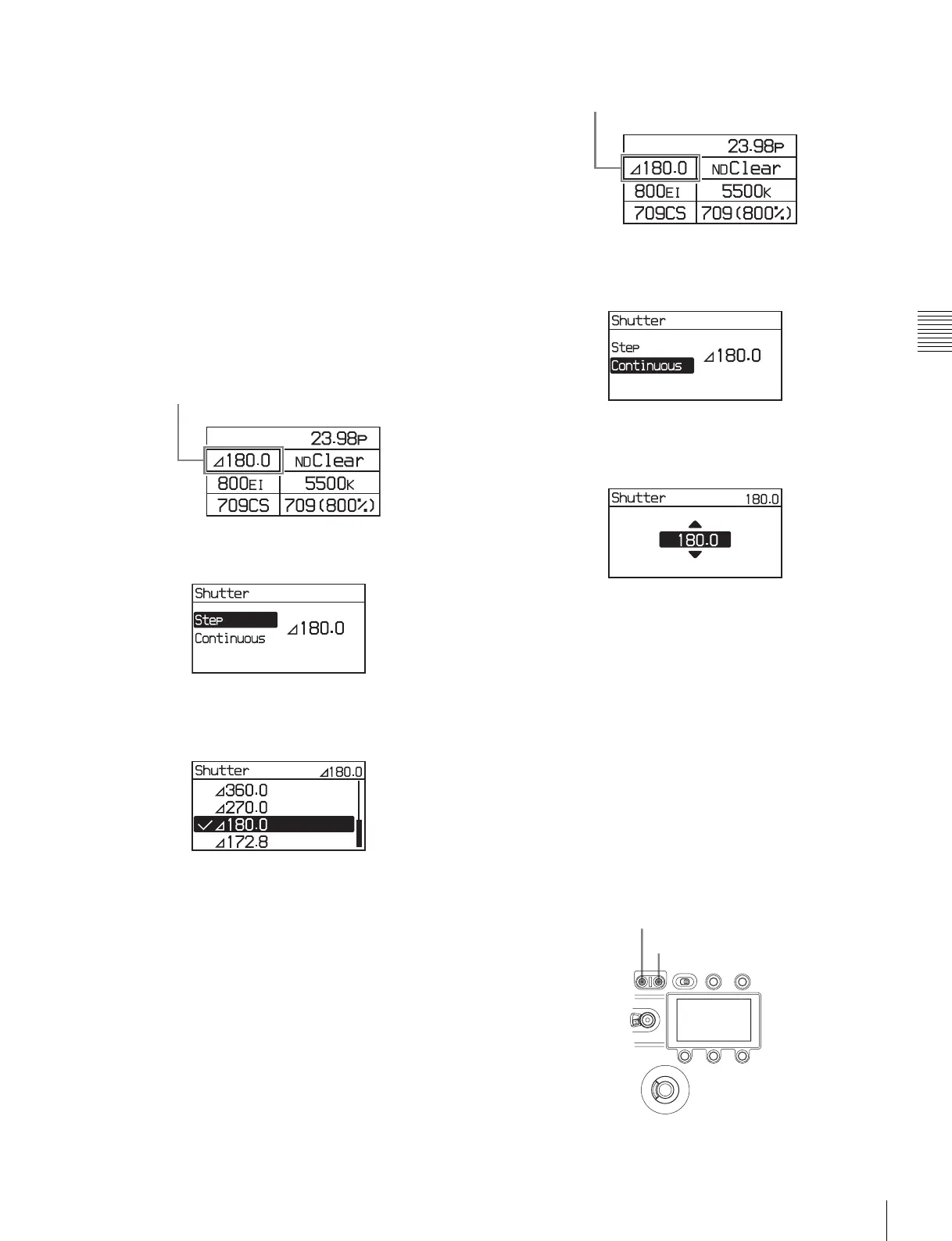
1
Select the shutter value on settings page 1, then press
the MENU SEL/ENTER dial.
Settings page 1
2
Select [Step], then press the MENU SEL/ENTER dial.
3
Turn the MENU SEL/ENTER dial to select the shutter
value.
Pressing the MENU SEL/ENTER dial confirms the
setting, and reflects the changed value on the camera.
Pressing the BACK button cancels the shutter setting, and
restores the previous value.
To set using the VF menu
Set on the <Shutter/FPS> page in the Camera menu (page
54).
Selecting an arbitrary shutter value
In Continuous mode, an arbitrary shutter value can be set.
1
Select the shutter value on settings page 1, then press
the MENU SEL/ENTER dial.
Settings page 1
2
Select [Continuous], then press the MENU SEL/
ENTER dial.
3
Turn the MENU SEL/ENTER dial to select the shutter
value.
You do not need to press the MENU SEL/ENTER dial to
set a value. The shutter value changes are reflected on the
camera as the MENU SEL/ENTER dial is turned. Pressing
the BACK button cancels the shutter setting, and restores
the previous value.
To set using the VF menu
Set on the <Shutter/FPS> page in the Camera menu (page
54).
When not using the shutter
Press the E. button or M. button, whichever is lit, on the
SHUTTER button for one second or longer. The shutter
switches off and the light on both SHUTTER buttons go
out.
Shutter value
Shutter value
M. button
E. button



 To Next Page