36
Basic Settings using the Subdisplay
Chapter 3 Basic Adjustments and Settings
Settings page 1
2
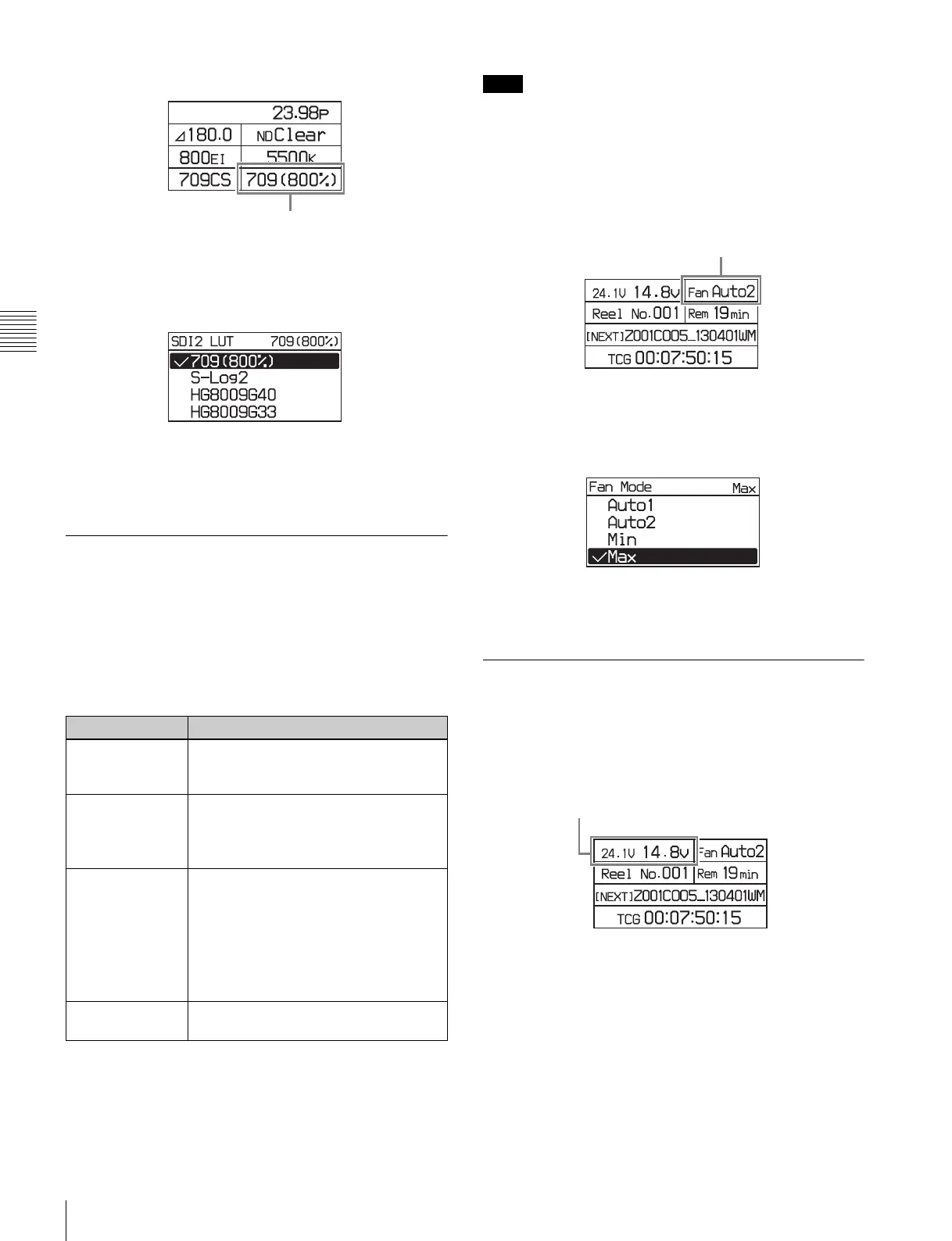
Turn the MENU SEL/ENTER dial to select the look-
up table to apply, then press the MENU SEL/ENTER
dial.
To set using the VF menu
Set the LUT on the <SDI2 Look> page in the VF/SDI
menu (page 58).
3-3-9 Selecting the Fan Operating
Mode
You can set the operating mode of the camera’s built-in
fans. The mode can be set to silence the fan speed noise or
to provided maximum cooling to suit the shooting
environment. You can select one of the following operating
modes.
a) The coupling of the fan control with recording is available only when an
SR-R4 is docked on the camera.
Even when Min mode is selected, the speed of the fans
automatically increases if the internal temperature rises.
1
Select the fan operating mode on settings page 2, then
press the MENU SEL/ENTER dial.
Settings page 2
2
Turn the MENU SEL/ENTER dial to select the
operating mode, then press the MENU SEL/ENTER
dial.
To set using the VF menu
Set on the <Fan Mode> page in the Config menu (page 64).
3-3-10 Checking the Voltages
The voltage of the power supplies connected to the camera
can be checked on settings page 2 on the subdisplay.
Settings page 2
The voltage of the 24 V supply is displayed on the left, and
the voltage of the 12 V supply on the right. If power is not
supplied, “- -” is displayed.
If the voltage falls to the Near End level, the voltage
indicator starts flashing. If the voltage falls to the End
level, the indicator starts flashing rapidly.
The voltage Near End and End levels can be set on the
<Battery Alarm> page in the Config menu (page 64).
Setting Fan operation
Auto1 The fans are automatically controlled
according to the internal temperature,
regardless of whether recording or not.
Auto2 (default) The fans are automatically controlled
according to the internal temperature.
When recording, the fans are controlled
to maintain quiet operation.
a)
Min In this mode, quiet fan operation is
maintained regardless of whether
recording or not. This is the best mode if
recording for more than 30 minutes in a
quiet environment, such as a concert
hall. Use this mode in environments with
ambient temperature of less than 30°C
(86°F).
Max Fan rotation set at the maximum speed
to lower the internal temperature.
LUT
Note
Fan operating mode
Voltages



 To Next Page