88
GB
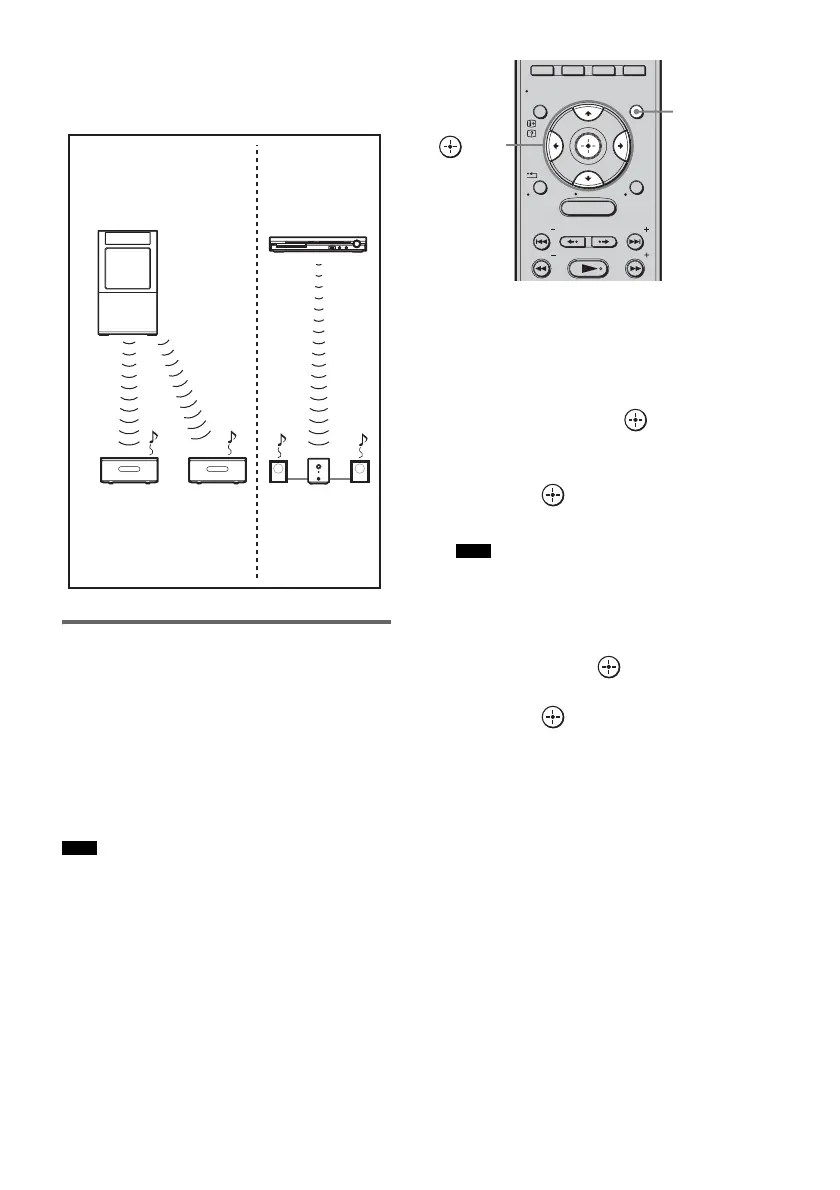
To use multiple S-AIR main units
You can use multiple S-AIR main units by
setting a different ID for each component.
Enjoying the system’s sound
in another room
You can enjoy the system’s sound by using the
S-AIR receiver. The S-AIR receiver can be
placed in another room for enjoying the system’s
sound there.
For details of the S-AIR receiver, refer to the
operating instructions of the S-AIR receiver.
• Sources with copyright protection may not be
playable on S-AIR receivers.
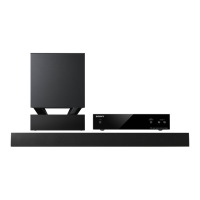
1 Press GUI MENU.
“GUI MENU” appears in the front panel
display of the subwoofer and the GUI menu
appears on the TV screen.
2 Press X/x repeatedly to select
[Settings], then press or
c.
The settings menu appears.
3 Press X/x repeatedly to select [S-AIR],
then press .
The S-AIR menu appears.
• When the S-AIR transmitter (not supplied)
is not inserted into the subwoofer, [S-AIR]
cannot be selected.
4 Press X/x repeatedly to select [S-AIR
Mode], then press .
5 Press X/x to select the desired setting,
then press .
• [Party]: The S-AIR receiver outputs
sound according to
functions set on the
subwoofer.
• [Separate]: You can set the desired
function for the S-AIR
receiver while functions of
the subwoofer do not
change.
6 Press GUI MENU.
The GUI menu turns off.
7 Select the desired function on the
S-AIR receiver.
x When [Party] is set
Note
Other S-AIR
main unit
S-AIR main unit
(This subwoofer)
ID A
S-AIR sub unit
ID A
S-AIR
sub unit
ID B
S-AIR sub unit
ID A
ID B
Note
MENU
GUI MENU
TOOLS/
OPTIONS
RETURN/
EXIT
PRESET
TUNING
PRESET
TUNING
HOME
DISPLAY
GUI
MENU
C, X, x, c,


 To Next Page