Help Guide
IC Recorder
ICD-TX660
Connecting the IC recorder to a computer
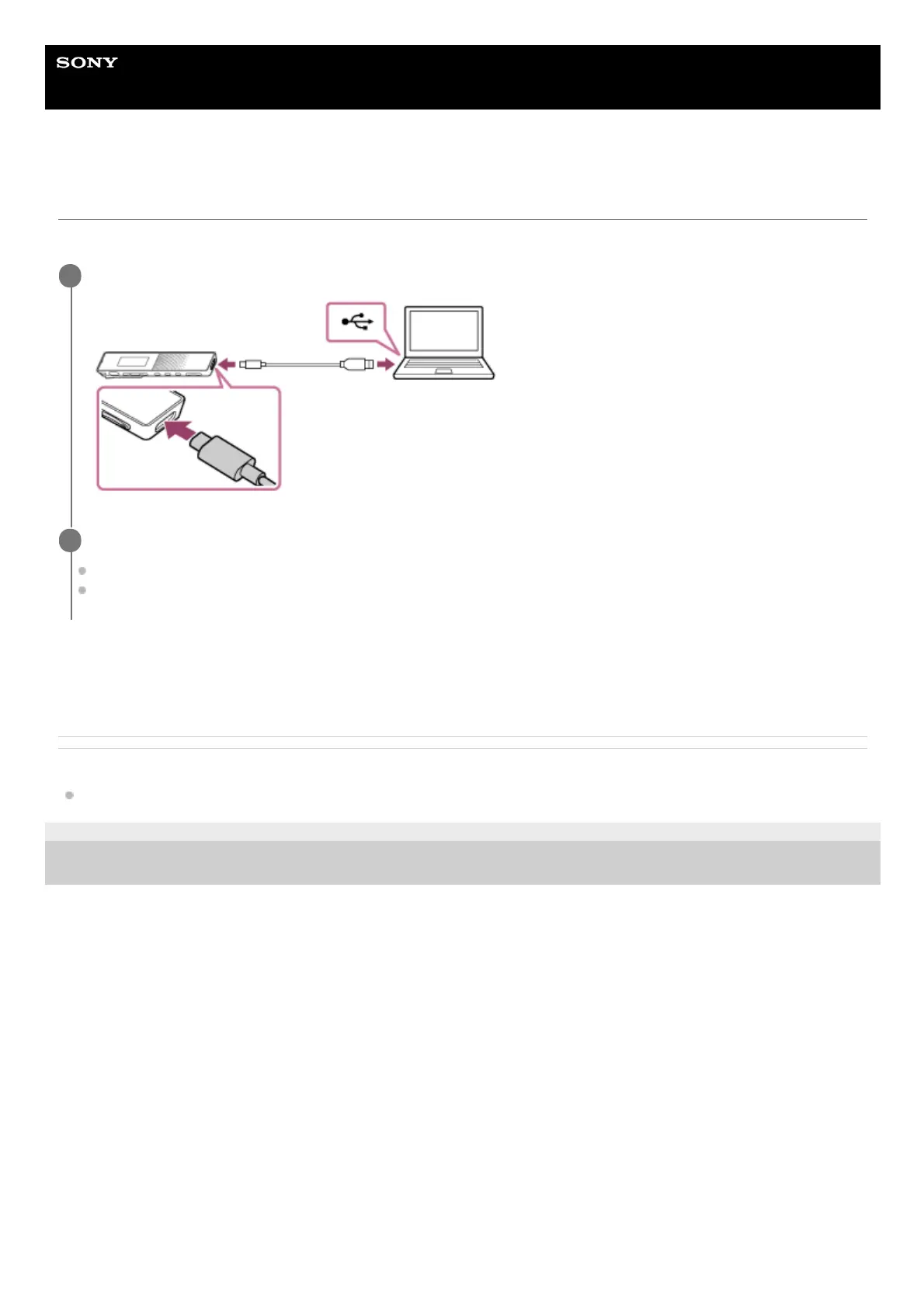
To exchange files between your IC recorder and a computer, connect the IC recorder to the computer.
The IC recorder is detected by the computer as soon as a connection is made. While the IC recorder is connected to the
computer, [Connecting] appears on the display window of the IC recorder.
Related Topic
Disconnecting the IC recorder from the computer
5-025-099-11(1) Copyright 2021 Sony Corporation
Connect the IC recorder to a running computer with the supplied USB Type-C cable.
1
Make sure the IC recorder is successfully detected by the computer.
On the Windows computer, open [Computer] or [PC], and make sure that [IC RECORDER] is detected.
On the Mac, make sure that [IC RECORDER] drive appears on the Finder.
2



 To Next Page