Help Guide
IC Recorder
ICD-TX660
Dividing a file at the current playback point
You can divide a file while playback is on standby, so that the file is divided into two parts and new file numbers are
added to the divided file names. Dividing a file helps you quickly locate the point from which you want to play in a long
recording file, such as a meeting recording. You can further divide either of the divided files.
Note
While playback of a file is in progress, you cannot divide the file.
You cannot divide a protected file. To divide a protected file, remove the protection from the file first, then divide the file. For
instructions on removing protection, see Protecting a file.
Hint
To cancel the dividing process, select [No] in step 3, and then press
(play/enter/stop).
On your IC recorder, you cannot combine divided files.
[Sound Organizer 2] is capable of dividing and combining files.
Track marks located near the beginning and end of the source file may not be used for dividing and remain in the divided files.
Select the file that you want to divide, and then play the file and stop at a point where you want to divide
the file.
1
Select [Divide] - [Current Position] from the OPTION menu, and then press
(play/enter/stop).
[Divide at Current Stop Position?] appears on the display window.
2
Press
(review/fast backward) or (cue/fast forward) to select [Yes], and then press
(play/enter/stop).
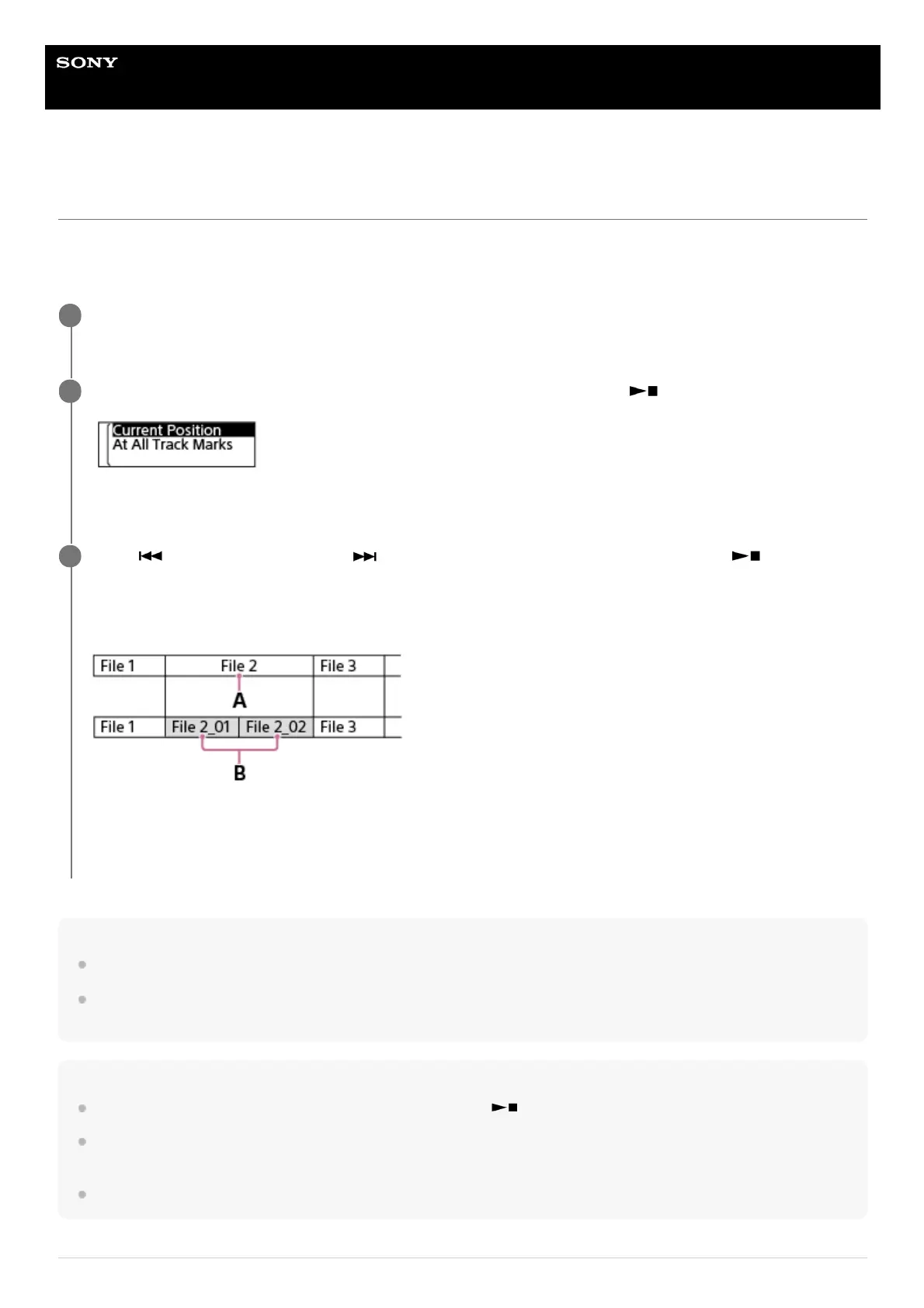
[Please Wait] appears, and the divided files will be suffixed with a sequential number ([_01] for the first part, and
[_02] for the second part).
A. Dividing point
B. A suffix made up of a sequential number ([_01] for the first part, and [_02] for the second part) is added to the file
name of the divided files.
3



 To Next Page