Help Guide
IC Recorder
ICD-TX660
Using the HOME menu
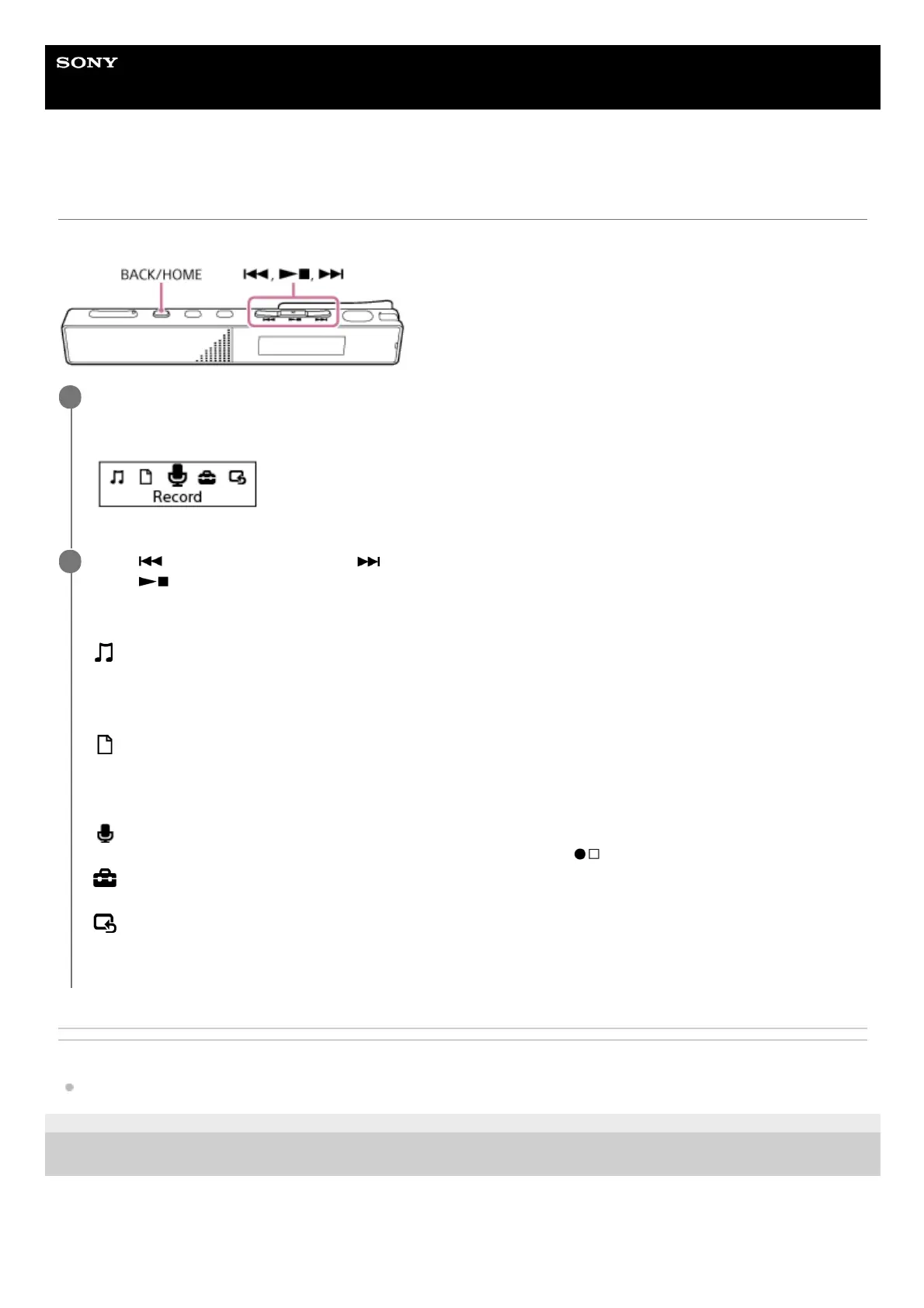
The HOME menu allows you to select a function, search for recorded files, or change the settings on your IC recorder.
Related Topic
Using the OPTION menu
5-025-099-11(1) Copyright 2021 Sony Corporation
Press and hold BACK/HOME.
The HOME menu appears.
1
Press
(review/fast backward) or (cue/fast forward) to select the function you want to use, and then
press
(play/enter/stop).
You can select the following functions:
Music:
You can select music files imported from a computer for playback.
To locate a music file, you can select one of the file search categories: [All Songs], [Albums], [Artists], and [Folders].
When you import music files, import them into the MUSIC folder.
Recorded Files:
You can select files recorded by the IC recorder for playback.
To locate a recorded file, you can select one of the file search categories: [Latest Recording], [Search by REC
Date], [Search by REC Scene], and [Folders].
Record:
You can display the recording standby screen. To start recording, press
(record/recording stop).
Settings:
You can display the Settings menu and change various settings on the IC recorder.
Back to XX(*):
Select this function to return to the screen before you displayed the HOME menu.
2
The function you are currently using is displayed in [XX].
*



 To Next Page