Help Guide
IC Recorder
ICD-TX660
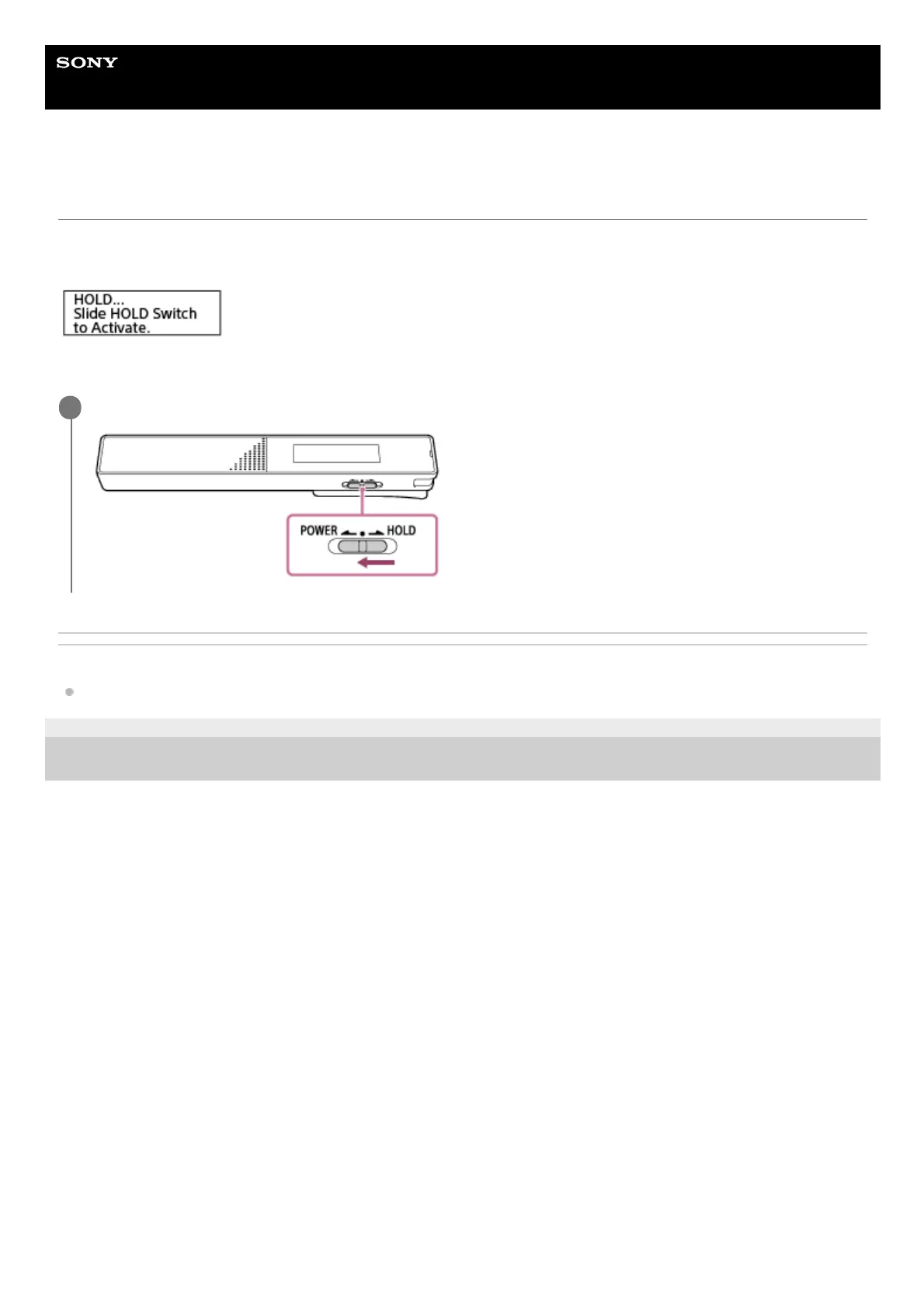
Releasing the IC recorder from the HOLD state
When your IC recorder is placed in the HOLD state, pressing any button displays [HOLD… Slide HOLD Switch to
Activate.] on the display window.
Release the IC recorder from the HOLD state before you use it.
Related Topic
Placing the IC recorder into the HOLD state (HOLD)
5-025-099-11(1) Copyright 2021 Sony Corporation
Slide the POWER・HOLD switch to the center dot.
1



 To Next Page