Help Guide
IC Recorder
ICD-TX660
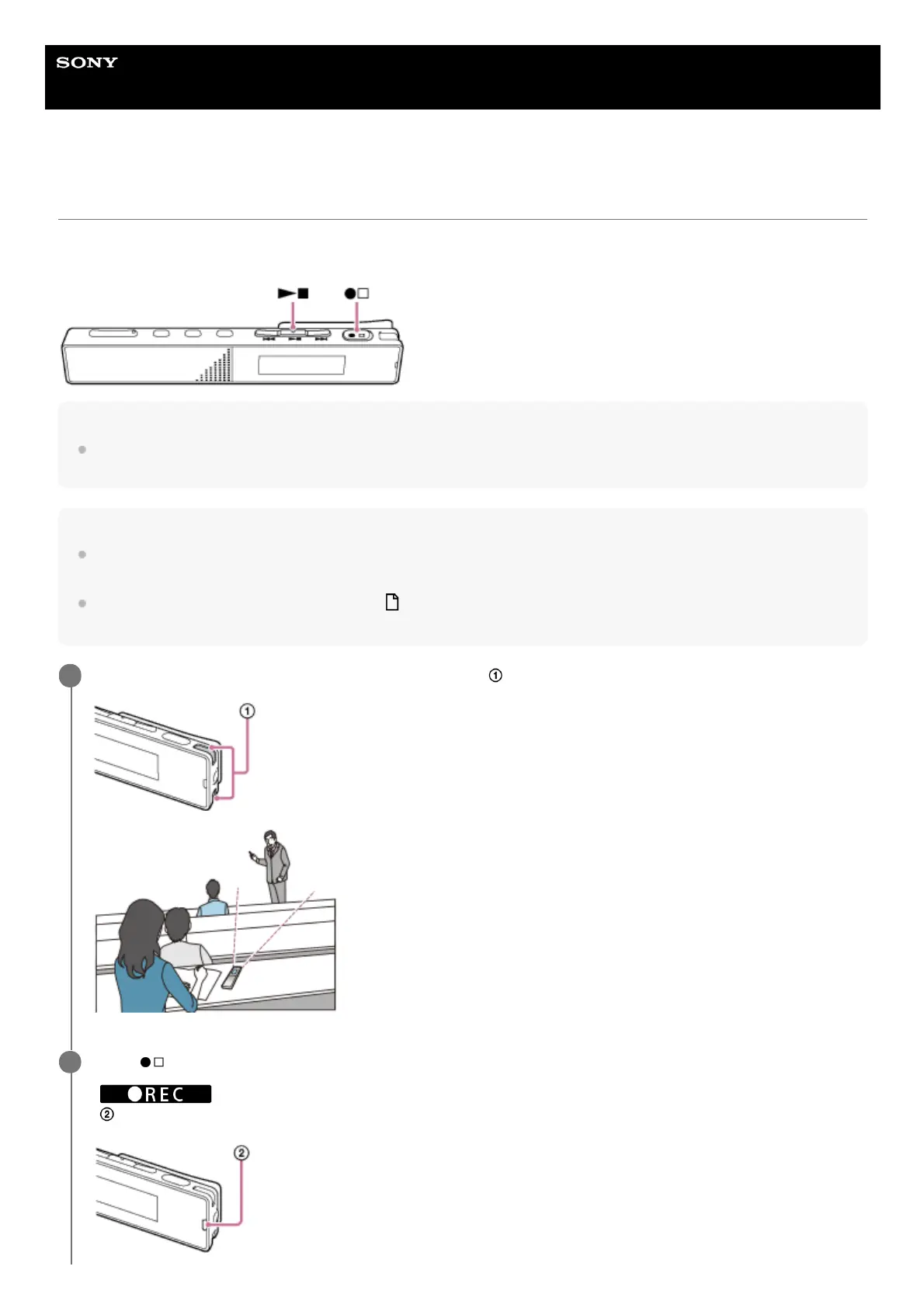
Recording with the built-in microphones
This section describes the procedure for basic recording operations. You can record audio with the selected sensitivity
level of the microphones and recording mode.
Note
If you accidentally touch your IC recorder or let an object come in contact with it while recording is in progress, rustling or
scratching noises may be recorded.
Hint
Before you start recording, we recommend you first make a trial recording or monitor the recording. For instructions on monitoring
the recording, see Monitoring the recording audio.
Recorded files are stored in [FOLDER01] under [
Recorded Files] by default. To store recorded files in a folder other than
[FOLDER01], see Changing the storage folder for recorded files.
Turn your IC recorder so that its built-in microphones (
) point in the direction of the target sound source.
1
Press
(record/recording stop).
[
] appears on the display window to indicate that recording has started, and the operation indicator
(
) lights in red.
2



 To Next Page