Help Guide
IC Recorder
ICD-TX660
Adding a track mark
You can add a track mark at a point where you want to divide a file later or you want to locate during playback. You can
add a maximum of 98 track marks to a single file.
Note
You cannot add track marks to a protected file. To add track marks to a protected file, remove the protection from the file first,
then add track marks. For instructions on removing protection, see Protecting a file.
Hint
To locate a track mark and start playback at the track mark, press
(review/fast backward) or (cue/fast forward) while
playback is on standby or in progress. While playback is on standby, wait for the
(track mark) indicator to flash once, and then
press
(play/enter/stop) to start playback.
To name track marks, use the dedicated software (Sound Organizer 2). However, only the first 16 characters of the track mark
name are displayed on the display window of your IC recorder.
Related Topic
Adding track marks automatically
Deleting a track mark
5-025-099-11(1) Copyright 2021 Sony Corporation
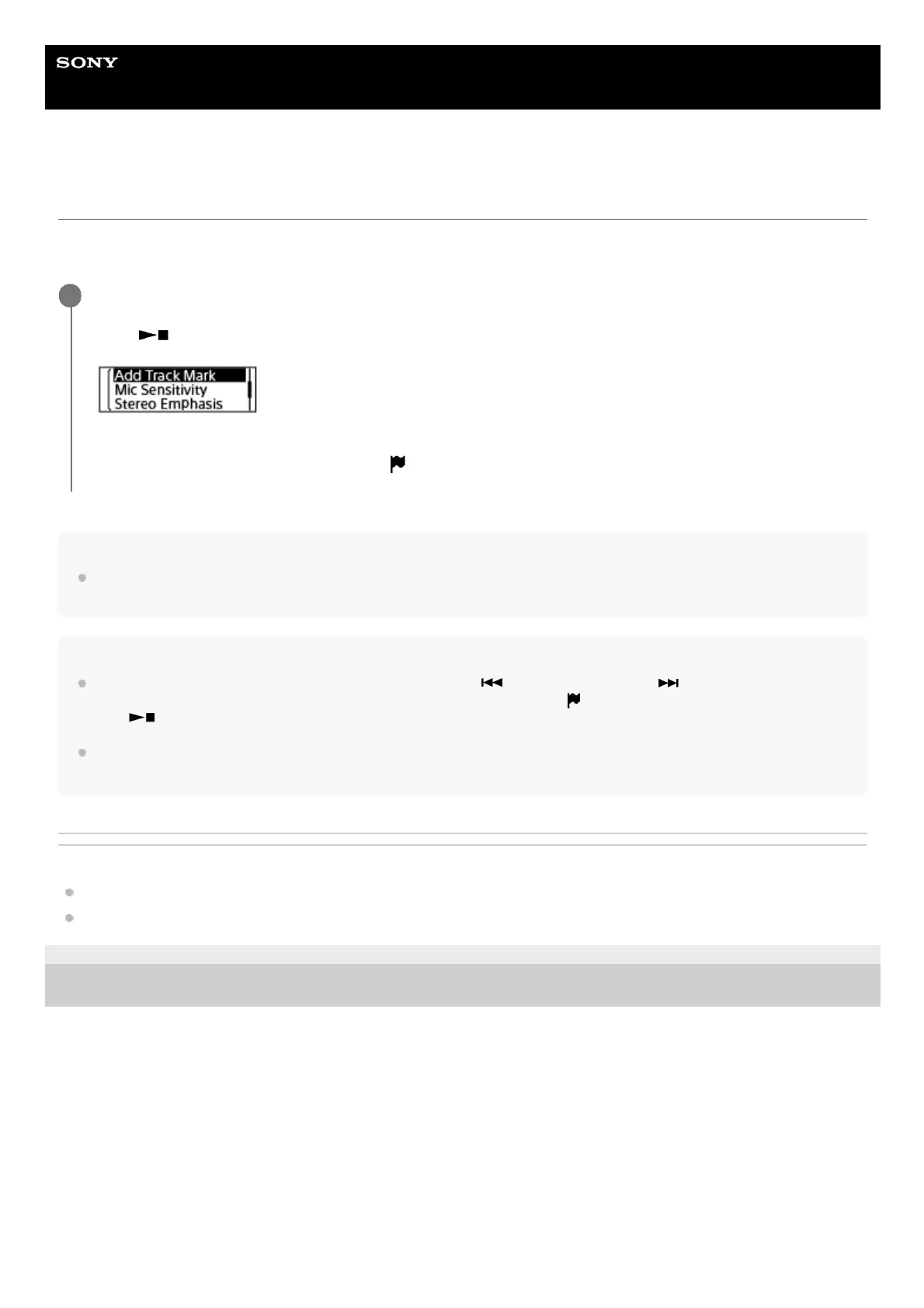
While recording is in progress or while playback is in progress or on standby, select [Add Track Mark] on
the OPTION menu when recording or playback comes to the point you want to add a track mark, and then
press
(play/enter/stop).
[Added] appears to indicate that a track mark is added.
On the recording and playback screens, the
(track mark) indicator appears.
1



 To Next Page