Help Guide
IC Recorder
ICD-TX660
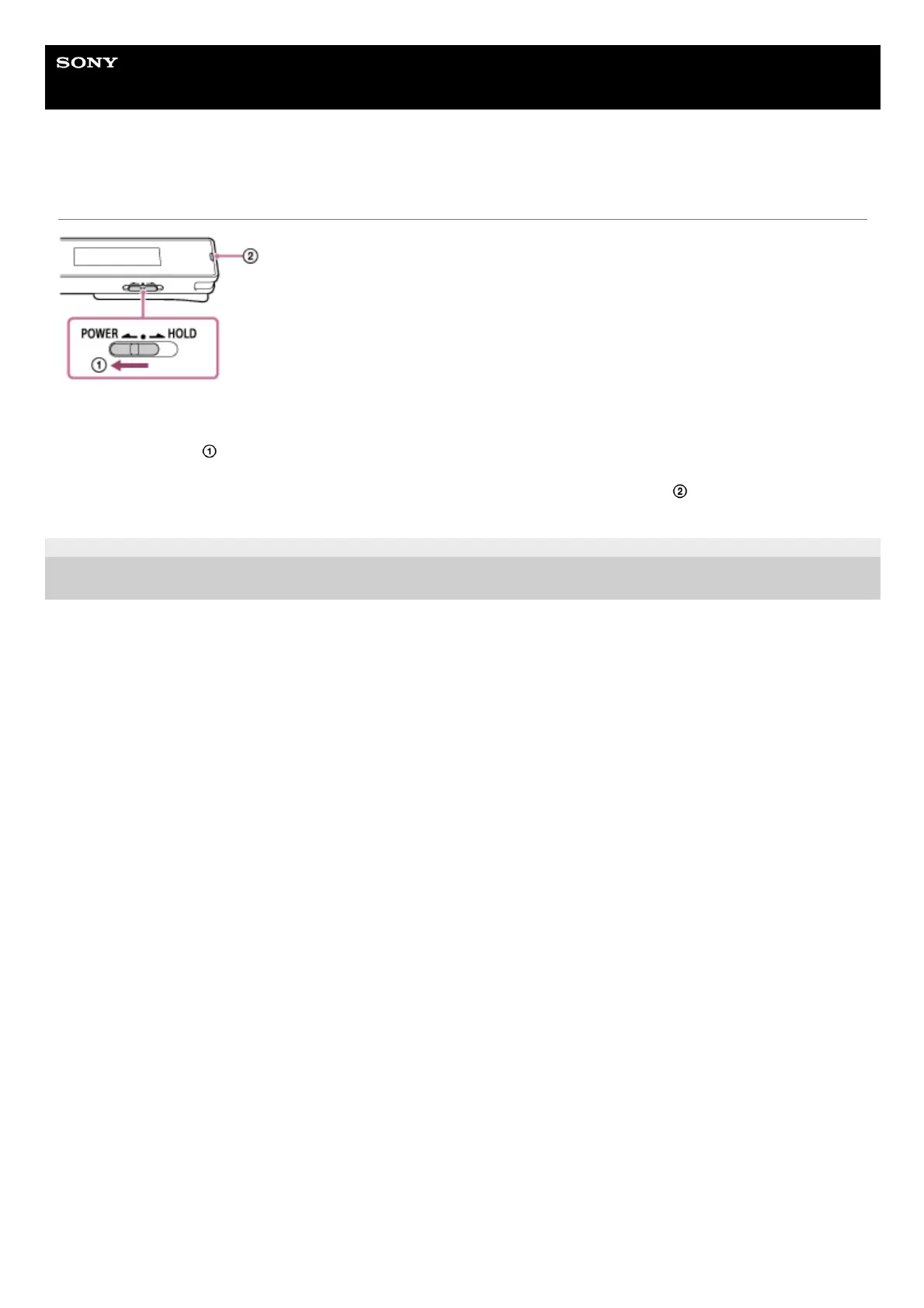
Restarting the IC recorder
When a problem persists after you have checked all corrective actions listed in the [Troubleshooting] topics, you may be
able to solve the problem by restarting your IC recorder. Slide the POWER・HOLD switch to [POWER] and holding it for
8 seconds or longer (
). When the display window turns off, the restart process begins. Release the POWER・HOLD
switch. While the IC recorder is in operation and you restart it, the data that is stored on the IC recorder or the IC
recorder settings may be deleted. Before restarting, make sure that the operation indicator (
) is not lit.
5-025-099-11(1) Copyright 2021 Sony Corporation



 To Next Page