Help Guide
IC Recorder
ICD-TX660
Playing a file
You can select a file from the HOME menu for playback.
Note
For the customers in Europe only:
When you try to adjust the volume to a level that exceeds the specified level, the [Check The Volume Level] message appears.
Hint
To stop playback, press
(play/enter/stop).
When you stop recording and the recording standby screen is on the display window, you can press
(play/enter/stop) to play
the file you have just recorded.
The built-in speaker is provided mainly for checking recorded audio files; the sound may be not loud enough or difficult to hear. In
such cases, use headphones (not supplied).
Related Topic
Additional operations available during playback
Playing music files on the IC recorder that were copied from a computer
5-025-099-11(1) Copyright 2021 Sony Corporation
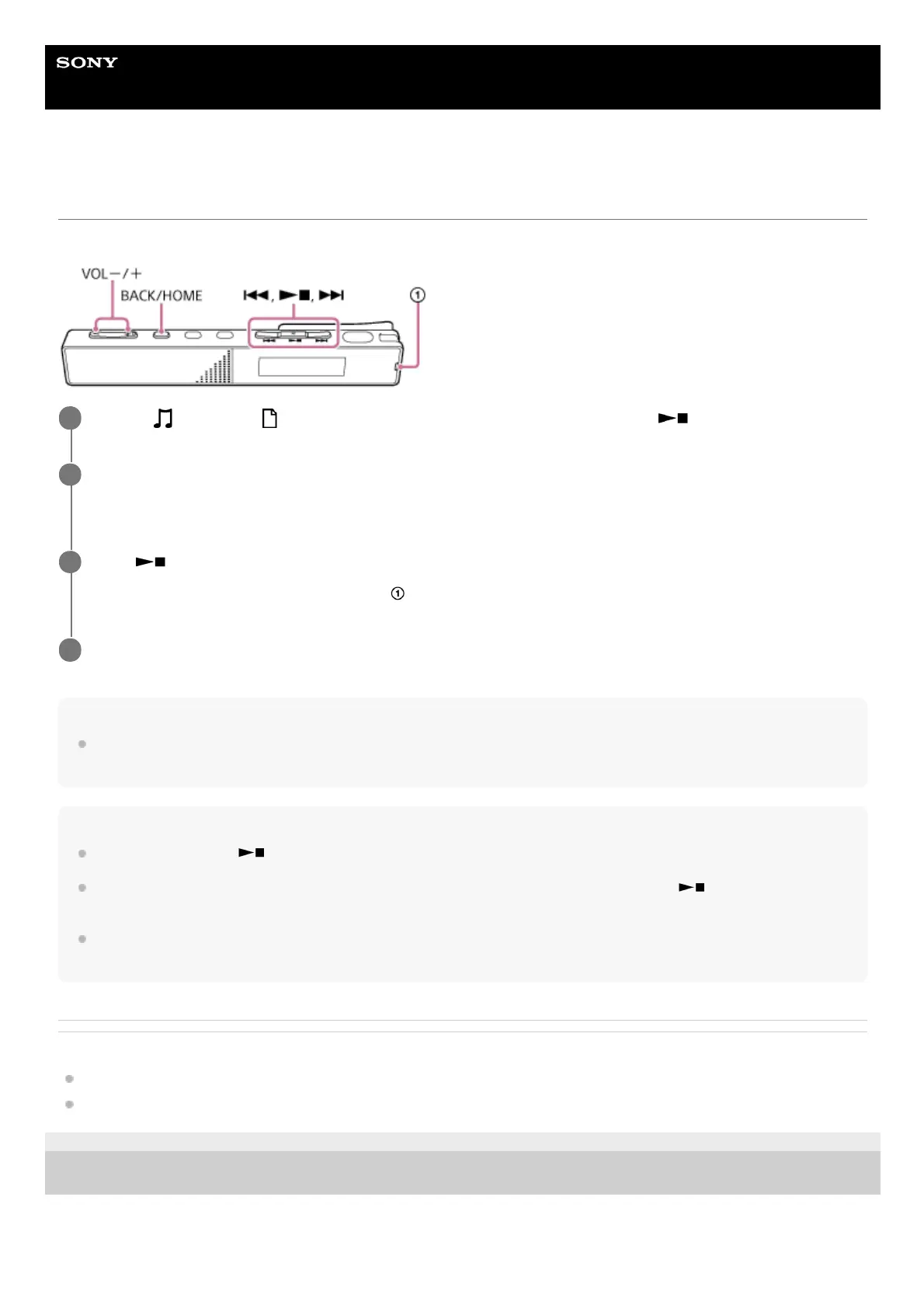
Select [
Music] or [ Recorded Files] on the HOME menu, and then press (play/enter/stop).
1
Search and select a file.
For instructions on searching a file, see Selecting a file.
2
Press
(play/enter/stop).
Playback starts and the operation indicator (
) lights in green.
3
Press VOL -/+ to adjust the playback volume.
4



 To Next Page