Help Guide
IC Recorder
ICD-TX660
Placing the IC recorder into the HOLD state (HOLD)
You can disable all the buttons (HOLD) on your IC recorder in order to prevent unintentional operations while you carry
around the IC recorder.
Note
Placing your IC recorder into the HOLD state disables all the buttons. Be sure to release it from the HOLD state before you use
the IC recorder again.
The clock may tell the time either in 12-Hour format with [AM] or [PM] or in the 24-Hour format, depending on the selected clock
display format (Time Display) on the Settings menu. In addition, the default clock display format depends on the country or region
of your purchase.
Related Topic
Releasing the IC recorder from the HOLD state
5-025-099-11(1) Copyright 2021 Sony Corporation
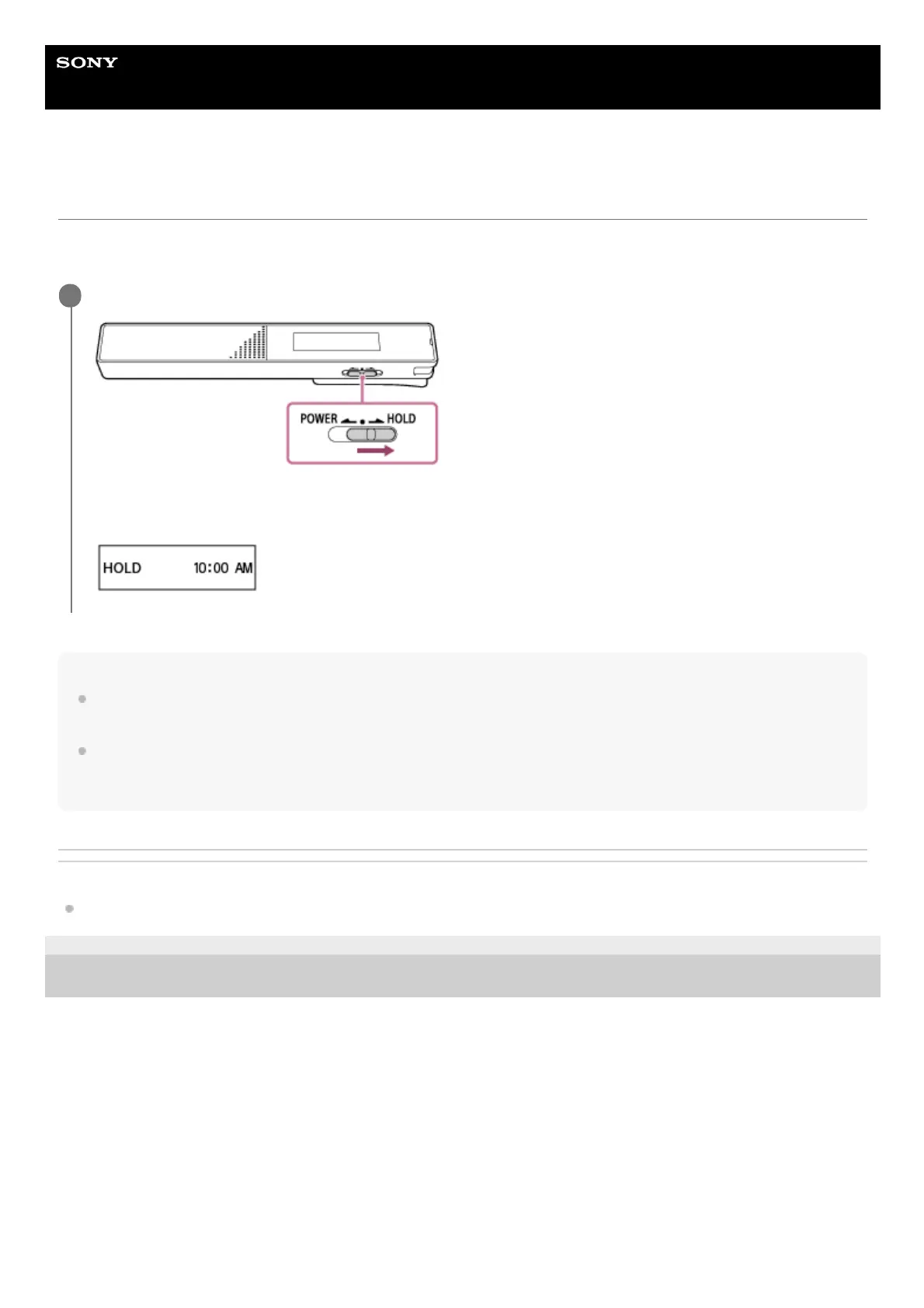
Slide the POWER・HOLD switch to [HOLD].
While the IC recorder is turned on, sliding the POWER・HOLD switch to [HOLD] displays [HOLD] and the current
time for about 3 seconds on the display window, indicating that all the buttons on the IC recorder are disabled.
1



 To Next Page