Help Guide
IC Recorder
ICD-TX660
Making the initial settings
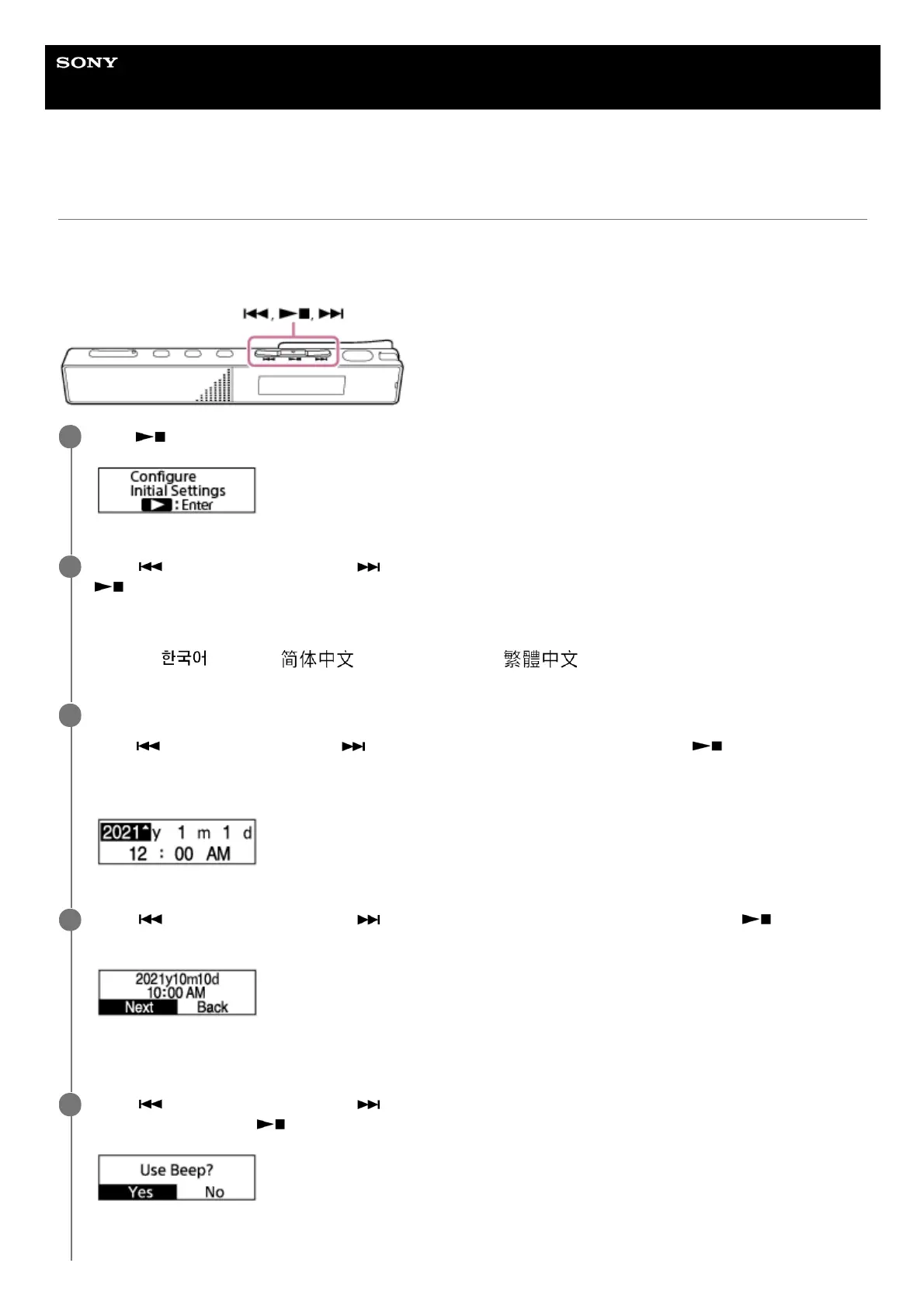
When you turn on your IC recorder for the first time, the [Configure Initial Settings] screen appears on the display
window. Make the initial settings, such as selecting the display language, setting the clock, and turning on/off the beep
sound.
Press (play/enter/stop) to start the initial settings.
1
Press
(review/fast backward) or (cue/fast forward) to select the display language, and then press
(play/enter/stop).
You can select from the following languages:
Deutsch (German), English, Español (Spanish), Français (French), Italiano (Italian), Русский (Russian), Türkçe
(Turkish),
(Korean), (Simplified Chinese), (Traditional Chinese).
2
Set the current date and time.
Press
(review/fast backward) or (cue/fast forward) to set an item, and then press (play/enter/stop).
Repeat the actions to set all items.
To move the focus to the previous item, press BACK/HOME.
3
Press
(review/fast backward) or (cue/fast forward) to select [Next], and then press
(play/enter/stop) to apply the settings to the clock.
After the settings are reflected to the clock, the setting window for turning the beep sound on or off is displayed.
4
Press
(review/fast backward) or (cue/fast forward) to select [Yes] or [No] to turn on or off the beep
sound, and then press
(play/enter/stop).
When the initial settings finish, the completion message and then the HOME menu appear.
5



 To Next Page