Help Guide
IC Recorder
ICD-TX660
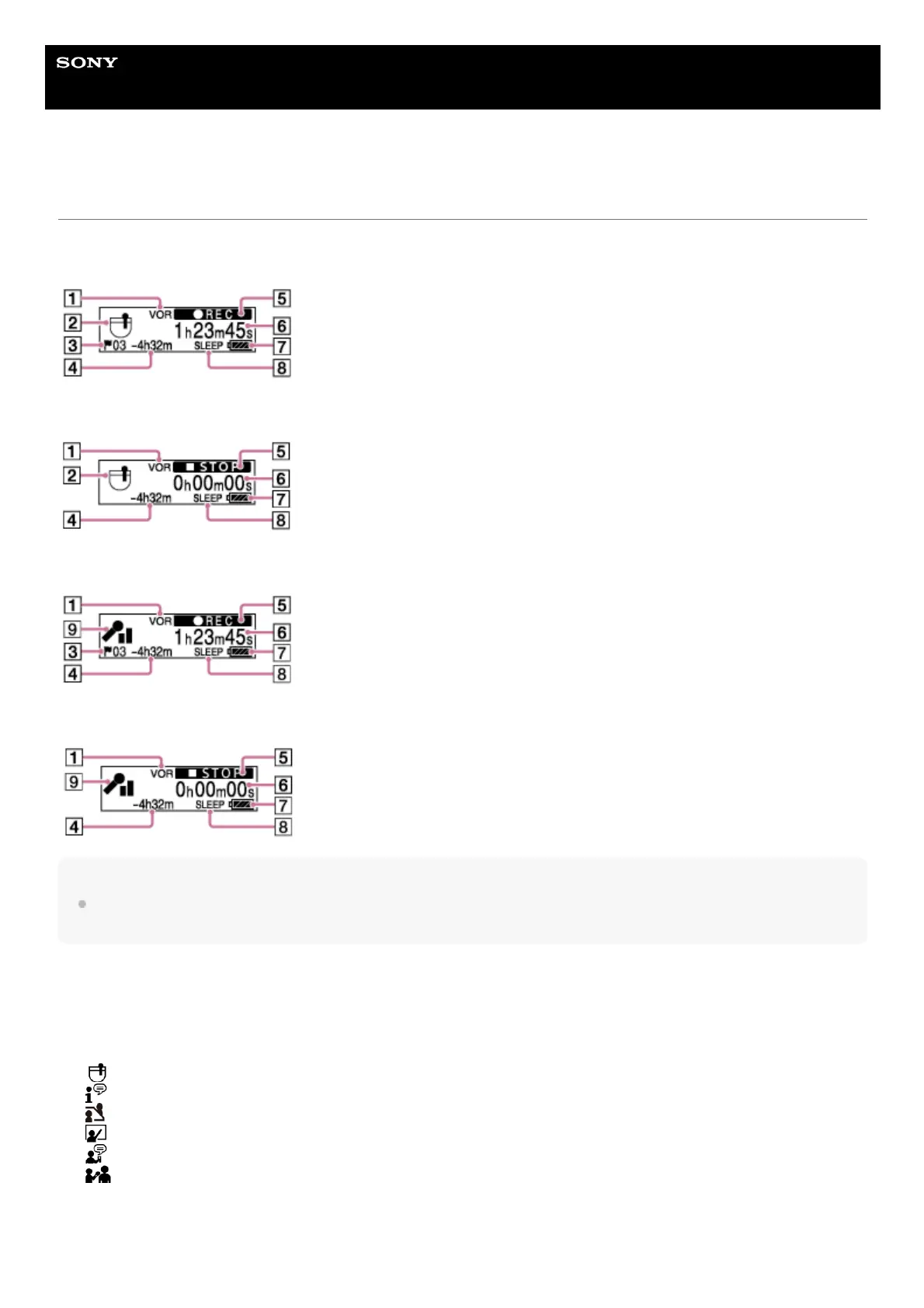
Display window while recording is in progress or on standby
The following describes the display window while recording is in progress or on standby.
Recording while using scenes
Recording is on standby while using scenes
Recording while scenes are off
Recording is on standby while scenes are off
Note
The above screens are provided for explanatory purposes. They may look different from what you actually see on your IC
recorder.
VOR indicator
Indicates that the VOR function is active.
1.
Scene Select indicator
Indicates the recording scene that is currently selected.
: Pocket
: Auto Voice Rec
: Meeting
: Lecture
: Voice Notes
: Interview
2.
Track mark number
Indicates the number of added track marks.
3.



 To Next Page