Thumbnail Operations
115
Chapter 5 Operations in GUI Screens
3 Press the PLAY/PAUSE button.
The screen changes to the clip playback
screen, and playback starts.
Operations on filtering results
You can use the Thumbnail Menu in the filter
thumbnail screen to perform the following
operations.
To display clip filtering conditions as Title2 titles
For clip lists created with the Copy to Clip List
command, you can display the clip filtering
conditions as Title2 titles.
When Settings >Display Title in the Disc Menu is
set to “On: Title2 {title2}”, the clip filtering
conditions are displayed automatically in screens
such as the Load Clip List screen.
You can select the information to be displayed at
the bottom of the thumbnails in thumbnail
screens.
See page 109 for more information about thumbnail
screen operations.
1 Display the Thumbnail Menu in the clip
thumbnail screen.
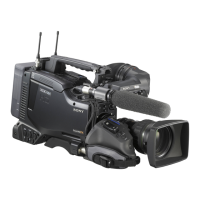
2 Select Clip Information.
A window appears in which you can select
the information to display.
3 Select the items that you want to
display.
Return to Upper Menu: Returns to the
Thumbnail Menu
Date: Date and time of creation, or date and
time of the more recent modification
Time Code: Timecode of first frame
Duration: Playback time
Sequence Number: Thumbnail sequence
number
The selected information will appear at the
bottom of the thumbnails when you display a
thumbnail screen.
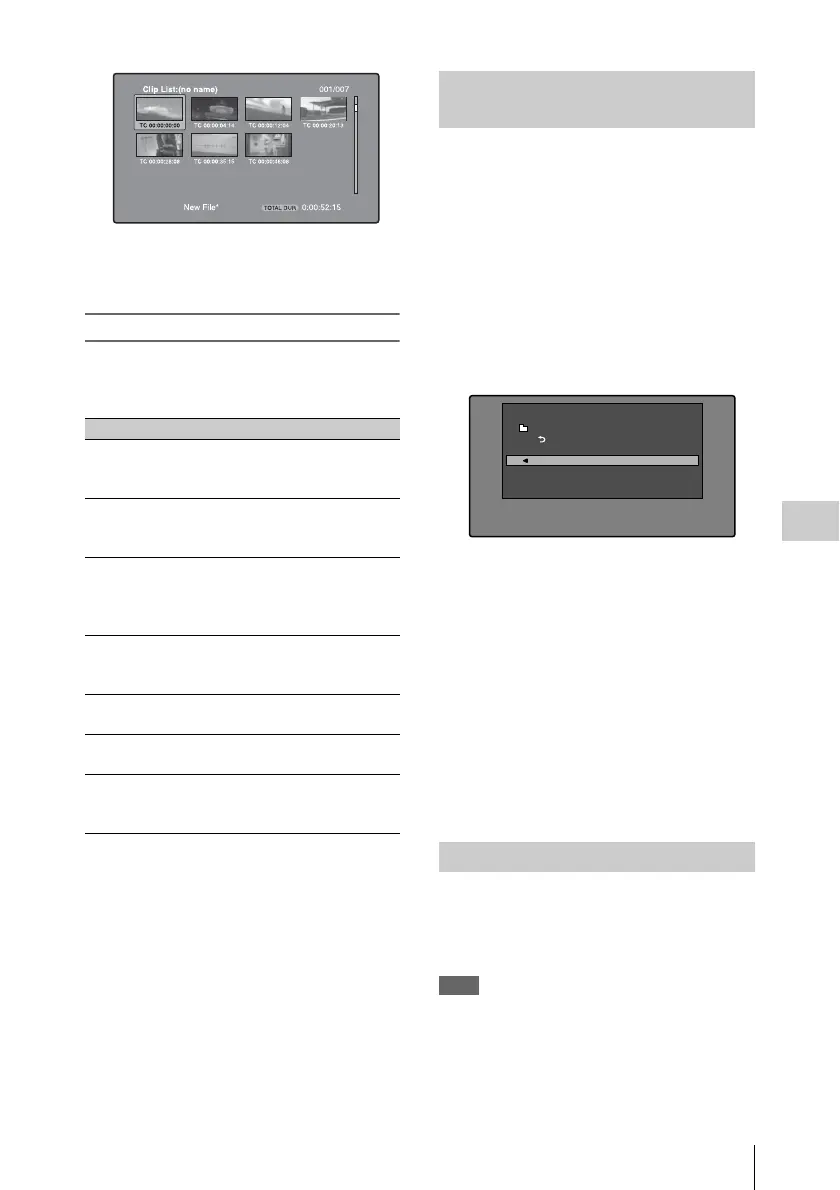
The clip thumbnail screen displays thumbnails as
index pictures for clips. Normally the index
picture is the first frame in a clip, but you can set
any frame in the clip as the index picture.
Note
You can only change index pictures from the clip
thumbnail screen. The thumbnails shown in the clip list
thumbnail screen, the expand thumbnail screen, and the
chapter thumbnail screen cannot be changed.
Item name Function
Clip Information Select the information to
be displayed at the bottom
of the thumbnails.
Lock or Delete All
Filtered Clips >Lock
All Filtered Clips
Lock all of the filtered
clips.
Lock or Delete All
Filtered Clips
>Unlock All Filtered
Clips
Unlock all of the filtered
clips.
Lock or Delete All
Filtered Clips >Delete
All Filtered Clips
Delete all of the filtered
clips.
Filter
Clips(Narrowing)
Narrow down the filtering
results.
Copy to Clip List Copy all of the filtered
clips to a new clip list.
Upload Clips via
Direct FTP
Transfer all of the filtered
clips to an external device
via a network.
Selecting the information
displayed on thumbnails
Changing clip index pictures
Clip Information
Return to Upper Menu
Date
Time Code
Duration
Sequence Number
Thumbnail Menu


 To Next Page