Locations and Functions of Parts and Controls
32
Chapter 1 Overview
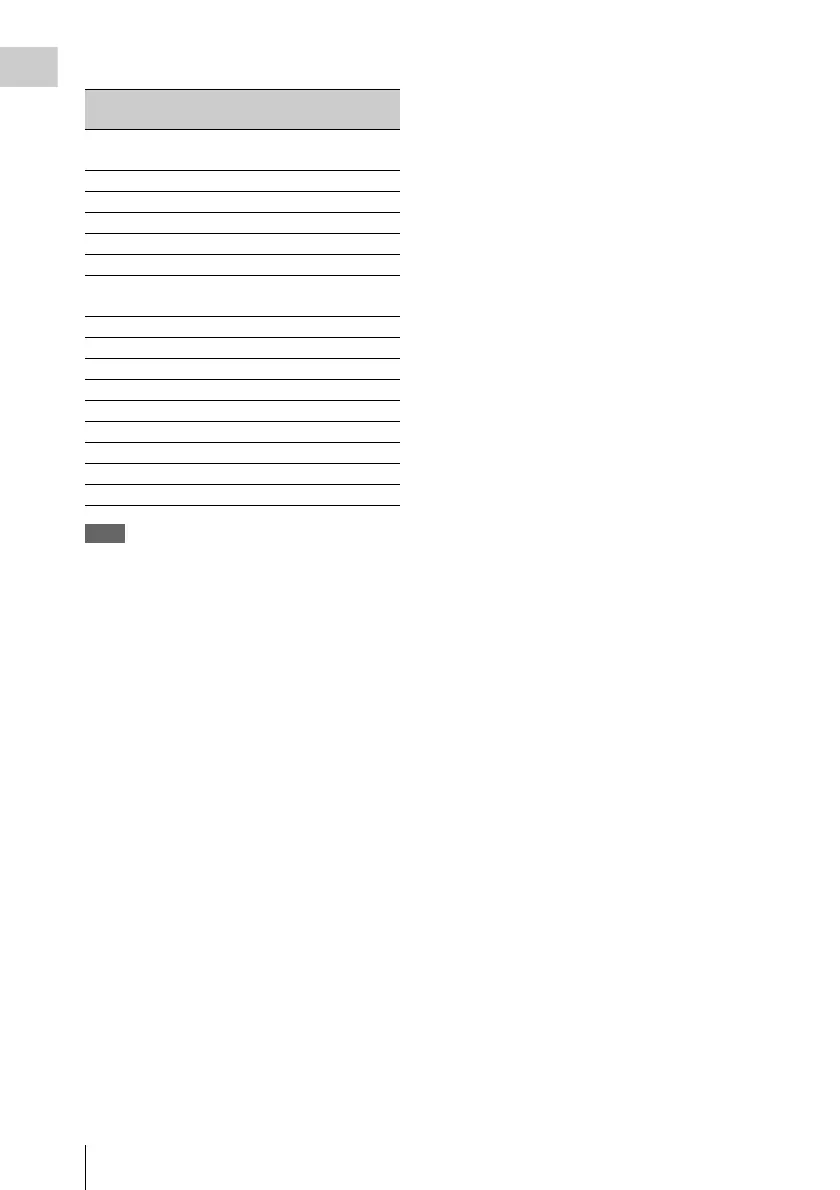
Examples of remaining recording time indication
Note
During shooting in special modes such as Interval Rec,
the indicated remaining disc time may differ from the
time which can be actually shot and recorded.
m Remaining clips display
Displays the remaining number of clips that can
be recorded. The display flashes once per second
when the number of remaining clips is less than
10.
n Iris setting/auto iris override
Indicates the F value (iris setting) of the lens.
Auto iris override is shown by an indicator made
up of two segments each on the upper and lower
sides.
For details, see “Changing the Reference Value for
Automatic Iris Adjustment” on page 62.
Indication Remaining recording
time
.
.
.
.
.
.
110 < 120 to 110 minutes
100 < 110 to 100 minutes
90 < 100 to 90 minutes
90 - 85 90 to 85 minutes
85 - 80 85 to 80 minutes
.
.
.
.
.
.
20 - 15 20 to 15 minutes
15 - 10 15 to 10 minutes
10 - 5 10 to 5 minutes
5MIN (flash) 5 minutes
4MIN (flash) 4 minutes
3MIN (flash) 3 minutes
2MIN (flash) 2 minutes
1MIN (flash) 1 minute
0MIN (flash) 0 minutes



 To Next Page