Disc Operations
129
Chapter 5 Operations in GUI Screens
See page 109 for more information about GUI screen
operations.
1 Display the Disc Menu.
2 Select Disc Properties, and then press
the SET/S.SEL button or the MENU
knob.
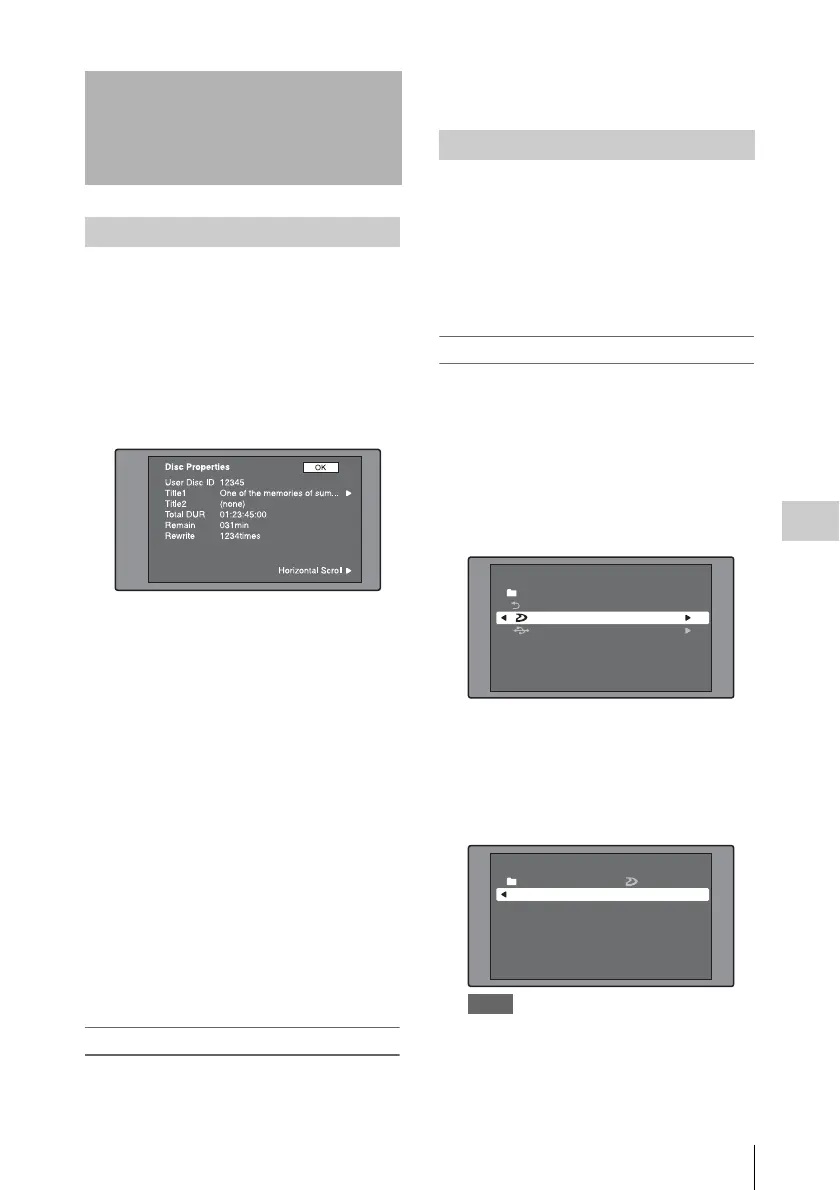
The Disc Properties screen appears.
User Disc ID: User disc ID
Title1: Title 1
Title2: Title 2
1)
Total DUR: Total recording time
Remain: Remaining recording time
Rewrite: Number of times rewritten
1) Titles can be displayed in European languages
when the area of use (see page 38) is set to
“NTSC AREA” or “PAL AREA”.
To scroll hidden parts of the string into
view
When a B or b mark is displayed for an item,
you can press the left or right arrow button to
scroll the display by one character for each
press.
The up and down arrow buttons scroll the
beginning and end of the string into view.
To return to the previous screen
Press the SET/S.SEL button or the MENU
knob.
To edit disc information
You can edit the user disc ID, title 1
1)
, and title 2
by using a software keyboard.
1) Only ASCII characters can be used for the title 1.
See “To edit clip information” (page 117) for
information about operations.
Planning metadata is a file that contains metadata
about the clips to be shot and recorded.
To use planning metadata, you will need to save a
file in advance in the specified location of a
media, and insert the media into this unit.
For details, see “To set clip names by using planning
metadata” (page 93).
To load planning metadata files
See page 109 for more information about GUI
screen operations.
1 Display the Disc Menu.
2 Select “Load Planning Metadata/Select
Drive”, and then press the SET/S.SEL
button or the MENU knob.
A media selection screen appears.
3 Select the media where your planning
metadata file is stored, and then press
the SET/S.SEL button or the MENU
knob.
A list of the planning metadata files stored on
the media appears.
Notes
• If MEMORY REC on the MEMORY REC page
of the OPERATION menu is set to ENABL, it is
not possible to load planning data from a USB
flash drive that is write inhibited. Set MEMORY
REC to DSABL before starting, or enable
Disc Operations
Checking disc properties
Using planning metadata
Disc Menu
Load Planning Metadata/Select Drive
Professional Disc
USB Flash Drive
Return to Upper Menu
Disc Menu
Load Planning Metadata/
PM_001_sample 04 AUG 10:39
04 AUG 10:39
Professional Disc
PM_002_sample
04 AUG 10:39
PM_003_sample
04 AUG 10:39
Name &Date/ Sorted by Name
PM_004_sample



 To Next Page