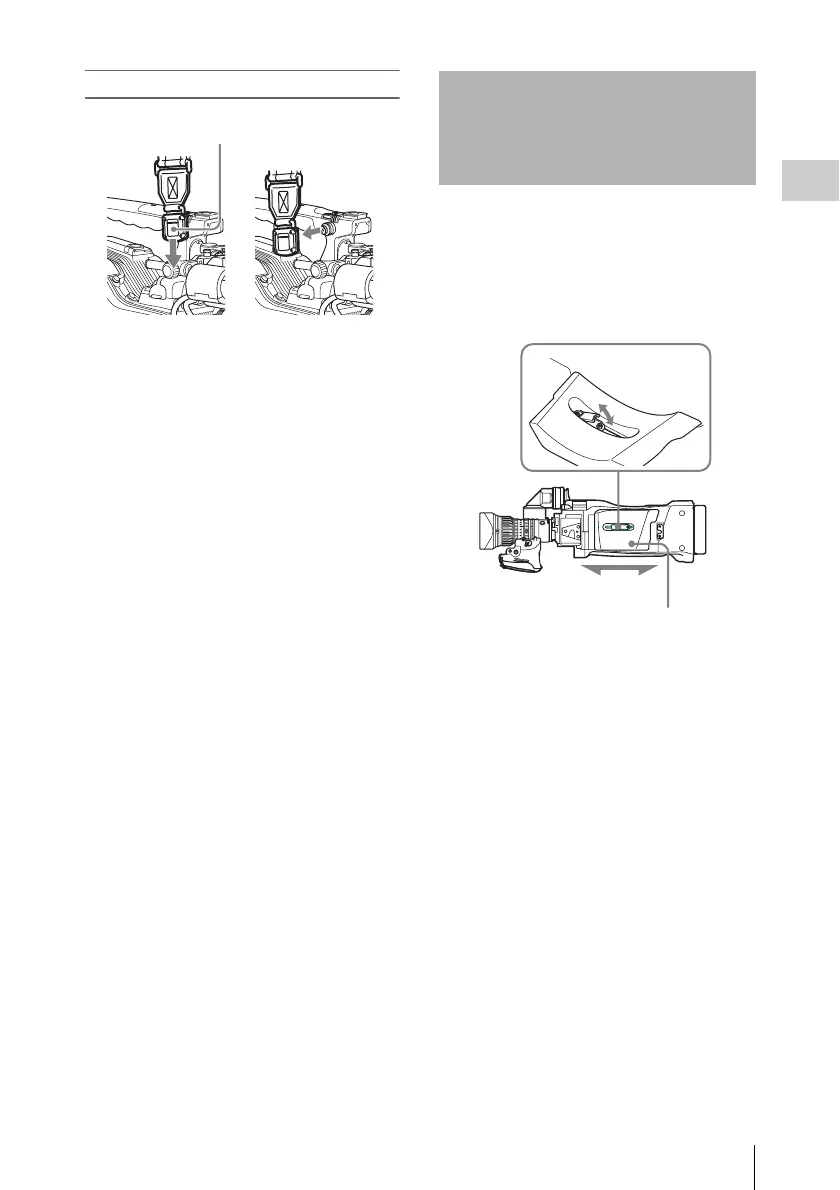
Adjusting the Shoulder Pad Position
49
Chapter 2 Preparations
To remove the shoulder strap
You can shift the shoulder pad from its center
position (the factory default setting) backward by
up to 10 mm (
3
/
8
inch) or forward by up to 25 mm
(1 inch). This adjustment helps you get the best
balance for shooting with the camcorder on your
shoulder.
1 Raise the lever in the center of the
shoulder pad to unlock the shoulder
pad.
2 Slide the shoulder pad backward or
forward until it is in the most
convenient position.
3 Bring down the lever to lock the
shoulder pad in the selected position.
g
Press here and pull in the direction
shown by the arrow to release.
Adjusting the Shoulder
Pad Position
1,3
2
Shoulder pad



 To Next Page