Preparing the Audio Input System
42
Chapter 2 Preparations
8 Repeat steps 4 to 7 until the chart stays
in focus all the way from wide angle to
telephoto.
9 Tighten the F.f or F.B ring fixing
screws.
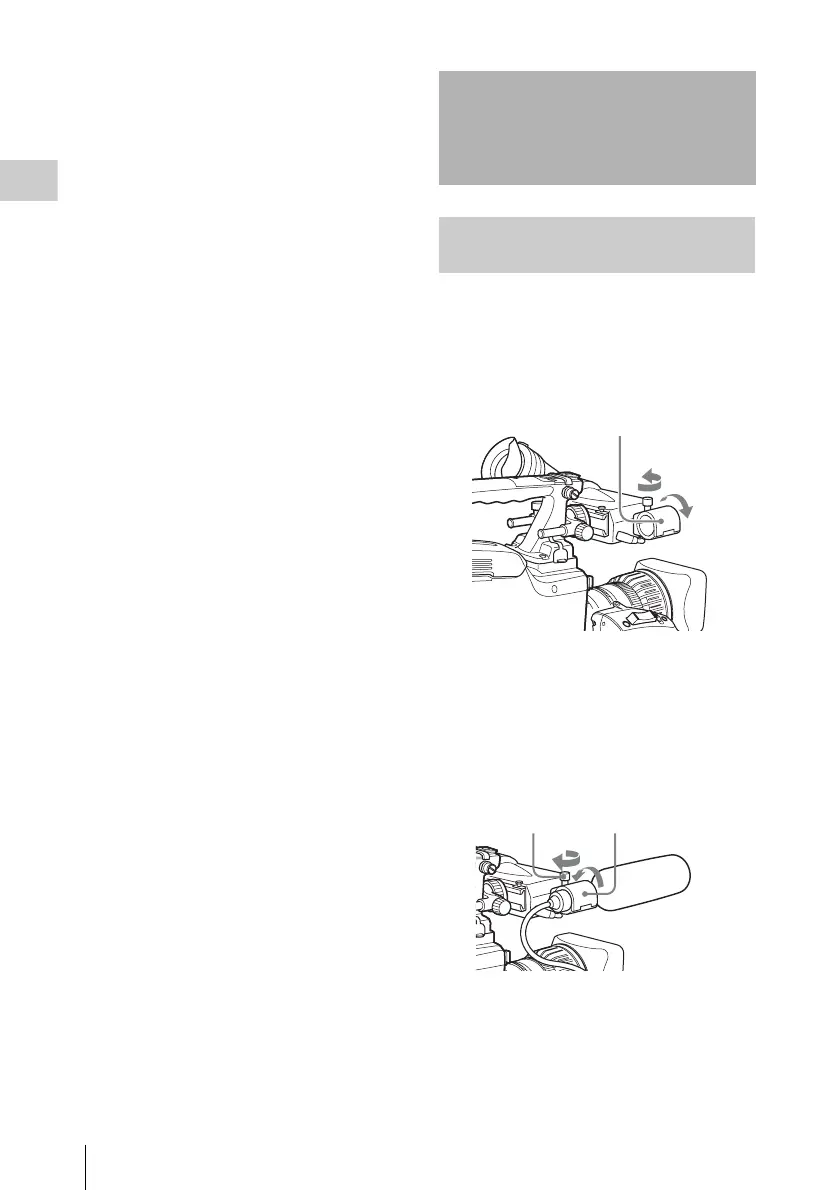
You can attach the supplied stereo microphone to
the microphone holder of the HDVF-20A
viewfinder (not supplied).
1 Loosen the screw and open the
microphone holder clamp.
2 Place the microphone in the
microphone holder.
1 Place the microphone in the holder so
that “UP” is at the top.
2 Close the microphone holder.
3 Tighten the screw.
3 Plug the microphone cable into the MIC
IN connector, then set the AUDIO IN
switch for the channel on which you
want to record the audio from this
microphone to FRONT (for CH-1/
CH-2) or F (for CH-3/CH-4).
Preparing the Audio
Input System
Connecting a microphone to the
MIC IN connector
1
2
Microphone holder clamp
23



 To Next Page