Advanced Operations for Shooting
91
Chapter 4 Shooting
The following standard format names are
assigned automatically to clips and clip lists that
are created or recorded by XDCAM devices.
Clips: C0001.MXF to C9999.MXF
Clip lists: E0001E01.SMI to E0099E01.SMI
When you record or create clips and clip lists, you
can assign user-defined names instead of the
standard format names. Assigning meaningful
names to clips and clip lists can facilitate file
management.
Limitations
• Letters, numbers and symbols from the Unicode
2.0 character set can be used.
However, the following control characters and
symbols cannot be used.
- Control characters: U+0000 to U+001F,
U+007F
- Symbols: ", *, /, :, <, >, ?, \, |
• Depending on the character type, the length of
name (“C*” part) may be limited to 14
characters. (The limit for ASCII characters is 56
characters.)
• All file name extensions are converted
automatically to uppercase.
• Titles are used as user-defined clip names on
this unit. Therefore, the available characters are
limited to those supported by the title function.
• Files generated along with clips and clip lists
are assigned the same names (the “C*” or “E*”
part of the following file names).
- Clips: Metadata files (C*M01.XML), user
metadata files (C*M02.KLV), proxy AV data
files (C*S01.MXF)
- Clip lists: Metadata files (E*M01.XML)
• The following names cannot be assigned.
- Clips: C0000.MXF
- Clip lists: E0000E01.SMI, E0100E01.SMI to
E9999E01.SMI, E0000.SMI, E0100.SMI to
E9999.SMI
• The following names should be avoided.
- Clips: C5000.MXF to C9999.MXF
- Clip lists: E0001.SMI to E0099.SMI
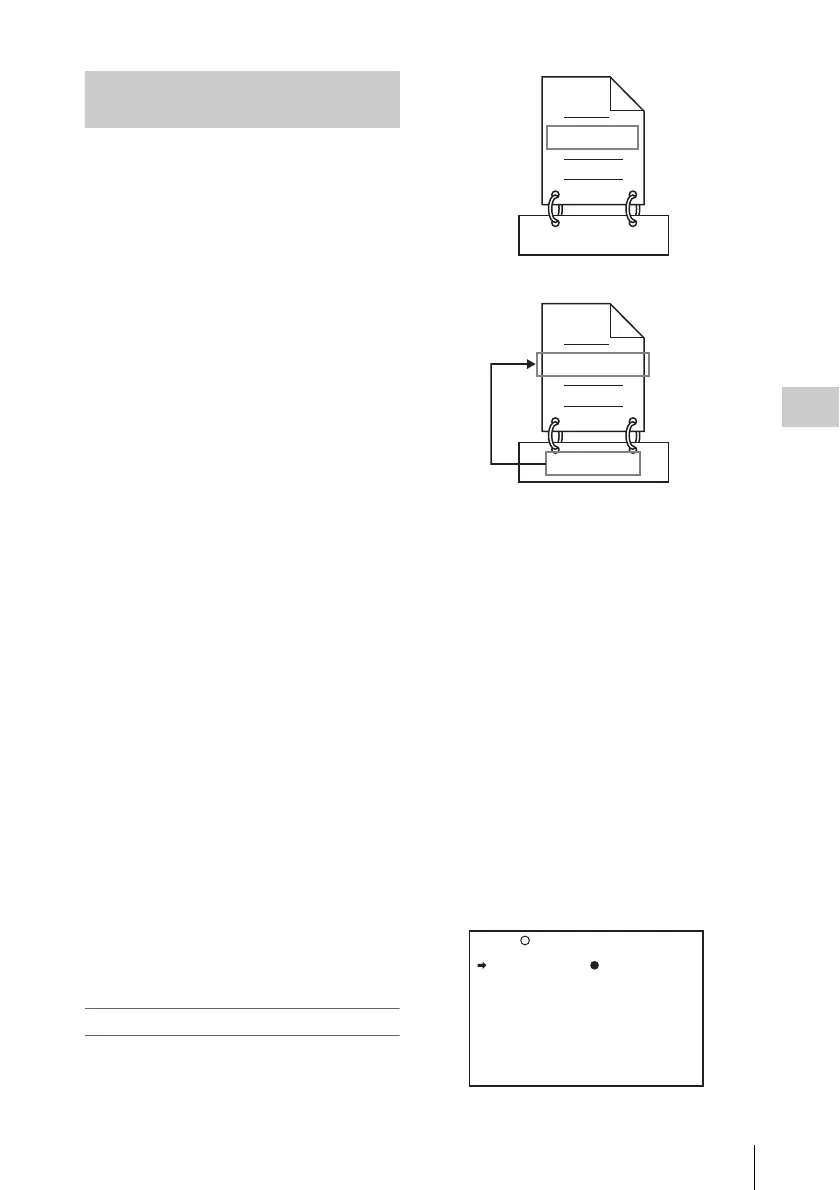
To assign clip names on this unit
The title assigned to a clip is also used as the name
of that clip (or the file name).
(How to select an item in the menu screen: Turn
the MENU knob to move b to the desired item.)
1 Before starting, set TITLE on the CLIP
TITLE page of the OPERATION menu
to ENABL and set a title (see page 88).
For details on menu operations, see “Basic
menu operations” on page 189.
2 Display the FILE NAMING page of the
OPERATION menu.
3 Select NAMING FORM and then press
the MENU knob.
4 Turn the MENU knob to display
“FREE” and then press the MENU
knob.
You can now enter a user-defined name.
Assigning user-defined names to
clips and clip lists
C0001.MXF
TITLE00001
TITLE00001.MXF
TITLE00001
When sub item “AUTO NAMING” is set to
“C****”
When sub item “AUTO NAMING” is set to
“TITLE”
NAMING FORM: FREE
AUTO NAMING: C****
028 FILE NAMING TOP



 To Next Page