Adjusting the Black Balance and the White Balance
55
Chapter 3 Adjustments and Settings for Shooting
Possible messages are listed below.
If any of the above error messages is displayed,
retry the black balance adjustment.
Keep pushing the AUTO W/B BAL switch to
BLK until “-BLACK SET-” appears after
“-BLACK BALANCE-” appears. If the error
message occurs again, an internal check is
necessary.
For information about this internal check, refer to
the Maintenance Manual.
Note
If the lens cable is not firmly connected to the LENS
connector, it may not be possible to adjust the lens iris.
If this happens, the black balance will be incorrect.
Black balance memory
Values stored in memory are held until the black
balance is next adjusted.
If a memory error occurs
If the error message “: STORED DATA : NG”
flashes on the viewfinder screen when the
camcorder is turned on, the black balance and
white balance memory contents have been lost.
Adjust the black balance and white balance again.
Contact a Sony representative if this message
continues to appear even after the black balance
and white balance have been adjusted again.
For details, refer to the Maintenance Manual.
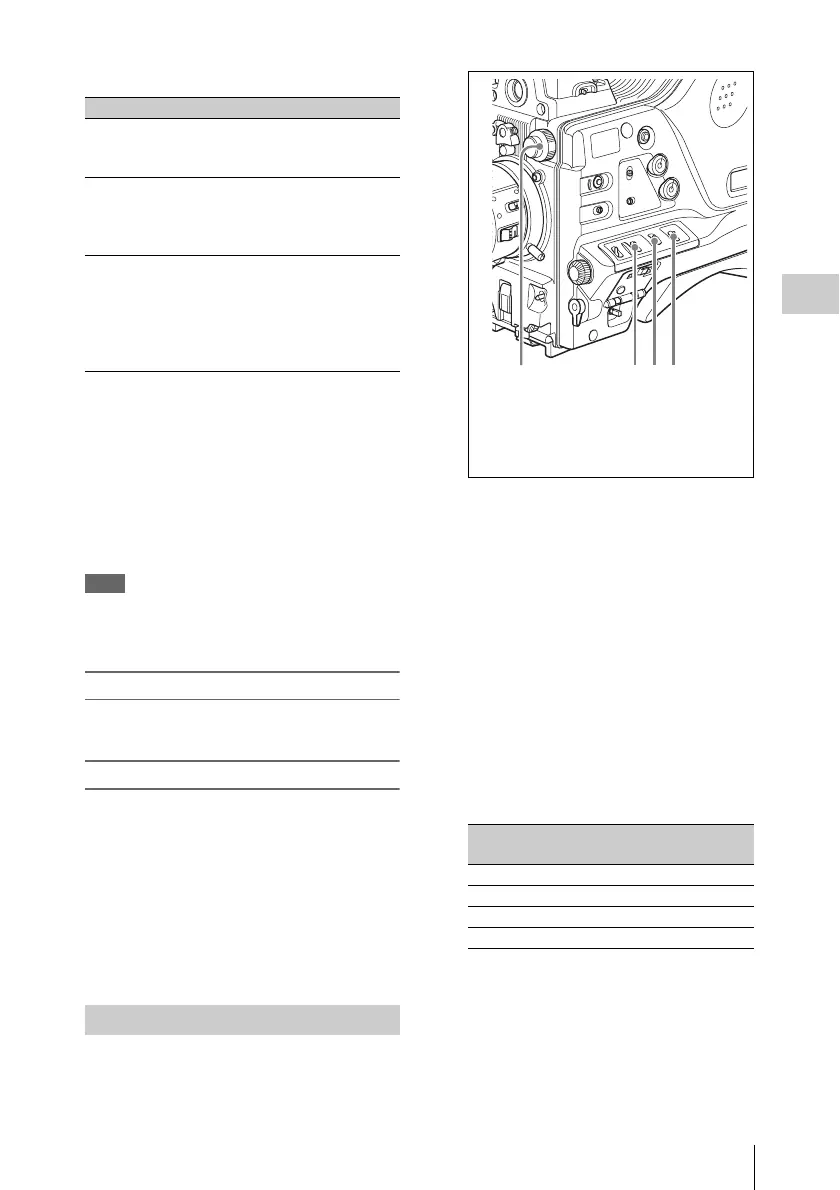
1 Set the switches and selectors as shown
in the figure below.
a)White balance setting values are stored in
memory B only when the WHITE SWITCH <B>
item is set to “MEM” on the WHITE SETTING
page of the OPERATION menu.
If the setting of the GAIN selector or WHITE
BAL switch is changed, a message reporting
the new setting position appears for about 3
seconds in the setting change and adjustment
progress message display area of the
viewfinder screen.
2 Set the FILTER selector to suit the
lighting conditions as follows.
The possible settings of the FILTER selector
and their corresponding filters to be selected
are listed below.
If the setting of the FILTER selector is
changed, a message reporting the setting
appears for about 3 seconds in the setting
change and adjustment progress message
display area of the viewfinder screen (in
display mode 3).
Error message Meaning
ABB : NG
IRIS NOT CLOSE
The lens iris did not close;
adjustment was
impossible.
ABB : NG
TIME LIMIT
Adjustment could not be
completed within the
standard number of
attempts.
ABB : NG
R (or G or B) :
OVERFLOW
The difference between the
reference value and the
current value is so great
that it exceeds the range.
Adjustment was
impossible.
Adjusting the white balance
FILTER selector (inner knob)
setting
ND filter
1CLEAR
2
1
/
4
ND
3
1
/
16
ND
4
1
/
64
ND
1 FILTER selector
2 GAIN selector: Set as low as possible.
3 OUTPUT/DCC switch: CAM
4 WHITE BAL switch: A or B
a)



 To Next Page