Setting the Electronic Shutter
59
Chapter 3 Adjustments and Settings for Shooting
If a memory error occurs
If the error message “: STORED DATA : NG”
flashes on the viewfinder screen when the
camcorder is turned on, the white balance and
black balance memory contents have been lost.
Adjust the white balance and black balance again.
Contact a Sony representative if this message
continues to appear even after the white balance
and black balance have been adjusted again.
For details, refer to the Maintenance Manual.
The shutter modes that can be used with the
electronic shutter and the shutter speeds that can
be selected are listed below.
Standard mode
Select this mode for shooting fast-moving
subjects with little blurring.
ECS (Extended Clear Scan) mode
Select this mode for obtaining images with no
horizontal bands of noise when shooting subjects
such as monitor screens.
SLS (slow speed shutter) mode
Select this mode for shooting subjects in low level
lighting conditions.
Shutter speed (unit: frames): 2, 3, 4, 5, 6, 7, 8, 16
Notes
• Whatever the operating mode of the electronic
shutter, the sensitivity decreases with increasing
shutter speed.
• When the automatic iris is used, the iris opens
wider as the shutter speed increases, thus
reducing the depth of field.
• Under artificial light, particularly fluorescent or
mercury lamps, the light intensity may appear to
be constant, but the red, green, and blue
intensities are actually changing in
synchronization with the frequency of the
power supply causing flicker. Using an
electronic shutter under such lighting could
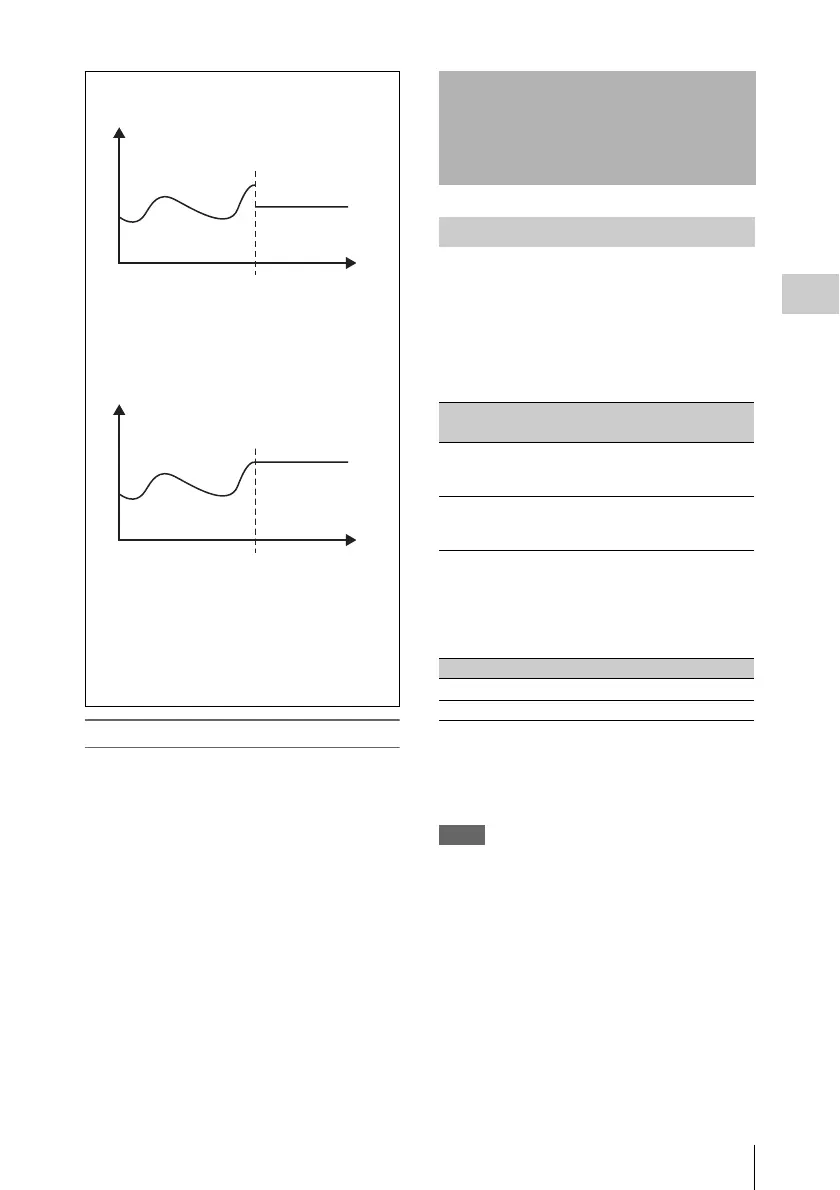
WB
t
a)
ATW HOLD MEMORY: OFF
ATW: ON ATW: OFF
WB
t
b)
ATW HOLD MEMORY: ON
ATW: ON ATW: OFF
a) White balance settings stored in memory
A, B, or C
b) White balance settings immediately
before ATW was turned off.
White balance settings used when ATW is turned
off
(WB: White balance setting value, t: Shooting
time)
Setting the Electronic
Shutter
Shutter modes
System
frequency
Shutter speed (unit: seconds)
59.94i
1
/
100
,
1
/
125
,
1
/
250
,
1
/
500
,
1
/
1000
,
1
/
2000
50i
1
/
60
,
1
/
125
,
1
/
250
,
1
/
500
,
1
/
1000
,
1
/
2000
System frequency Shutter speed (unit: Hz)
59.94i 60.00 to 4300
50i 50.00 to 4700



 To Next Page