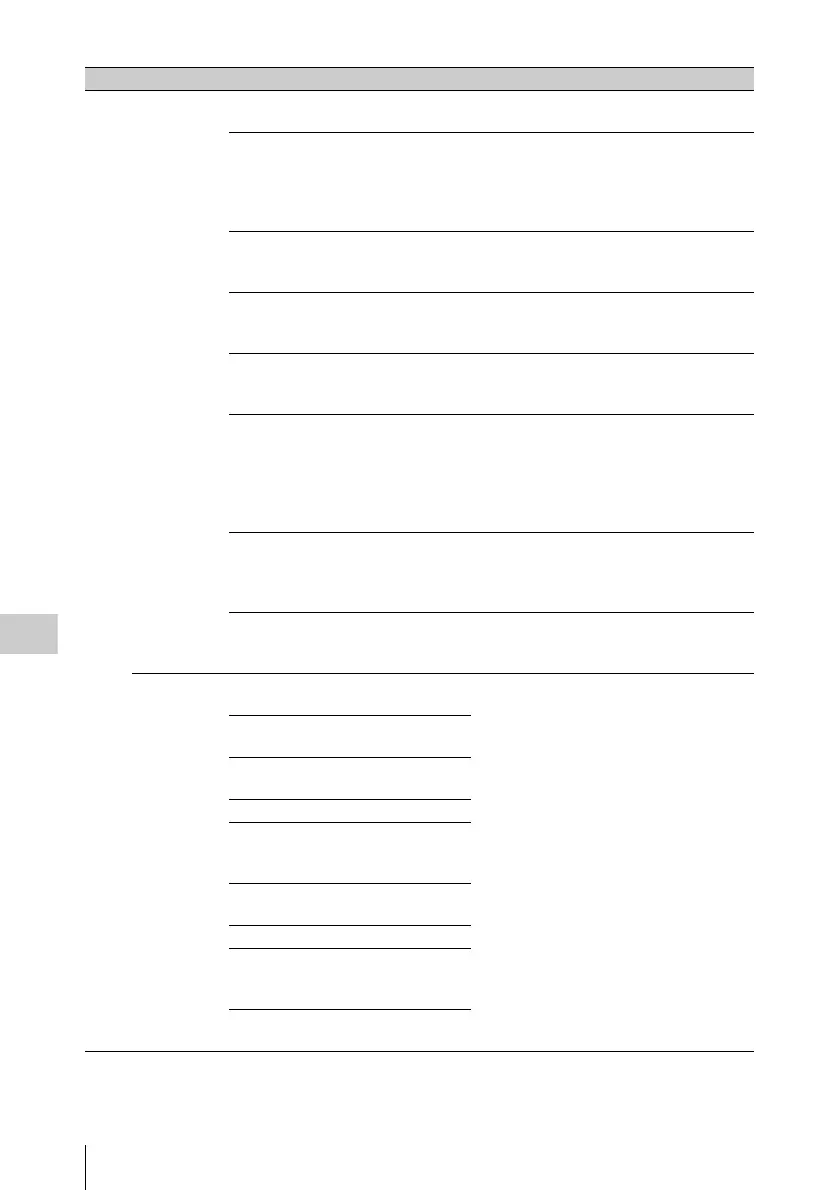
Menu List
182
Chapter 6 Menu Displays and Detailed Settings
26 Wi-Fi
(Displayed
only when
CBKZ-UPG01
software
upgrade key is
installed)
Wi-Fi SETUP EXEC Displays the Wi-Fi SETTING page so that
you can make wireless LAN settings.
Wi-Fi STATUS [-----]/
[xxxxx]/
CONNECT
(display only)
Communication/connection status
xxxxx: Displays the signal strength by
the number of x’s.
CONNECT: Executing the connection
sequence
WIRELESS MODE ----/802.11b/
802.11g/802.11n
(display only)
IEEE 802.11 standard
SSID (unknown)/up to
32 characters
(display only)
Network name
NETWORK TYPE ----/INFRA/
ADHOC
(display only)
Connection mode
CH --/1 to 14
(display only. 13
and 14 are for
automatically
detected
channels only.)
Wireless channel
AUTH ----/OPEN/
SHARED/WPA/
WPA2 (display
only)
Network authentication
ENCRYPTION ----/DISABLE/
WEP/TKIP/AES
(display only)
Data encryption
Wi-Fi
SETTING
SCAN
NETWORKS
EXEC For details, see “Setting up a wireless LAN”
(page 208).
SSID Blank/up to 32
characters
NETWORK TYPE INFRA/
ADHOC
CH 1 to 11
AUTH OPEN/
SHARED/WPA/
WPA2
ENCRYPTION DISABLE/
WEP/TKIP/AES
WEP KEY INDEX 1/2/3/4
INPUT SELECT ASCII5/
ASCII13/
HEX10/HEX26
KEY Blank/up to 26
characters
No. Page Item Settings Description


 To Next Page