Locations and Functions of Parts and Controls
30
Chapter 1 Overview
begins to flash, you should stop shooting and other
operations and wait until the internal temperature drops,
and then restart operations.
k Memory symbol and remaining
memory capacity, or wireless LAN
connection status
When a USB flash drive is connected to the
enabled USB connector, a memory symbol
appears indicating the mount status of the USB
flash drive and its remaining capacity.
Memory symbol and remaining capacity
display
a) Use a USB flash drive with enough free capacity
remaining.
b) Enable the proxy data recording function.
c) Clear the write protection on the USB flash drive.
d) Format or exchange the USB flash drive.
When Wi-Fi on the POWER SAVE page of the
OPERATION menu is set to “ENABL”, the
wireless LAN connection status is displayed in
this area, as follows.
Not connected, or connection destination
unknown: An “×” lights.
Connecting: Four gray segments flash.
Connection completed (signal strength 0): One
gray segment lights.
Connection completed (signal strength 1 to 4):
White segments light. The number of white
segments (1 to 4) indicates the reception
signal level (1 to 4).
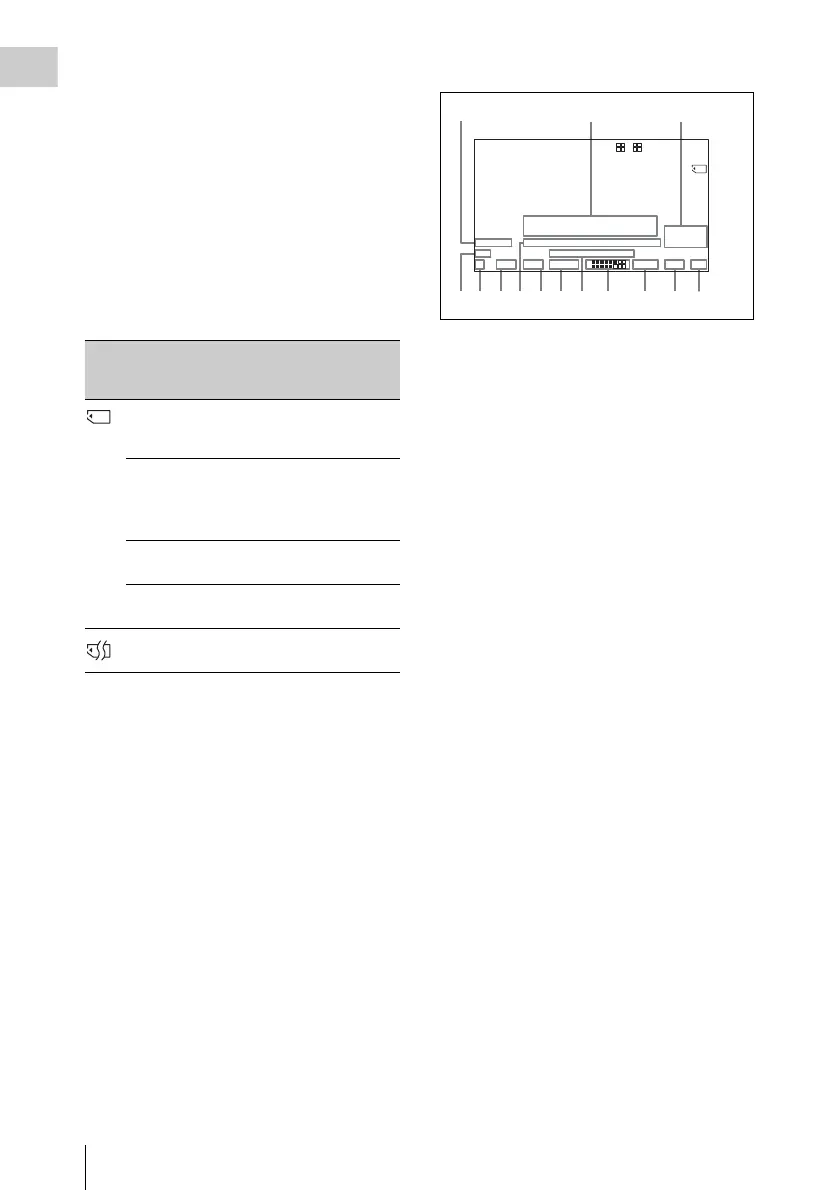
Bottom of viewfinder screen
a External device control and single clip
playback
REC2: Appears when HDSDI REMOTE I/F in
the CAM CONFIG 1 page of the
MAINTENANCE menu is set to “CHARA”,
and this unit is controlling recording by an
external device connected to the SDI OUT
1/2 connectors (HDSDI output).
1)
SNGL: Appears when SINGLE CLIP MODE in
the CAM CONFIG 1 page of the
MAINTENANCE menu is set to “ON”, and
the unit is searching or playing a clip (see
page 77).
1) SDI OUT 1 SELECT or SDI OUT 2 SELECT on the
OUTPUT 1 page of the OPERATION menu must be
set to HDSDI.
b Setting change and adjustment
progress message display area
For details, see “Change confirmation/adjustment
progress messages” on page 198.
c External input status and aberration
correction function
EXT HDSDI/SDSDI/VBS: When the REC
VIDEO SOURCE item on the SOURCE SEL
page of the OPERATION menu has been set
to EXT, then “EXT” and the signal type
(HDSDI, SDSDI, or VBS) flashes when a
valid signal is input to this unit.
For details, see “Recording video from external
devices” on page 95.
ALAC: Appears when ALAC in the CAM
CONFIG 3 page of the MAINTENANCE
menu is set to “AUTO” (see page 176).
Icon Remaining
capacity
display
Description
Lit Proxy data recording is
enabled, and there is at least 5
minute of remaining capacity.
Flashing Proxy data recording is
enabled, but there is less than
5 minute of remaining
capacity.
a)
Out Proxy data recording is
disabled.
b)
INH The USB flash drive is write
protected.
c)
Out The USB flash drive could not
be mounted.
d)
123
4567890 qa qf
qdqs
EX Z W
13.4
V
99 1 2
HD422 50 E0001:001/004 DC IN
CONT
FAN
13.9
35-30
K+
WHITE:NG
LEVEL TOO HIGH EXT
REC2 TCG 01:23:45:15 HDSDI
1 -
125
C
LOW LIGHT
5600
F1.718 35 30dB 1/ 2000
1
2
W:A



 To Next Page