EasyManua.ls Logo

Sony SA-SD35 - AC Cord

Sony SA-SD35
80 pages
Print Icon
To Next Page IconTo Next Page
To Previous Page IconTo Previous Page
Loading...
SA-WS350/WSD35
10
Sony CONFIDENTIAL
For Authorized Servicer
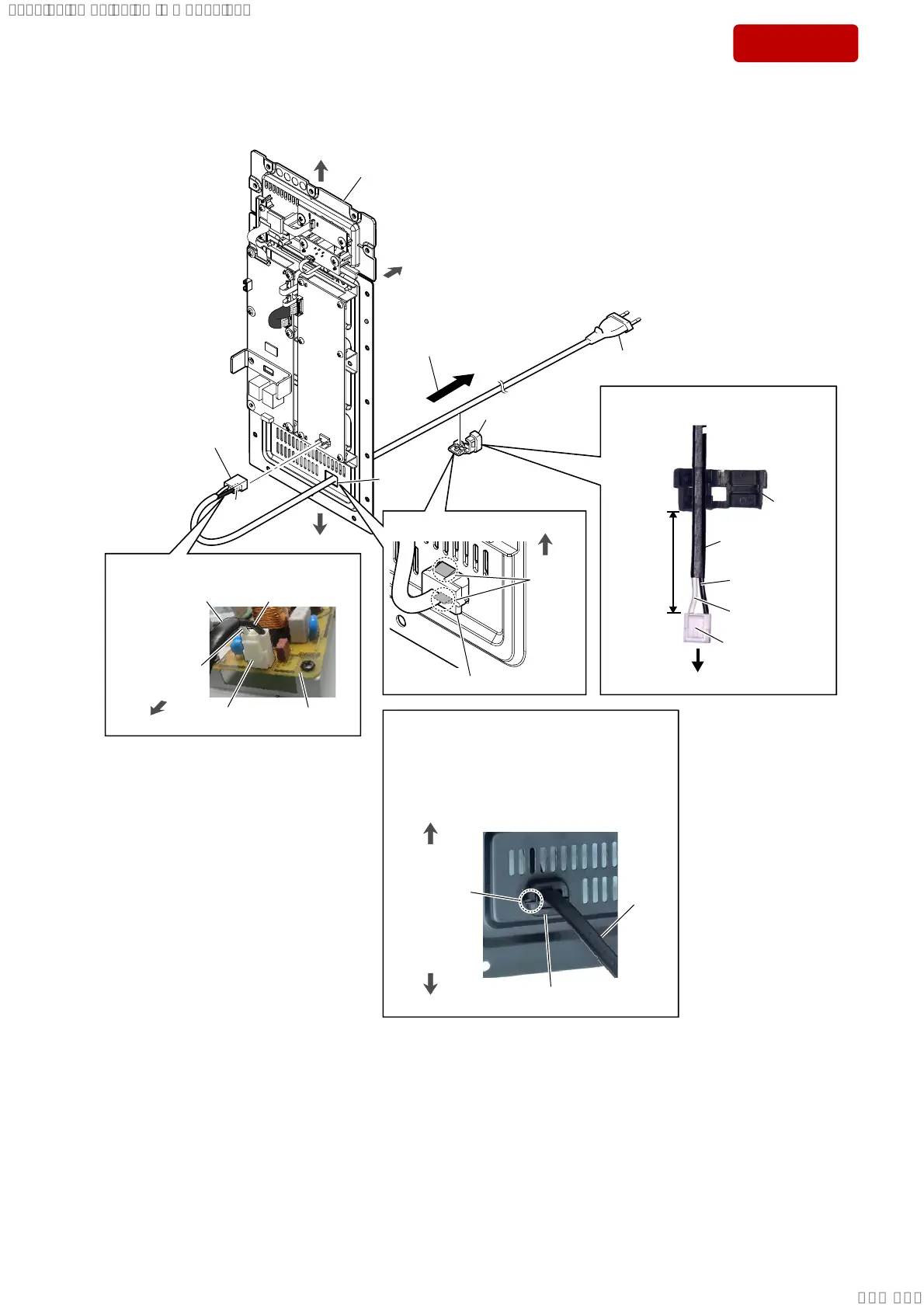
2-3. AC CORD
$&FRUGVHWWLQJ
hole
rear side
top side
AMP block
claw
side
1 AC cord connector (CN1)
AC cord
AC cord
cord bush
(2104)
70 ± 3 mm
to POWER board
cord bush (2104)
Note:
When installing the AC cord block, check the
protrusion side position of the cord bush (2104)
and install correctly.
bottom side
top side
bottom side
,QQHUYLHZ
top side
cord bush (2104)
2 two
claws
claw side
5HDUYLHZ
bottom side
POWER board
claw side
AC cord
)LJ$!
3 Draw out the AC cord
block from the hole.
4 cord bush (2104)
(See Fig. A)
,QVWDOODWLRQSRVLWLRQRIWKHFRUG
EXVK
$&FRUGEORFNVHWWLQJ
5 AC cord
protrusion
side
US, CND: Black
AEP, UK: Brown
US, CND: White
AEP, UK: Blue
US, CND: Black
AEP, UK: Brown
US, CND: White
AEP, UK: Blue
SYSSET
2019/02/1301:37:00(GMT+09:00)

Table of Contents

Related product manuals