EasyManua.ls Logo

Sony SLV-686HF - Page 17

Sony SLV-686HF
67 pages
Print Icon
To Next Page IconTo Next Page
To Previous Page IconTo Previous Page
Loading...
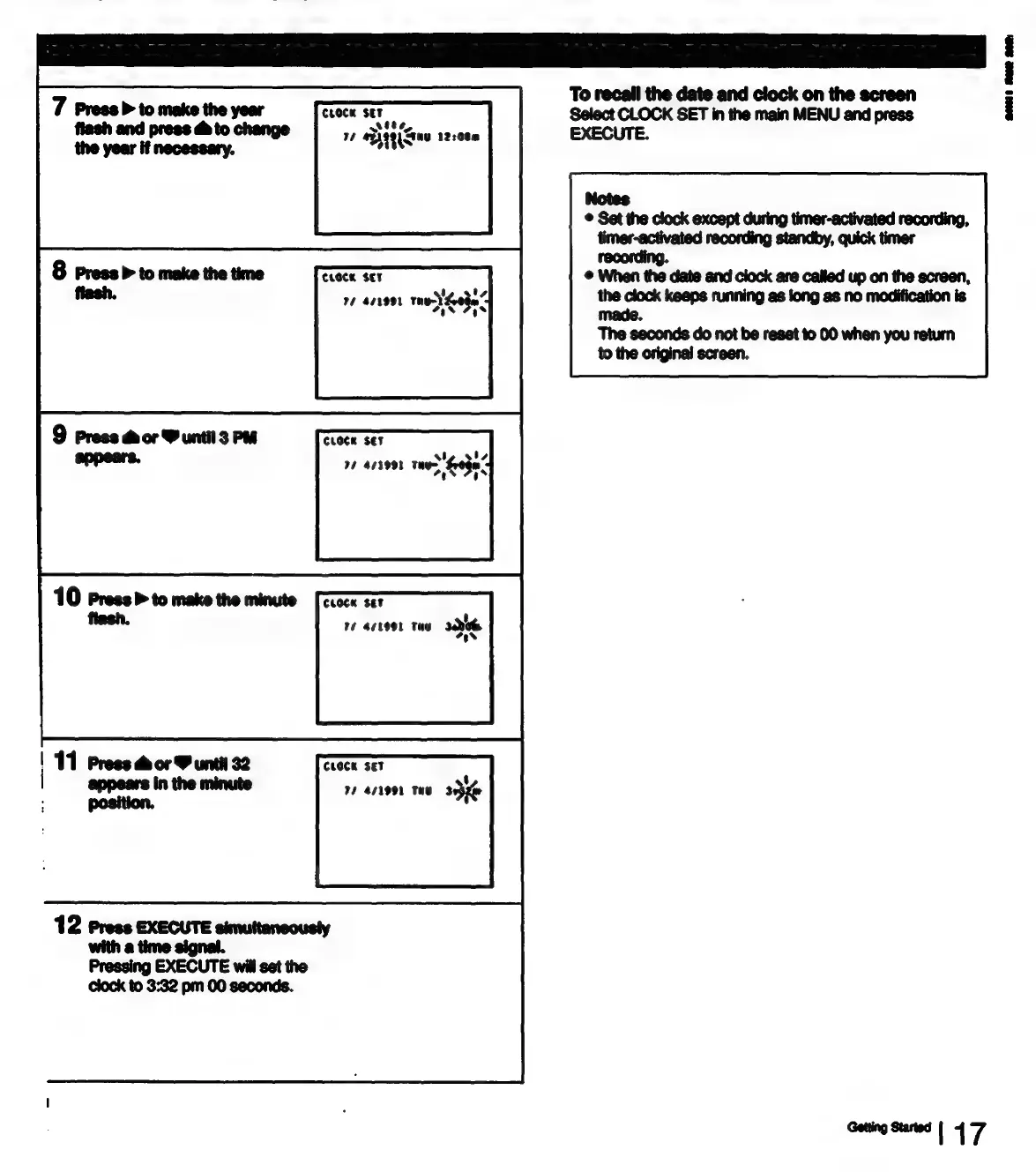
To
recall
the
date
and
clock
on
the
screen
Ceeen
RT
Select
CLOCK
SET
in
the
main
MENU
and
press
14
UA9e1Gnu
122000
EXECUTE.
Notes
©
Set
the
clock
except
during
timer-activated
recording,
timer-activated
recording
standby,
quick
timer
CLOCK
SET
recording.
@
When
the
date
and
clock
are
called
up on
the
screen,
77
4r1991
THe)
Soha’
7s
as
the
clock
keeps
running
as
long
as no
modification
is
made.
The
seconds
do
not
be
reset
to
00
when
you
return
to
the
original
screen.
9
Press
&
or
Y
until
3
PM
CLOCK
SET
appears.
11
413991
tay
feoge
>
Gahed
10
Press
to
make
the
minute
[ctoce
sit
flash.
10
acteet
tay
30
oer
|
11
Press
&
or
M
untit
32
CLOCK
SET
:
appears
in
the
minute
77
471991
Taw
3
:
position.
3
12
Press
EXECUTE
simuttancousty
with
a
time
signal.
Pressing
EXECUTE
will
set
the
clock
to
3:32
pm
00
seconds.
meee

Table of Contents