EasyManua.ls Logo

Sony SLV-686HF - Timer Recording; Setting the Timer

Sony SLV-686HF
67 pages
Print Icon
To Next Page IconTo Next Page
To Previous Page IconTo Previous Page
Loading...
Timer
Recording
won
oes
teen
enw
eronmee
en
one
Pore
advance.
The
recordings
can
be
preset
with
the
Commander
while
referring
to
the
TIMER
SET/CHECK
display
on
the
TV
screen.
Before
you
begin,
check
the
following
points.
©
The
date
and
clock
must
be
set
correctly.
(See
“Setting
the
Date
and
Time”
on
page
16.)
©
Make
sure
that
the
cassette
tape
is
long
enough
to
record
all the
programs.
©
Make
sure that
the
safety
tab
on
the
cassette
is
not
broken
off.
if
you put
in
a
cassette
without
its
safety
tab
and
press
TIMER
REC
(ON/OFF),
the
cassette
automatically
ejects.
Tum
on
the
VCR and
the
TV.
Setting
the
Timer
Recording
from
today
to
one
month
later
tf
today
is
August
Sist,
you
can set
the
timer
to
record
a
broadcast
between
today
and
September
30
program
(for
31
days).
If
today
is
January
31st,
you
can set
the
timer
to
record
a
program
broadcast
between
today
and
February
28th
(for
29
days).
A
leap
year
is
automatically
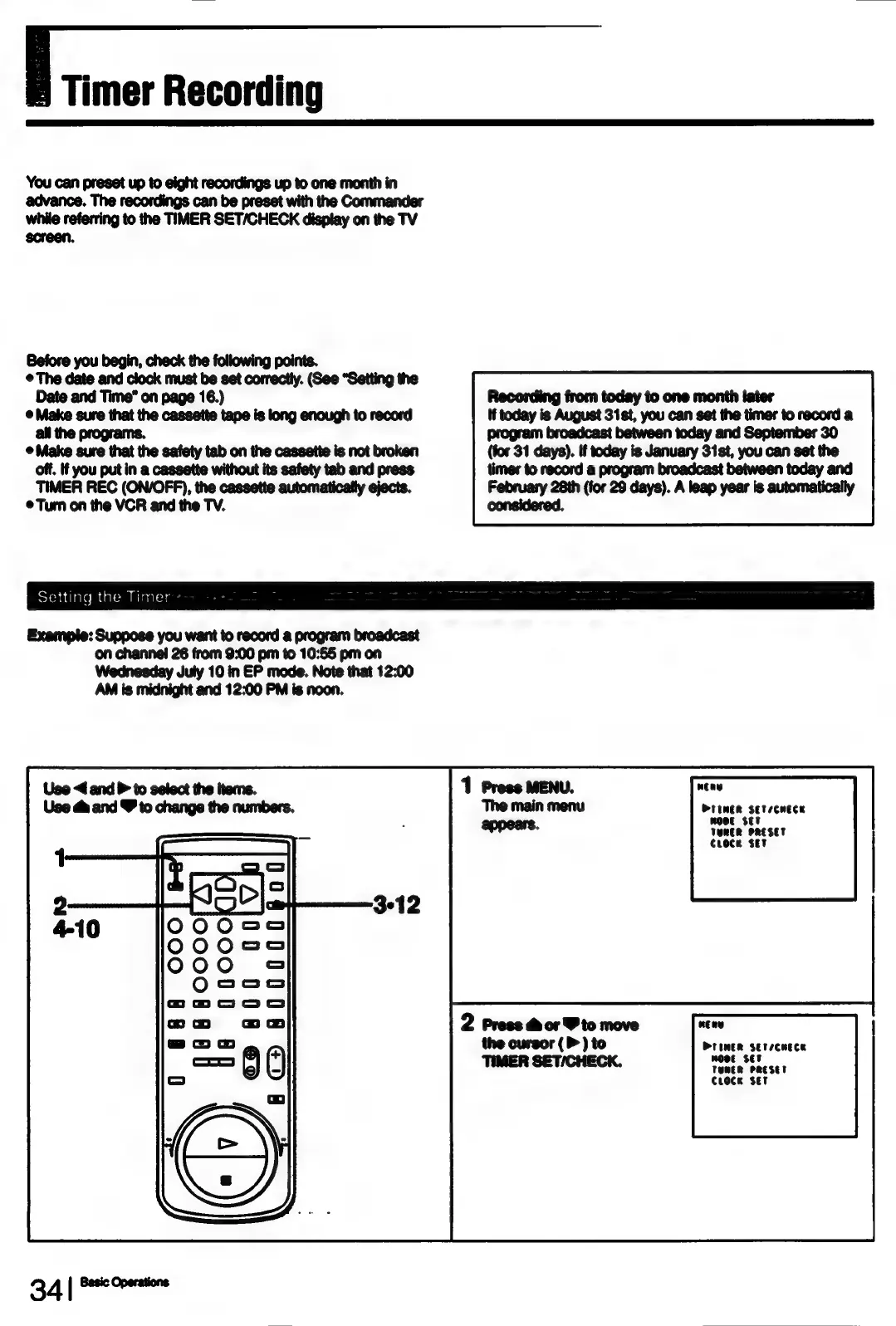
Example:
Suppose
you
want
to
record
a
program
broadcast
on
channel
26
from
9:00
pm
to
10:55
pm
on
Wednesday
July
10
in
EP
mode.
Note
that
12:00
AM
is
midnight
and
12:00
PM is
noon.
Use
<4
and
to
select
the
items.
Use
&
and
&
to
change
the
numbers.
B4[
Se
wea
PrimeR
setecmece
WOOE
SET
VeMER
PRESET
Croce
Set
DPTIMNER
SET/CHECE
Wooe
SET
TUMER
PRESET
Croce
Set

Table of Contents

Related product manuals