EasyManua.ls Logo

Sony SLV-686HF - Editing; Preliminary Setting for Editing

Sony SLV-686HF
67 pages
Print Icon
To Next Page IconTo Next Page
To Previous Page IconTo Previous Page
Loading...
Using
an
additional
VCR,
you
can
create
original
video
program
tapes.
Preliminary
Setting
for
Editing
When
using
this
VCR
as
the
recording
VCR
Before
editing,
check
these
settings:
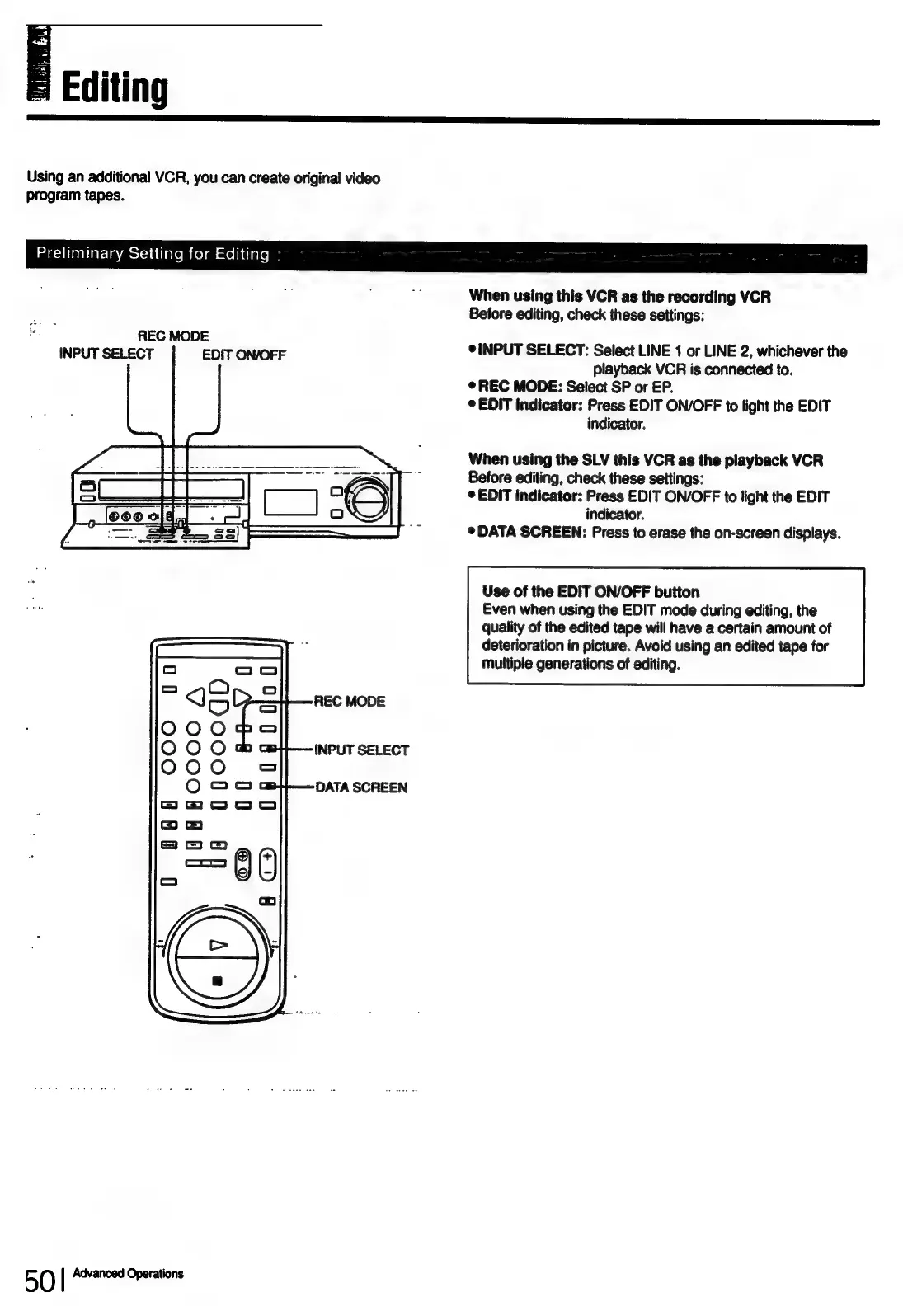
INPUT
Pe
gece
ON/OFF
¢
INPUT
SELECT:
Select
LINE
1
or
LINE
2,
whichever
the
playback
VCR
is
connected
to.
®
REC
MODE:
Select
SP
or
EP.
©
EDIT
indicator:
Press
EDIT
ON/OFF
to
light
the
EDIT
indicator.
When
using
the
SLV
this
VCR
as
the
playback
VCR
Before
editing,
check
these
settings:
©
EDIT
indicator:
Press
EDIT
ON/OFF
to
light
the
EDIT
indicator.
©
DATA
SCREEN:
Press
to
erase
the
on-screen
displays.
Use
of
the
EDIT
ON/OFF
button
Even
when
using
the
EDIT
mode
during
editing,
the
quality
of
the
edited
tape
will
have
a
certain
amount
of
deterioration
in
picture.
Avoid
using
an
edited
tape
for
multiple
generations
of
editing.
50
|
Advanced
Operations

Table of Contents

Related product manuals