EasyManua.ls Logo

Sony SLV-686HF - Advanced Playback Viewing; Frame-by-Frame Picture; Manual Picture Adjustment

Sony SLV-686HF
67 pages
Print Icon
To Next Page IconTo Next Page
To Previous Page IconTo Previous Page
Loading...
Viewing
a
Picture
Momentarily
during
Fast-
forward
or
Rewind
During
fast-forward
or
rewind,
turn
the
DUAL
MODE
SHUTTLE
ring
on
the
VCR
clockwise
(forward)
or
counter-
clockwise
(reverse
direction).
You
can
view
a
picture
at
high
speed
while
you
hold
the
ring
at
that
position.
If
you
release
the
ring,
the
VCR
returns
to
the
previous
Status
(fast-forward
or
rewind).
;
Frame-by-Frame
Picture
During
playback
pause
mode,
press
<@11
FRAME
IIB>
>
to
advance
the
picture
one
frame
or
<4
FRAME
IIR
<
to
reverse
the
picture
one
frame.
Each
time
you
press
the
button,
the
picture
moves
one
frame.
To
resume
normal
playback,
press
[=>
PLAY.
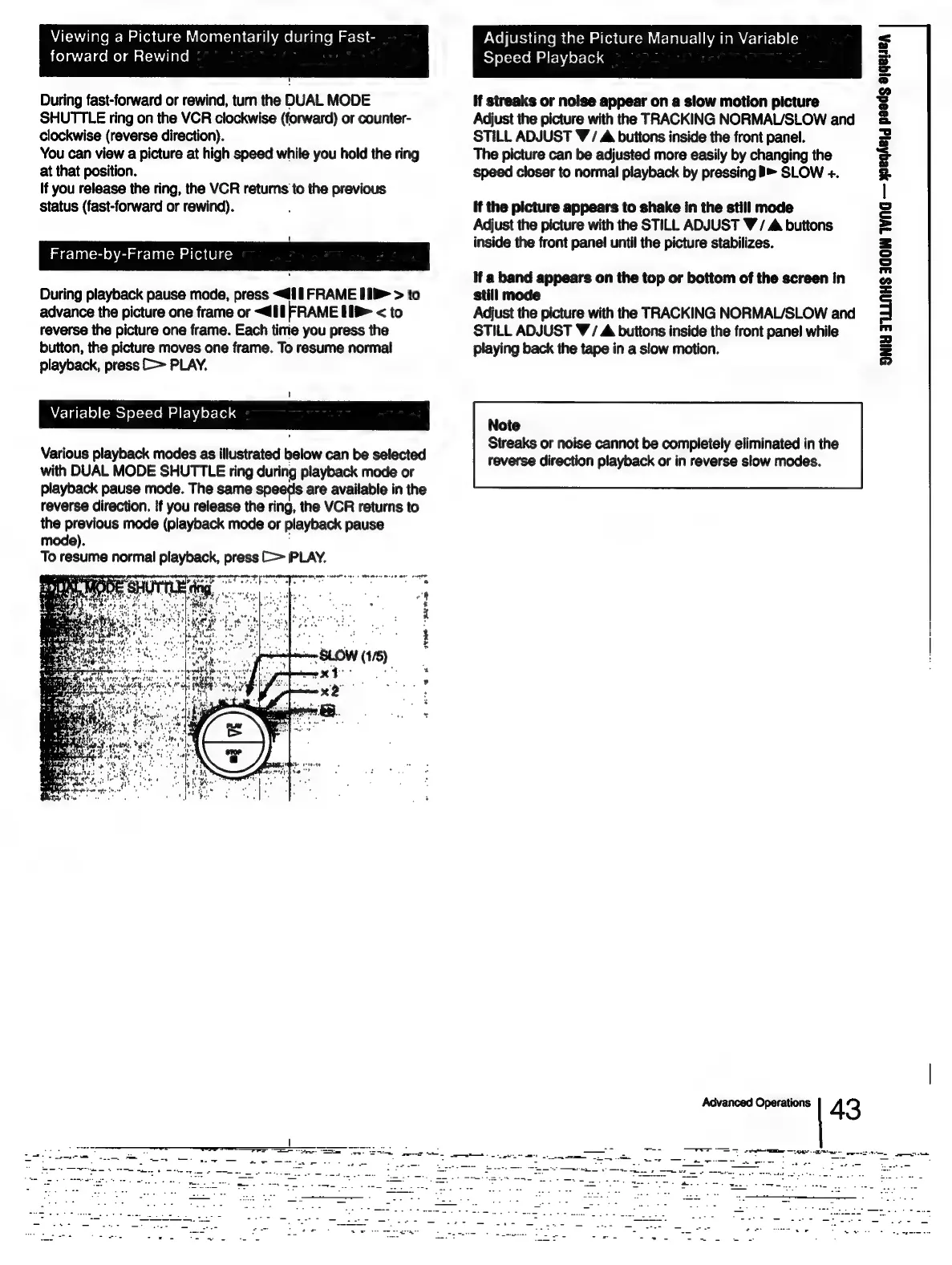
Variable
Speed
Playback
Various
playback
modes
as
illustrated
below
can
be
selected
with
DUAL
MODE
SHUTTLE
ring
during
playback
mode
or
playback
pause
mode.
The
same
speeds
are
available
in
the
reverse
direction.
If
you
release
the
ring,
the
VCR
returns
to
the
previous
mode
(playback
mode
or
playback
pause
mode).
To
resume
normal
playback,
press
(=>
PLAY.
to
er
ey
a
Adjusting
the
Picture
Manually
in
Variable
Speed
Playback
if
streaks
or
noise
appear
on
a
slow
motion
picture
Adjust
the
picture
with
the
TRACKING
NORMAL/SLOW
and
STILL
ADJUST
V/
A
buttons
inside
the
front
panel.
The
picture
can
be
adjusted
more
easily
by
changing
the
speed
closer
to
normal
playback
by
pressing
B>
SLOW
+.
if
the
picture
appears
to
shake
in
the
still
mode
Adjust
the
picture
with
the
STILL
ADJUST
V/
A
buttons
inside
the
front
panel
until
the
picture
stabilizes.
If
a
band
appears
on
the
top
or
bottom
of
the
screen
in
still
mode
Adjust
the
picture
with
the
TRACKING
NORMAL/SLOW
and
STILL
ADJUST
VW
/
A
buttons
inside
the
front
panel
while
playing
back
the
tape
in
a
slow
motion.
Note
Streaks
or
noise
cannot
be
completely
eliminated
in
the
reverse
direction
playback
or
in
reverse
slow
modes.
Advanced
Operations
4
3
ONIY
TULLNHS
3GOW
TWN
—
WegKelg
peeds
a1qeLEA

Table of Contents