EasyManua.ls Logo

Sony SLV-686HF - Connecting a TV; First Check Your TV for Connections

Sony SLV-686HF
67 pages
Print Icon
To Next Page IconTo Next Page
To Previous Page IconTo Previous Page
Loading...
E
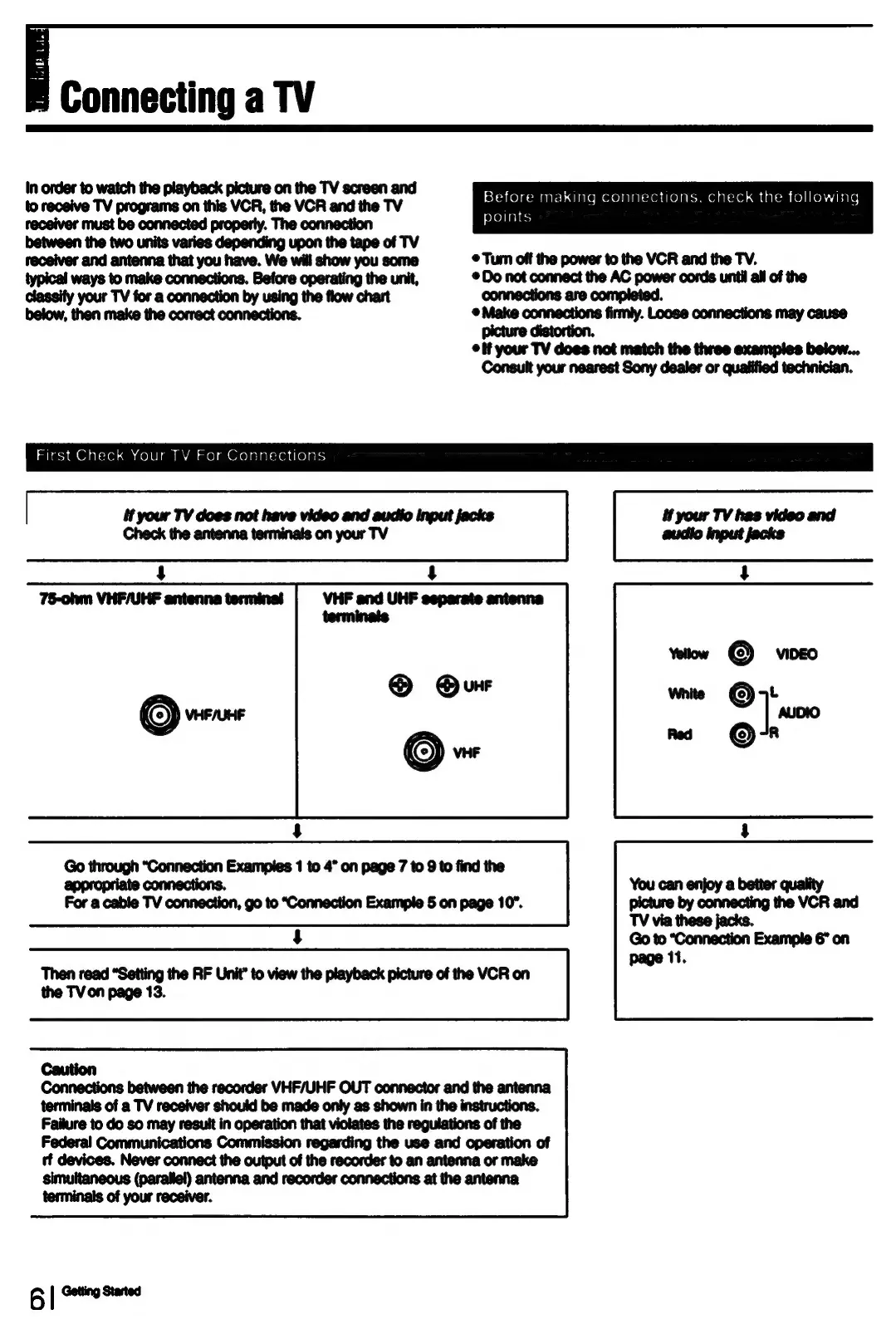
Connecting
a
TV
In
order
to
watch
the
playback
picture
on
the
TV
screen
and
to
receive
TV
programs
on
this
VCR,
the
VCR and
the
TV
receiver
must
be
connected
property.
The
connection
between
the two
units
varies
depending
upon
the
tape
of
TV
receiver
and
antenna
that
you
have.
We
will
show
you
some
typical
ways
to
make
connections.
Before
operating
the
unit,
classify
your
TV
for
a
connection
by
using
the
flow
chart
below,
then make
the
correct
connections.
suhash@l
Ol
alsiol.am
(o)0]
am
M’an
a0)
am
Orolelalsiendiolars
SYeacelasmmanrsh
qiaremoxe)alalsyen
dlelal-vnelalcol
ancalsan
(olicoh
pare
points
©
Turn
off
the
power
to
the
VCR
and
the
TV.
©
Do
not
connect
the
AC
power
cords
until
all
of
the
connections
are
completed.
®@
Make
connections
firmly.
Loose
connections
may
cause
distortion.
picture
i
©
if
your
TV
does
not
match
the
tiwee
examples
below...
Consult
your
nearest
Sony
dealer
or
qualified
technician.
if
your
TV
does
not
have
video
and
audio
input
jacks
Check
the
antenna
terminais
on
your
TV
Go
through
“Connection
Examples
1
to
4”
on
page
7
to
9
to
find
the
connections,
appropriate
For
a
cable
TV
connection,
go to
“Connection
Example
5
on
page
10”.
Then
read
“Setting
the
RF
Unit”
to
view
the
playback
picture
of
the
VCR
on
the
TV
on
page
13.
Caution
Connections
between
the
recorder
VHF/UHF
OUT
connector
and the
antenna
terminals
of
a
TV
receiver
should
be
made
only
as
shown
in
the
instructions.
Failure
to do so
may
result
in
operation
that
violates
the
regulations
of
the
Federal
Communications
Commission
regarding
the use and
operation
of
tt
devices.
Never
connect
the
output
of
the
recorder
to an
antenna
or
make
simultaneous
(parallel)
antenna
and
recorder
connections
at
the
antenna
terminals
of
your
receiver.
Ble

Table of Contents

Related product manuals